
A dental practice with four lines gets 60 calls a day. Most of them are the same three requests: book an appointment, move an appointment, ask whether a procedure is covered. The receptionist handles them between patients, and about a third of the calls go to voicemail at lunch. That's the situation most people are in when they start looking at AI VoIP software integration. The question underneath it is simple. Can a voice agent pick up those calls, do something useful with them, and hand the hard ones to a person without the caller noticing a seam?
The short answer is yes. The work is less about the AI than about the plumbing. You register an agent as an endpoint on your phone system, give it access to the systems that hold your data, and decide what it's allowed to do on its own, then build a clean path to a human for everything else. The failure cases almost never come from the model. They come from latency, from messy calls, and from backend workflows built with one layer too many.
Register the agent on your PBX, not behind another phone line
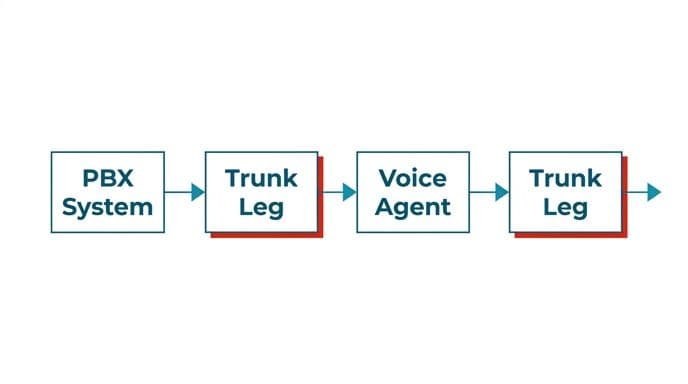
The common first build routes calls out from your phone system over the public network to a hosted voice agent, then back again when a transfer is needed. It works. It also pays for two trunk legs on every call and adds a noticeable delay to each turn in the conversation. On a call, that's the difference between a pause and an awkward silence.
The better arrangement is to register the agent as a SIP endpoint directly on the customer's PBX, so it behaves like any other extension. SIP is just the signalling protocol your phone system already uses to set up calls. The agent becomes extension 205 instead of an outside number. You cut the extra hop, you drop the second trunk leg off the bill, and transfers to a human stay inside the same system, so the call keeps its context instead of starting over.
This is the single decision that most changes how a phone for AI agents sounds and feels on the receiving end. Everything else, the prompt, the voice, the knowledge base, sits on top of it. Get the routing wrong, and no amount of prompt tuning will make the agent sound present.
Test with messy calls, not vendor demos
Voice demos are built to succeed. The caller speaks in complete sentences and waits their turn, with one request, sitting in a quiet room. Real callers do none of that. They interrupt, they talk over the agent, they change their mind halfway through a sentence. They have a child or a till or a highway behind them, and they ask two unrelated things in one breath.
Agents that sound excellent in a demo often break on exactly those inputs. The usual symptom is a loop: the agent re-asks a question it already has the answer to, or falls back to a scripted line that doesn't fit, and the caller's tone shifts within seconds. Staged tutorial builds make this worse, because they show a path where nothing goes wrong, leaving people expecting a weekend project.
So test before you commit. Call the agent and interrupt it mid-sentence. Give it a wrong date and correct yourself. Ask for a booking and a billing question together. Call from a car. Mumble a street name. What you're checking is recovery. Does it hold the thread and ask one clarifying question, or does it reset? Voice realism matters far less than people assume. What matters for a small business is whether the agent can run the actual workflow, scheduling, qualifying a lead, pulling a record, and passing the call on cleanly when it should.
Keep the backend uncomplicated: one reasoning layer, fast tools
Most of the latency people blame on the voice model is created after the model has already decided what to do. The pattern we see often: the voice platform handles the conversation, then calls a workflow in an automation tool. Inside that workflow sits a second AI step that interprets the request again before anything valuable happens. The conversation layer already did that thinking. The second layer adds delay, adds a thing that can fail, and adds a bill.
Treat the backend as a set of fast, dumb tools: look up a customer, check availability, create a booking, write a note. Each one returns a predictable payload in as little time as your database allows. If the workflow needs branching, branch on fields, not on another model's opinion.
Where structure helps is in how those tools are organized. Grouping lookups, scheduling and transfer logic into separate call handling branches, exposed through an MCP server so the agent can discover and call them cleanly, makes the agent behave like a receptionist with a desk rather than one guessing from memory. It's also the part that makes a second or third deployment cheap, because the branches carry over. Our AI workflow automation work usually starts here, with the tools, before anyone writes a prompt.
Warm handoffs, containment rates, and what the call actually costs
A transfer that drops a caller into a cold queue undoes everything the agent just did. A warm handoff passes the human a short summary before they say hello: who's calling, what they asked for, what the agent already did, what's still open, and how the caller sounded. Sentiment matters here, because a frustrated caller should route differently than a patient one. If your CRM is the system of record, the summary belongs there too, attached to the contact, so the next person has it even if the call ends.
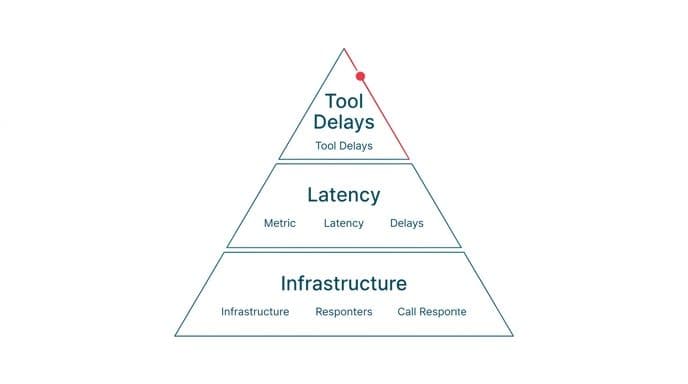
Measure two things. Containment is the share of calls the agent finished without a person. Resolution is the share where the caller's actual problem got solved. They are not the same number, and chasing containment alone produces an agent that stonewalls people. We'd rather see lower containment with clean handoffs than a high figure propped up by callers giving up.
On cost, the per-minute rate quoted on a pricing page is rarely the whole bill. Speech-to-text, the model, text-to-speech, telephony and recording storage are often metered separately, and silence on the line is usually billed too. Add the workflow tool and any per-run charges, then price a realistic month at your real call volume and average handle time, and compare it against what the calls cost you now.
What this looks like in a vertical, and when not to build
Appointment-led businesses get the clearest return. Clinics, salons, repair shops and lettings agents are all places where a missed call is a lost booking.
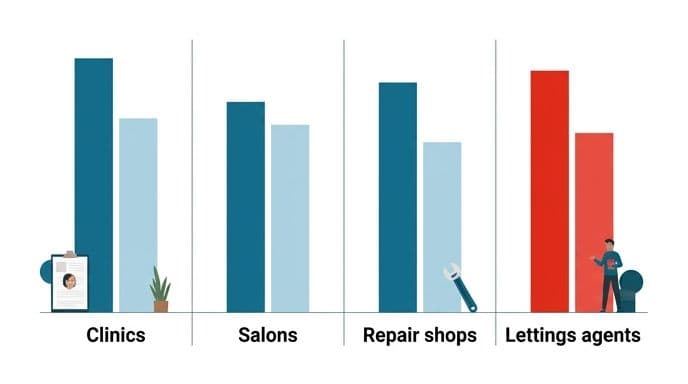
The agent books, reschedules, confirms, qualifies new enquiries against two or three criteria, and sends everything else to a person. In back-office work the shape changes. We've built agents that take voice and messaging input in mixed languages, pull the details out, and post reconciled entries into an ERP, with a person approving anything that touches money or a customer before it commits.
Sometimes the honest answer is don't. If your call volume is low, or your scheduling system has no API worth the name, a better phone tree and a shared inbox will beat an AI build. We'll say so.
When it does make sense, you own the code, the accounts and the keys. The price is fixed before work starts, and you should have something answering real calls inside the first month rather than a quarter.
If you're weighing suppliers, our breakdown of how to choose between AI integration partners covers what to ask before signing. For the wider picture of adding AI to systems you already run, start there.
Book a free automation audit and we'll map your call flows, tell you which ones an agent can hold, and give you a number before any work begins. Get in touch.
Wondering what this would take against your own systems?
The audit costs nothing, and you keep the costed plan and the risks whether you go ahead or not.
Book a free automation auditHitasoft
LinkedInHitasoft has built software since 2008, for companies that mostly do not have an IT department. These pieces are written by the people who do the integrations rather than by anybody in marketing.