
A finance lead we spoke with last month had a simple problem. Every Monday, someone on her team opened a stack of supplier emails and pulled the invoice numbers out of PDF attachments. They checked them against the ledger and flagged anything that didn't match. The task ate hours every week, with no end in sight. She didn't want a chatbot. She wanted something that would do that job while she did something else.
That's an agent. Not a model you talk to, but a process that reads something, decides what to do, does it, and tells you when it's done or stuck. This guide covers how to create an AI agent that runs real tasks, from the thirty-minute no-code version through to memory, multi-agent design, and the security problems nobody mentions until you hit them. We'll also be straight about when you shouldn't build one at all.
Start With a Workflow That Doesn't Need AI Yet
The fastest way to waste a quarter is to design a multi-step agent system on day one. Teams that get something working tend to start with a task so narrow it's almost boring: summarize the overnight support inbox, sort tickets into three buckets, pull five fields out of a PDF.
Write the task down as a sequence of steps a new hire could follow. If you can't write it, an agent can't run it. This step surfaces the real problem most of the time: the process isn't defined, it's just habit living in one person's head.
Then think about what the agent needs to see and what it's allowed to touch. Read-only access to an inbox is a different risk profile from write access to your accounting system. Keep the first version read-only and have it produce a draft a person approves. That single rule is what we apply to anything touching money or a customer, and it keeps the first failure cheap.
Building Autonomous AI Agents Without Coding, In Under Half an Hour
If your workflow is uncomplicated, you can have a functional agent running before lunch. No-code builders and the agent features inside the major assistant tools now cover the common pattern: a trigger, a model call with instructions, a tool or two, and an output destination.
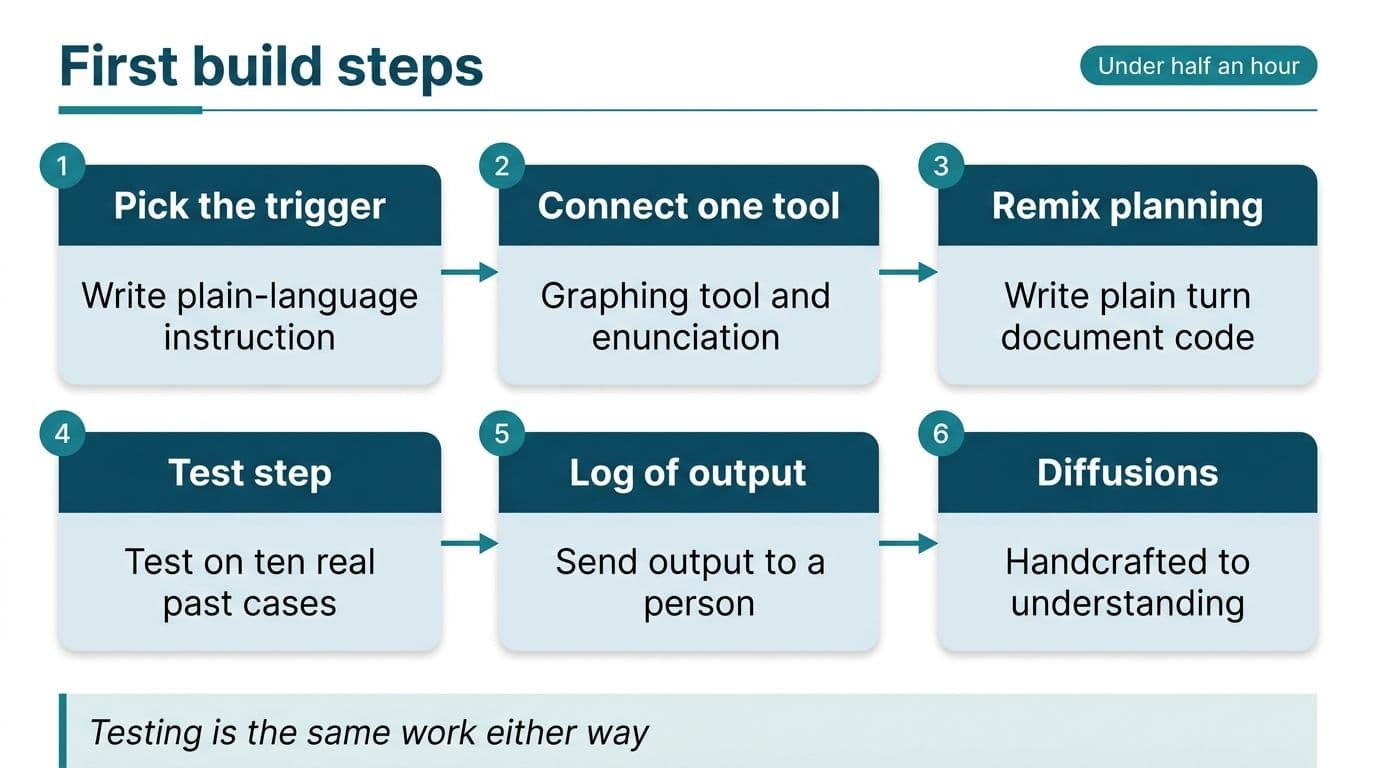
A practical first build looks like this. Pick the trigger, usually a new email, a new row, or a scheduled run. Write the instruction in plain language, including what the agent must not do. Connect one tool, such as a document reader or a search action, then send the output somewhere a person sees it. Test it on ten real past cases, not invented ones.
That last step is where most no-code agents fall over. They work on the example you imagined and fail on the invoice with two pages of annexures. Building autonomous AI agents without coding is genuinely fast, but the testing is the same work either way.
One warning on tooling. Learn the basic concepts first, then adopt a specialized platform only when you can name the gap it fills. A lot of what used to require an expensive agent platform can now be assembled with a coding assistant and a few APIs. Starting easy keeps you from signing a contract you can't exit.
How to Set Up Autonomous AI Agents With Code
Once the no-code version proves the task is worth automating, a coded agent gives you control over cost, logging, and failure handling. The structure stays the same.
- Model choice. Pick per task, not per company. Classification and extraction rarely need your largest model.
- Tools. Each tool is a function with a clear name, typed inputs, and a predictable error. Vague tools produce vague behavior.
- Loop control. Cap the number of steps and the spend per run. Agents that can loop will loop.
- State. Decide what the agent remembers inside one run and what it writes down for later. These are different problems.
- Observability. Log every tool call and every decision. You cannot debug what you didn't record.
Many teams ask how to create autonomous AI agents in Claude specifically, usually because they're already using it for code. The approach holds. Define tools with tight schemas, give the model a system prompt that states the boundaries, and keep the human approval step in the chain for anything irreversible. The same discipline applies whichever provider you're on, which is the point: your agent logic should be portable, with the model behind a thin interface you can swap.
On data, the honest answer to the question we get most is this: on enterprise endpoints with retention switched off, providers do not train on your prompts. Read the terms for the specific endpoint you're calling, since the consumer tier is a different agreement.
Memory That Lasts Years, Not Sessions
Here's where most builds get hard. An agent that helps a customer for ten minutes needs a context window. An agent that holds a relationship with the same user for five or ten years needs something else entirely, and there's no settled answer on what.
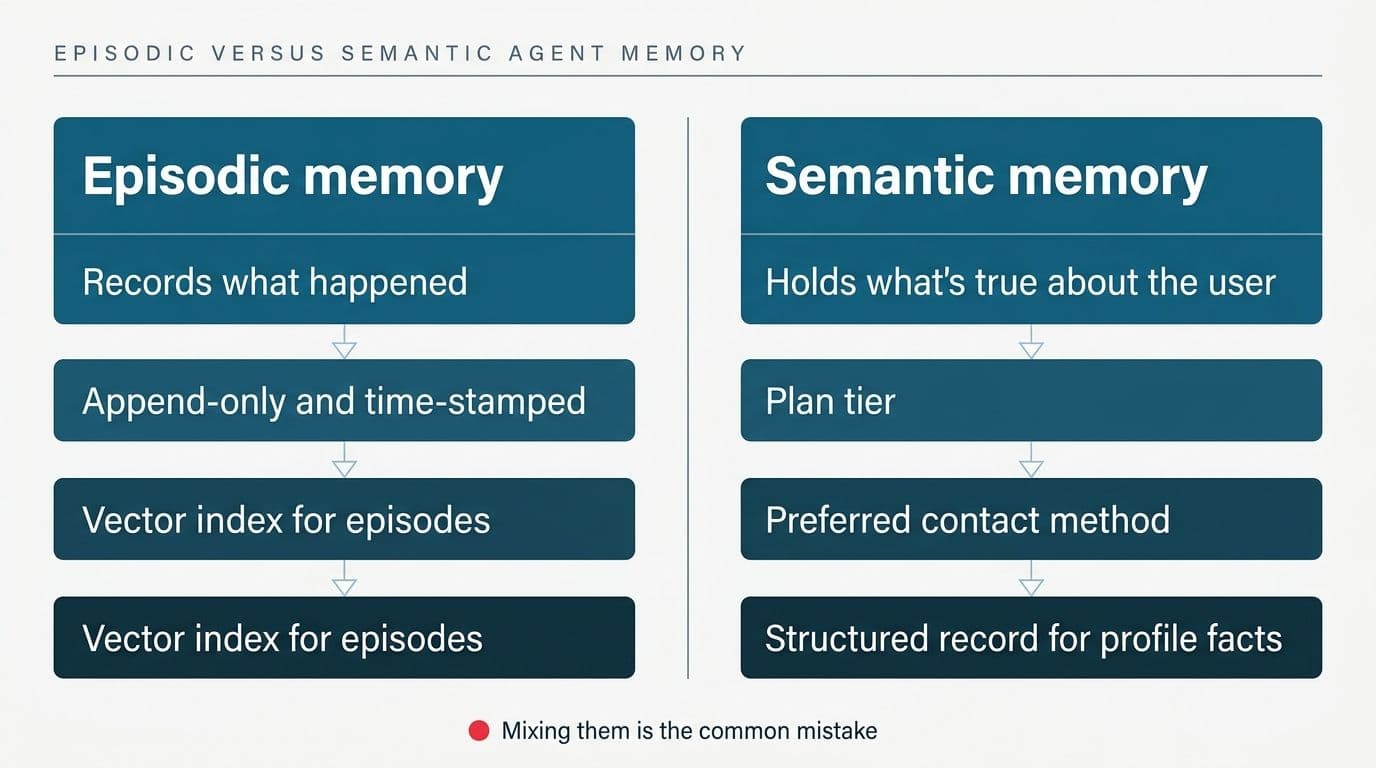
The split worth making early is between episodic and semantic memory. Episodic memory records what happened: this user asked about refund policy on a Tuesday, the agent escalated, the issue closed. Semantic memory holds what's true about the user, things like their plan tier, their preferred contact method, or the fact that they manage three entities. Mixing them in one vector store is the common mistake. Episodes are append-only and time-stamped, while profile facts get overwritten, and you need to know which fact won and why.
A workable pattern is a vector index for episodes, a structured record for profile facts, and a summarization pass that promotes repeated episodes into profile facts after review. Knowledge graphs become worth the complexity when relationships matter more than text similarity, for example when the agent has to reason about who reports to whom.
For most business workflows, they don't, and the simpler pair holds up. Decide your forgetting policy at the same time you decide your storage. Think about what expires, what gets archived, and what a user can delete on request. Retrofitting deletion into a system that assumed permanence is painful work.
How to Run Autonomous AI Agents You Can Actually Trust
Testing a stateless agent is straightforward: fixed input, expected output. Testing memory is not, because the behavior depends on history you have to construct.
Build a small set of synthetic user histories and replay them. Check whether the agent recalls the right fact after twenty unrelated conversations, and check whether a corrected fact stays corrected. Watch for an old preference resurfacing after the user changed it. Run the same history twice and check the answers match. Drift between identical replays tells you memory retrieval is unstable before a customer does.
Then there's the attack surface that comes free with memory. Prompt injection is when text the agent reads contains instructions it follows, like a line buried in a PDF telling it to email the contents elsewhere. Memory poisoning is the slower version, where a planted false fact gets written into long-term storage and shapes every later decision.
Defenses that hold up in practice start with treating all retrieved content as data, never as instruction. Keep tool permissions narrow enough that a hijacked agent can't do much. Require a person's approval for outbound actions that leave your systems. Log what gets written to memory and make it reviewable. No setup is breach-proof, and anyone telling you otherwise is selling something. What you can do is limit the blast radius and see what happened.
Security and always-on availability shape where the thing runs, too. If your records can't leave your infrastructure, that rules out multiple architectures before you start, and private LLM fine-tuning with secure hosting becomes the path rather than a public API.
Multi-Agent Patterns: Smaller Models, Clearer Roles
The instinct is to give one large model every tool and a long prompt, but that tends to be slow, expensive, and prone to spinning in circles.
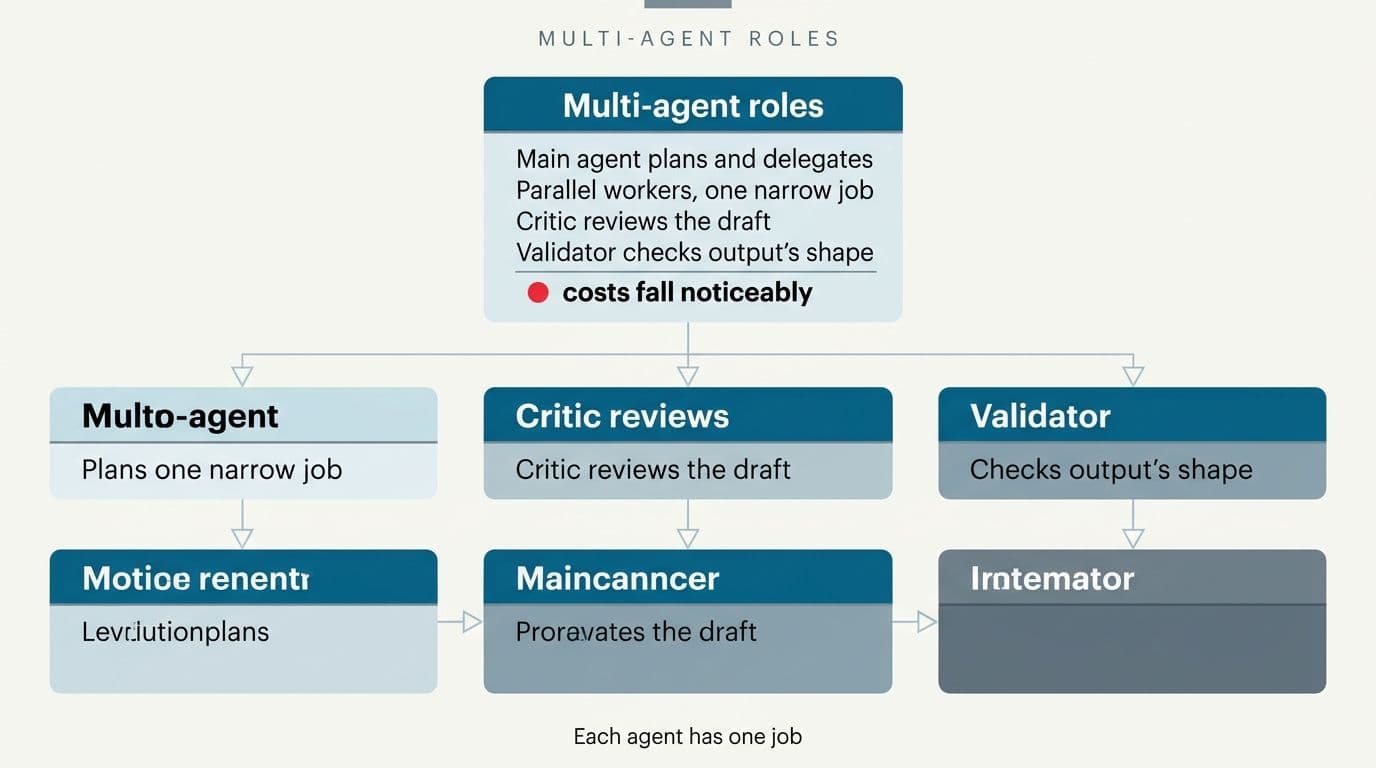
Splitting the work usually goes better. A main agent plans and delegates. Parallel workers each handle one narrow job, such as searching one source. A critic reviews the draft against the original request. A validator checks the output's shape before it ships. Teams that move from one big model to this structure with smaller, quicker models often see costs fall noticeably while quality and speed improve, mostly because each agent has one job and a short prompt.
Communication between agents needs a format, not a conversation. Pass structured objects with defined fields. Free-text handoffs between agents compound errors at every hop, and you lose the ability to tell which stage went wrong.
Not every step should be an LLM call. Hybrid designs hold up well: a classifier for routing, rules for validation, a deterministic calculation for anything numeric, and the language model reserved for the parts that genuinely need language. Doing arithmetic in a prompt is how you get confident wrong answers. Our AI workflow automation work leans on that split constantly, because the deterministic parts are the ones you can prove correct.
Build or Buy: When You Shouldn't Build at All
Sometimes the answer is that you don't need this. If a tool you already pay for ships the feature next quarter, wait. If the task runs twice a month and takes twenty minutes, automating it is a hobby, not a return. We'd rather tell you that than take the project.
Build when the workflow is specific to how you operate, when the data can't go to a third party, or when the off-the-shelf option nearly fits but locks you into their roadmap and their pricing. Buy when the problem is generic and someone has solved it properly.
On cost, model spend does rise with usage, so size it honestly. The multi-agent pattern above is the main lever, along with caching, small models for routing, and caps per run.
If you'd rather not build it in-house, that's what we do. Fixed price named before work starts, working software in the first month, and you own the code, the accounts and the keys. Our autonomous AI agent development service covers the full path from audit to running system. Across years of doing this work with clients in many countries, we've learned that the systems that last are the ones the client can maintain without us.
Your Next Step
Pick the smallest task on your list that someone repeats weekly, then write its steps out. Build the read-only version this week, test it on ten real past cases, and see whether the output is something you'd act on. That tells you more than any further reading will.
If you want a second opinion on which workflow to start with, book a free automation audit and we'll walk through your processes and say plainly which ones are worth automating and which aren't. You can also see how we work before deciding anything.
Frequently Asked Questions
What is an AI agent and how is it different from a chatbot?
An AI agent is a process that reads something, decides what to do, does it, and tells you when it's done or stuck—not a model you talk to like a chatbot. It's designed to run real tasks autonomously while you work on other things.
How do you test an AI agent with memory?
Build a small set of synthetic user histories and replay them to check whether the agent recalls the right fact after unrelated conversations, whether corrected facts stay corrected, and whether answers match when you run the same history twice. Drift between identical replays tells you memory retrieval is unstable before a customer encounters it.
What is the difference between episodic and semantic memory in AI agents?
Episodic memory records what happened—events that are append-only and time-stamped. Semantic memory holds what's true about a user, like their plan tier or preferred contact method, and gets overwritten with updated facts.
How should you structure communication between multiple AI agents?
Pass structured objects with defined fields between agents, not free-text conversations, because free-text handoffs compound errors at every hop and make it harder to identify which stage failed.
When should you build an AI agent versus buying an existing solution?
Build when the workflow is specific to how you operate, when data can't go to a third party, or when off-the-shelf options lock you into their roadmap and pricing. Buy when the problem is generic and someone has solved it properly, or if a tool you already use will ship the feature soon.
Wondering what this would take against your own systems?
The audit costs nothing, and you keep the costed plan and the risks whether you go ahead or not.
Book a free automation auditHitasoft
LinkedInHitasoft has built software since 2008, for companies that mostly do not have an IT department. These pieces are written by the people who do the integrations rather than by anybody in marketing.