
A controller we spoke with last quarter had three people opening PDFs, reading numbers off them, and typing those numbers into an ERP. She had a budget, a board asking about AI, and no idea whether the right figure was $3,000 or $300,000. Every vendor site she visited wanted a demo booking before showing a price.
So here is the plain version. Document processing automation cost usually breaks into four parts. There's the extraction engine you rent or run. There's the integration work that connects it to your systems. There's the exception handling you build for the documents that don't behave, and the ongoing per-page or per-token spend once it's live. The first part is cheap and getting less expensive every year. The second and third are where most budgets get eaten. The fourth is the one people forget to model at volume.
The short answer on document processing automation cost
For a narrow, well-defined job on one document type, a small team can get something working for a few thousand dollars. For a multi-entity finance operation with ten document formats, approval rules, and an audit trail, you're looking at a project, not a purchase.
The split that matters is this. Extraction, meaning turning a scan into structured fields, is now a commodity. Tools that handle clean, consistent documents for less than the price of a team lunch exist and work. What you're actually paying for in any serious build is everything after extraction. That means matching the result against your master data, deciding what happens when confidence is low, routing to a human, and writing the result into a system that will reject anything malformed.
That's why a quoted per-page rate tells you almost nothing about your total. We price the whole scope before work starts, and most of that price sits in integration and validation, not in the model. Our document processing and OCR work is scoped the same way for everyone who asks.
The document automation pricing factors that move the number most
Five things move the number. Only one of them is the software.
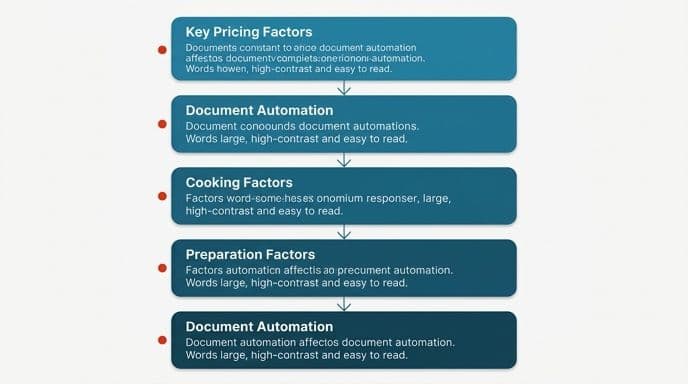
- Document variety. One invoice layout from one supplier is trivial. Forty suppliers, half of them sending scans of printouts, is a different build. Variety drives cost faster than volume does.
- Input quality. Clean digital PDFs cost less to process than phone photos of creased paper. Nobody puts this on a quote, but it decides how much validation logic you need.
- Integration depth. Reading a document is easy. Writing to an accounting system with required fields, tax codes, and approval states is the real work.
- Exception design. What happens when a field fails is the real question. Who sees it, how fast, and what does that cost per occurrence.
- Compliance and hosting. If records can't leave your infrastructure, you're paying for private deployment rather than a public endpoint.
Those are the document automation pricing factors that actually show up in an invoice from a build partner. Volume matters too, but it tends to scale predictably once the first four are settled. An enterprise OCR implementation cost rises because of variety and integration, not because the pages got harder to read.
What a $2,000 to $5,000 budget actually buys
Plenty is possible at this level, but you have to be honest about scope.
At the low end, a single document type, a single output destination, and a human reviewing every result before it posts. Think packing slips into a spreadsheet, or one supplier's invoices into your ledger with a person approving each one. The extraction tooling itself can be genuinely cheap. Some low-cost OCR tools are capable of ending manual retyping for scanned documents, and we'll say so when that's all a client needs.
What $2,000 to $5,000 doesn't buy is a system that handles everything you throw at it unattended. It won't cover multi-entity reconciliation. It won't cover a custom approval workflow across departments, and it won't cover private hosting with its own compliance review.
The better use of a small budget is to pick the single highest-volume document in your operation and automate that one completely, including the exception path. Then measure what changed. A narrow win you trust beats a broad system you have to check by hand anyway, and it gives you a real number to take to whoever controls the next budget.
The cost of automating invoice processing, compared with doing it by hand
Manual invoice handling tends to land somewhere around $10 to $15 per invoice once you account for the time to open, read, key, check, and file it. That figure comes from how finance teams account for their own labor, not a law of nature. Your number depends on wages and how many systems a person has to touch.
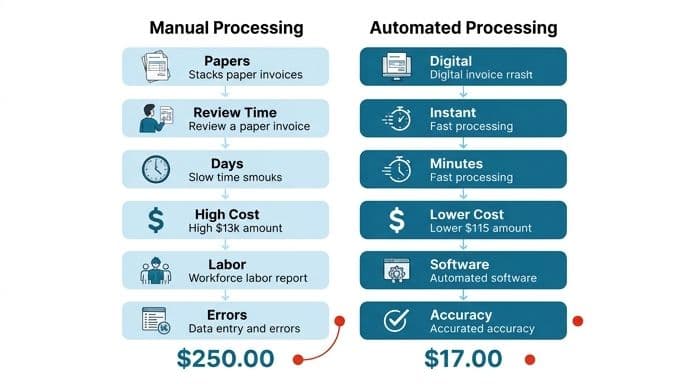
The part that surprises people is the exception rate. When a field extraction goes wrong and someone has to chase the supplier, re-key the line, or unwind a posting, the cost of that single invoice can rise well beyond the standard per-invoice figure. Exceptions are the expensive ones, and a poorly scoped automation can create more of them than it removes. That single fact changes how the whole budget conversation should go.
On the other side, the savings are real but specific. For a mid-market brand spending $100K to $500K a month across ad platforms, automating the invoice reconciliation alone can free up a meaningful chunk of labor hours a year. That's one workflow, one document type, one team.
So the honest framing on the cost of automating invoice processing is this. Compare automation against your real manual cost including exceptions, not against your ideal manual cost. If your exception rate is low and your volume is small, you might not need anything built at all.
Why document processing ROI stalls while AI budgets grow
Budgets for AI keep climbing. Returns are not climbing with them, and the pattern behind that is visible in how projects get deployed.
The usual sequence looks like this. A team buys a platform, runs a pilot on a clean document set, and sees strong accuracy. They roll it out, and then discover that production documents are messier than the pilot sample. Confidence scores drop. A human gets put back in the loop to check everything. The subscription keeps renewing, the headcount never comes back, and the project is quietly filed under "we tried AI."
What works instead is scoping the pilot around your worst documents rather than your best. If the system holds up on the crumpled scan from the supplier who still faxes, it will hold up on the rest. Poor document processing ROI almost always traces back to a pilot that proved the simple case.
Financial institutions run into this at scale. Operating costs stay stubborn despite real automation investment, because the automation covered the reading and not the deciding. Reading a document was never the expensive part.
Silent failures: the line item nobody budgets for
Here's the risk that rarely makes it into a vendor conversation. When an extraction fails, it usually doesn't throw an error. It returns an empty value instead.
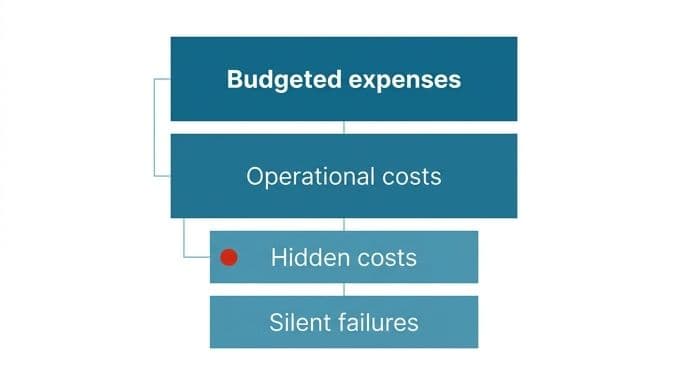
An empty cell looks identical whether the field was genuinely blank on the document or whether the model simply missed it. Your downstream system accepts both. Nobody notices until a reconciliation doesn't balance weeks later, and by then nobody can tell which document caused it.
Two practices handle most of this, and neither costs much. Carry the source filename into every extracted row, so anyone validating data later can open the original in seconds instead of guessing. Write one validation function that catches every flavor of empty, meaning real nulls, the string "null", empty strings, and whitespace. Don't scatter one-off checks across each field as you add them.
Budget for this explicitly. We hold to the rule that a person approves anything touching money or a customer. Output is validated in code or by a human before it posts, and that review step is a line item, not an afterthought.
Open source models versus cloud OCR software pricing
Per-page cloud OCR software pricing looks cheap at pilot volume and becomes a real number at production volume. If you're processing tens of thousands of pages a month, run the arithmetic at your projected twelve-month volume before you sign anything. The AI document automation pricing model you're being offered was probably designed to feel painless at the demo scale.
Open source extraction models running on your own hardware change that math. You trade a predictable per-page fee for fixed infrastructure and the engineering time to maintain it. That trade pays off at high, steady volume, and it pays off again when records legally cannot leave your environment. It does not pay off for a few hundred pages a month, and we'll tell you when hosting your own model is a worse deal than paying the per-page rate.
Accuracy differs by engine and by document type, which matters more than headline pricing for anything financial. If you're still choosing tools, our breakdown of how the leading extraction engines compare on accuracy covers that ground. For data that has to stay inside your walls, private LLM fine-tuning and secure hosting is the route we usually recommend over a public endpoint.
How to measure document processing ROI past the subscription line
The subscription is the easiest number to track and the least useful one. Four measures tell you more.
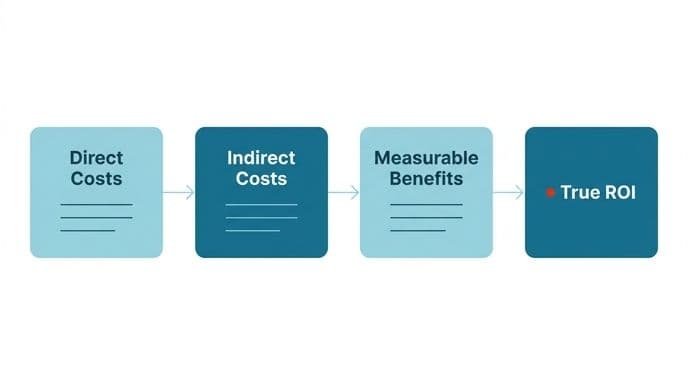
- Exception rate. What share of documents need a human touch, and is it falling month over month?
- Time to resolution. When something fails, how long before it's fixed? Processing that once took hours can run in minutes, and the gap between those two states is where the money is.
- Silent error discovery. How many bad extractions did you find downstream rather than at the point of capture? This should trend toward zero.
- Reclaimed hours, by name. Not "the team saved time." Which person stopped doing which task, and what are they doing now?
Expect to rebuild. First deployments are drafts. The teams getting genuine document processing ROI are the ones who went back after three months, looked at where exceptions clustered, and rewrote that part. Any estimate of custom document processing solution cost should include that second pass in the plan, because it's the pass that makes the first one worth having.
Where to start
Pick your highest-volume document, then count what it costs you today, exceptions included. Next, get a fixed price for automating that one thing end to end, including the human review step. If the numbers don't clear, don't build. We say that to clients regularly, and it's the fastest way to get an honest read on your own document processing automation cost.
If you want a second opinion on the scope before you commit, book a free automation audit and we'll look at your actual documents. You can also see how we work, including why you own the code, the accounts, and the keys at the end of it.
Frequently Asked Questions
How much does document processing automation cost?
For a narrow, well-defined job on one document type, a small team can get something working for a few thousand dollars. For a multi-entity finance operation with ten document formats, approval rules, and an audit trail, you're looking at a project, not a purchase. The cost usually breaks into four parts: the extraction engine, integration work, exception handling, and ongoing per-page or per-token spend.
What are the main factors that affect document automation pricing?
Five things move the price most: document variety (different supplier formats cost more than one consistent layout), input quality (clean PDFs cost less than phone photos), integration depth (writing to accounting systems is more complex than reading), exception design (determining what happens when fields fail), and compliance and hosting requirements (private deployment costs more than public endpoints).
Is it cheaper to automate invoice processing or handle it manually?
Manual invoice handling tends to cost around $10 to $15 per invoice when accounting for time to open, read, key, check, and file. However, exceptions where extraction fails and someone must chase a supplier or re-key data can cost significantly more. You should compare automation against your real manual cost including exceptions, not against an ideal manual cost.
What should I measure to know if document processing automation is working?
Four measures tell you more than the subscription cost: exception rate (what share of documents need human touch and is it falling), time to resolution (how long before failures are fixed), silent error discovery (bad extractions found downstream instead of at capture), and reclaimed hours by name (which specific person stopped doing which specific task).
What is the difference between cloud OCR pricing and running open source models?
Cloud OCR software charges per-page fees that feel cheap at pilot volume but become significant at high production volume. Open source models running on your own hardware trade predictable per-page fees for fixed infrastructure and engineering maintenance time. The open source approach pays off at high, steady volume and when records cannot leave your environment, but does not pay off for a few hundred pages a month.
Wondering what this would take against your own systems?
The audit costs nothing, and you keep the costed plan and the risks whether you go ahead or not.
Book a free automation auditHitasoft
LinkedInHitasoft has built software since 2008, for companies that mostly do not have an IT department. These pieces are written by the people who do the integrations rather than by anybody in marketing.