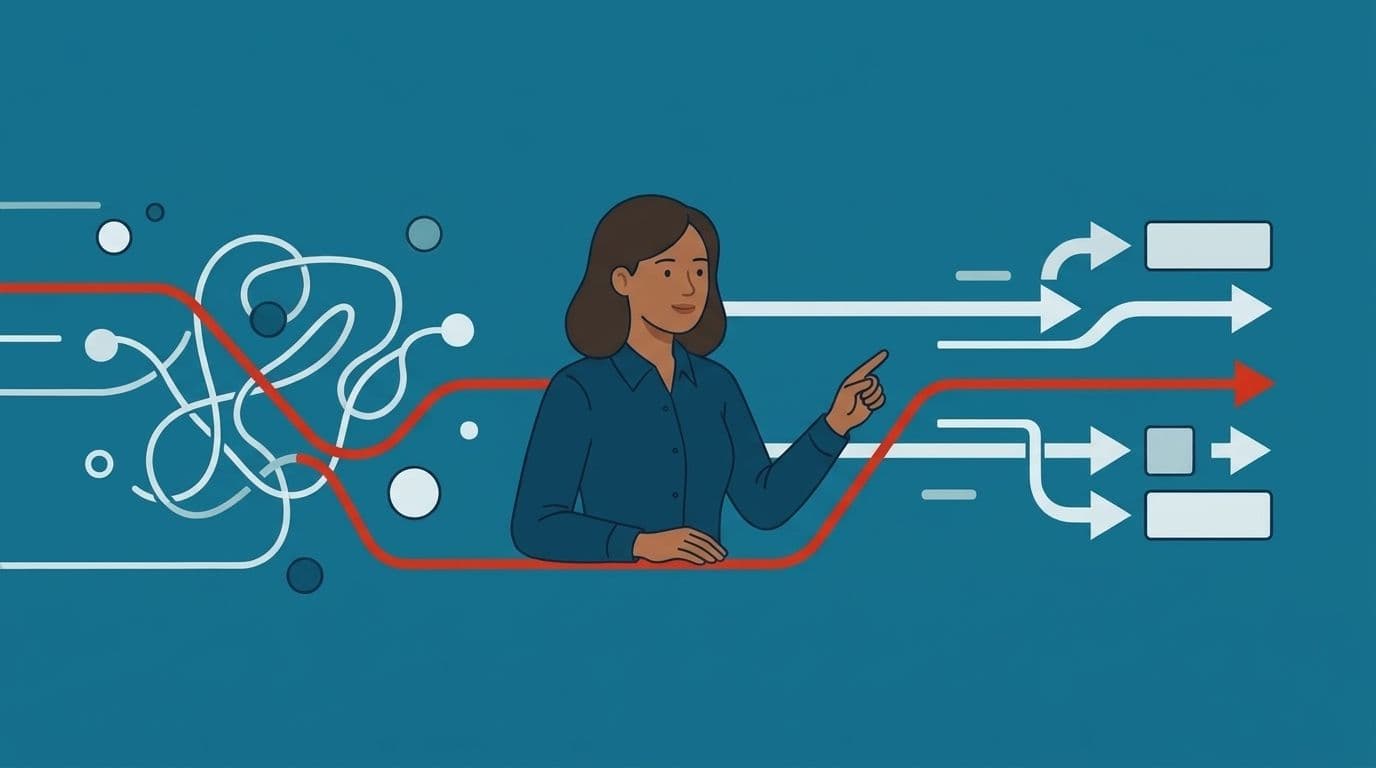
A distributor we spoke with had three people whose main job was retyping. Supplier invoices arrived by email. Someone keyed them into the accounting system, someone else checked the numbers against the purchase order, and a third person chased the difference when the two didn't match. Nobody thought of this as a technology problem. It was just Tuesday.
That is the shape of the work AI workflow automation for small business is meant to take off your plate. It's the handoffs between systems that already hold the data, done by people because no one ever wired the systems together. The promise is real, but the failure rate is high. The reason is almost never the model. It's that teams automate a broken process, skip the data work, and buy tooling before they know what the tooling is for.
Getting this right starts with the same question every time: what should actually change first, and what should be left alone.
What AI workflow automation for small business actually does
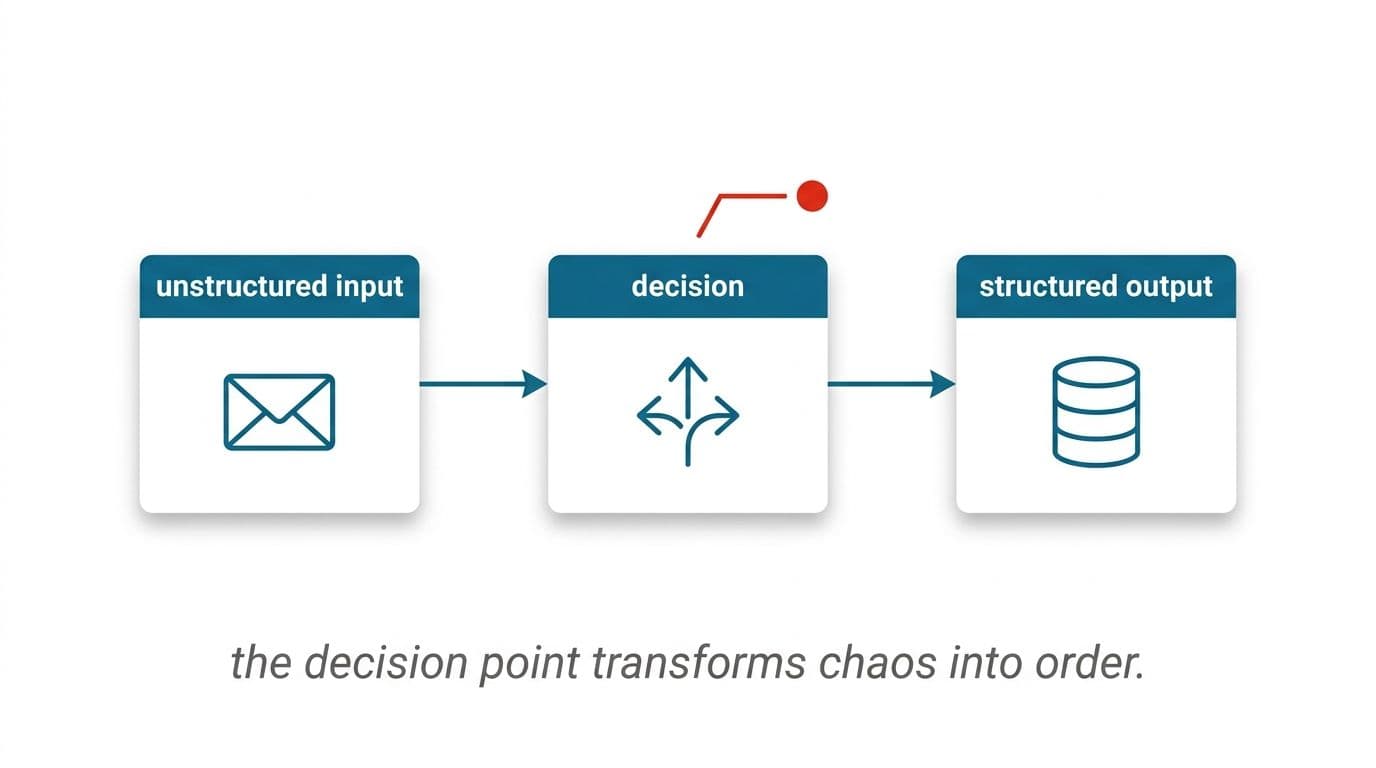
Strip away the vocabulary and there are three jobs. It reads things that aren't structured, like an emailed invoice or a support ticket written at midnight in half a sentence. It decides something simple, like which supplier this belongs to or whether this ticket is a refund request. Then it writes the result into a system you already run, whether that's your accounting package, CRM, or helpdesk.
Traditional automation handles step three well and has done for years. Rules move data from one field to another. What changed is step one. Reading messy input used to require a person. Now a model can do a credible first pass, and the rules you already trust can take over from there.
That distinction matters for budgeting. You're not buying intelligence. You're buying a reader, bolted to plumbing you'll need regardless. Most of the cost and most of the risk lives in the plumbing.
It also sets a limit worth saying out loud. A model's first pass is a draft. For anything touching money, a customer, or a record you'd have to defend later, a person or a hard-coded check validates the output before it lands. We build it that way every time, and we'd be suspicious of anyone who told you otherwise.
Audit the workflow before you automate it
The fastest way to waste a budget is to automate a process nobody redesigned first. Inefficiency doesn't disappear under automation. It speeds up, multiplies, and gets harder to see, because the mess now happens inside a system instead of on someone's desk.
Run an automation audit before you write a line of code. Pick one process. Have the person who actually does it walk you through it, click by click, on a real case rather than a tidy example. Write down every step, including the ones that exist because of something that broke two years ago.
For each step, ask whether it exists because a customer or regulator genuinely needs it, or because a previous system simply couldn't do something better. Ask who checks it, and what happens when that person is on leave. Ask what the step actually produces that the next step uses.
You will usually find steps that can be deleted outright. We've told clients the honest answer more than once: redesign the process, cut four steps, and you won't need software at all. That costs us a project and saves you a build.
What survives the audit is your candidate list. Everything on it should be a step you'd keep even if you hired a person to do it forever. Those are the ones worth wiring up.
Which processes are worth automating, and which just feel annoying
Small businesses regularly automate the wrong things. The pattern is predictable. The loudest irritation gets fixed, and the quiet drain stays. Someone automates a weekly report that takes twenty minutes, while invoice processing eats six hours a week and goes untouched because it feels like normal work.
Score candidates on four things instead of on irritation.
- Volume. How many times a week does this run? A task that happens twice a month rarely earns its build cost.
- Time per instance. Measure it, don't guess. People underestimate tasks they do on autopilot and overestimate ones they dread.
- Error cost. A mistyped shipping address costs a reship. A mistyped ledger entry costs a reconciliation hunt and possibly a restatement.
- Rule clarity. Can you describe the decision in a sentence someone new could follow? If three people describe it differently, the process isn't ready.
High volume, clear rules, measurable time, and a real error cost is the quadrant to start in. Invoice and document handling almost always lands there, which is why pulling line items off scanned and emailed documents is where so much of our work begins.
Low volume with fuzzy rules is the quadrant to avoid, no matter how much it irritates you. Judgment-heavy work with a handful of cases a month belongs to a person with better tools, not to an automated pipeline you'll spend a year tuning.
How to automate workflow steps without breaking what already works
The practical answer to how to automate workflow in a small company is narrow, and in a way you can turn off.
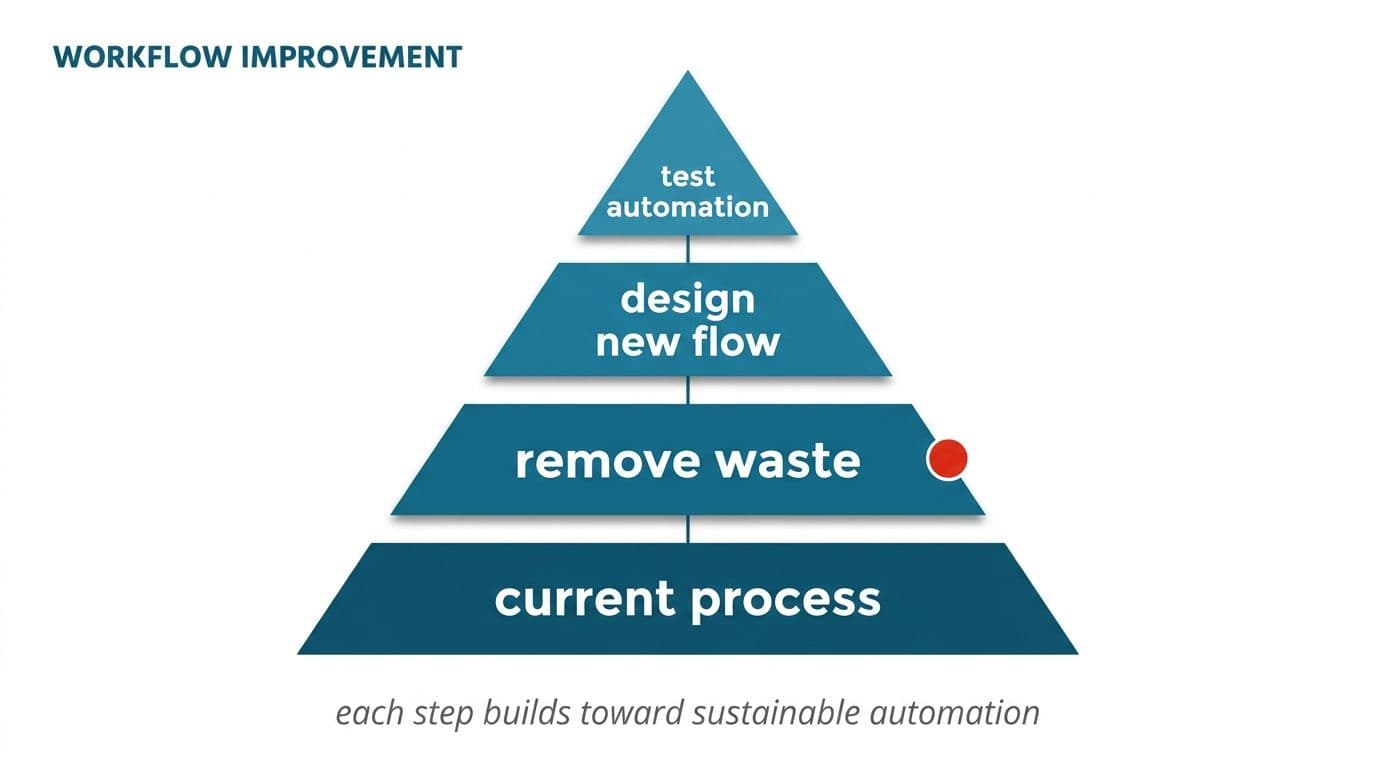
Start with one process, one trigger, one output, not a platform. One pipeline that takes a specific input and produces a specific result in a specific system. If it works, it's a foundation. If it doesn't, you've lost weeks rather than a quarter.
Run it in shadow mode first. The automation does its job, writes the result somewhere visible, and nobody acts on it. Your team keeps working manually for a period, then compares. This is the cheapest confidence you will ever buy, and it surfaces the edge cases that no requirements document catches. Think of the supplier who sends two invoices in one PDF, or the customer who replies to a closed ticket thread six weeks later.
Keep the kill switch obvious. Anyone on the ops team should be able to stop the automation without calling a developer. Processes change, suppliers change formats, and you need the option to revert to manual without drama.
The other half of how to automate workflow safely is deciding where the automation stops. Draw the line at the point where a wrong answer costs real money. Everything before that line can run unattended, and everything at or past it gets a human approval step, which brings us to the design pattern that matters most.
Human in the loop: why full autonomy is the wrong goal for SMBs
The marketing around AI agents suggests the destination is a system that runs without you. For most companies, and for nearly all AI workflow automation for SMBs, that destination is wrong on purpose.
Human-in-the-loop means the automation does the work and a person approves the outcome. The model reads thirty invoices, extracts the fields, matches them against purchase orders, and presents thirty results in a queue. Your finance person approves twenty-six in a couple of minutes and looks properly at the four that were flagged as uncertain. The time saving is still enormous. The accountability stays where it belongs.
Our rule is uncomplicated and we don't bend it. A person approves anything that touches money or a customer. Not because the technology can't produce good output, but because you can't delegate responsibility for a payment run to software, and no vendor should ask you to.
Design the approval step so it's fast. Show the extracted result next to the source document, and make approve a single click. Make the flagged cases obvious. If reviewing takes nearly as long as doing the task manually, you've built a slower process with extra steps.
Over time, categories with a long clean record can graduate to unattended processing while higher-risk ones stay supervised. That graduation should be your decision, based on your data, not a default setting.
Context assembly: the data plumbing that decides whether any of this works
Here is the part that gets skipped in demos. A model is only as useful as the context you hand it. Ask it to categorize an expense and it will guess. Hand it your chart of accounts, this supplier's last twelve entries, and your internal coding rules, and it will do something genuinely valuable.
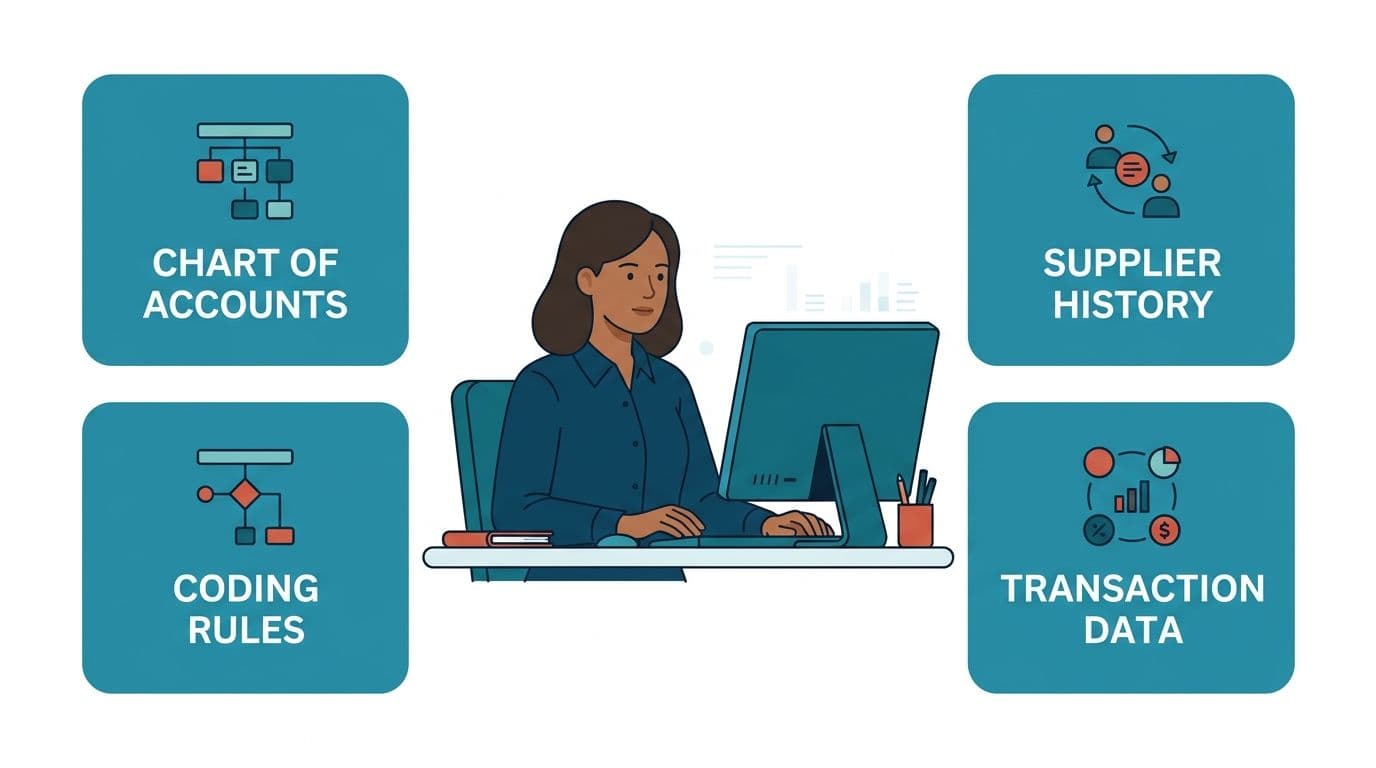
That assembly job is most of the engineering work. It means pulling the right records from the right systems at the right moment, formatting them so the model can use them, and doing it in a few seconds rather than a few minutes. For support work, this is retrieval augmented generation (RAG) against your own documentation, where the agent answers from your actual policies instead of from a general model's memory.
Two practical implications follow. First, your data has to be reachable. If a system has no API and no export, that's a constraint to discover during the audit, not during the build. Second, data quality surfaces fast. Duplicate customer records that people quietly work around for years become visible the moment an automation has to pick one.
On the question every operations manager asks us: no, enterprise model endpoints with retention switched off do not train on your inputs, and that configuration is verifiable. For records that genuinely cannot leave your infrastructure, architecture that keeps processing inside your own environment is the route. Private LLM fine-tuning is the option when a hosted model isn't acceptable at all.
What AI workflow automation for business actually costs
Budgets in the range of a few thousand dollars are common and they are not hopeless. They just buy something specific rather than something broad.
At that level, expect one narrow pipeline using off-the-shelf connectors, built on tooling you can maintain, solving one documented pain point. Think invoice intake into your accounting system, or ticket triage and routing. That is a real result, and it often pays back faster than a larger build because the scope stays honest.
What that budget doesn't buy is a custom platform, deep integration with a legacy system that has no API, or an agent that handles unbounded conversations with customers. Anyone quoting those at entry-level pricing is either underestimating the work or planning to bill the difference later.
Plan for a few cost lines beyond the build itself. Model usage scales with volume, so ask for a per-transaction estimate at your current volume and at triple it. Tooling subscriptions accumulate quietly across connectors, monitoring, and hosting. Maintenance is real, because formats change and integrations break.
We name a fixed price before work starts, which means scope gets argued about early rather than invoiced about late. You own the code, the cloud accounts, and the API keys at the end of it. If that sounds basic, compare it against arrangements where leaving the vendor means leaving the system.
ROI math and timelines you can hold a vendor to
Do the arithmetic yourself before anyone quotes you. Take hours per week on the task, multiply by loaded hourly cost, then multiply by fifty. Subtract the time the new approval step will take, then subtract annual tooling and model costs. What's left is your yearly return, and it should pay back the build inside a year for a first project. If it doesn't, pick a different process.
Count the second-order savings separately and conservatively. Fewer duplicate payments, faster month-end close, support tickets answered before the customer follows up. These are real but harder to pin down, so treat them as upside rather than as the justification.
On timelines, discount the vendor pitch that promises a transformed operation in weeks and the one that quotes six months before anything runs. Narrow automations genuinely do reach working software quickly. We aim for something running in month one, because a system you can test beats a document describing one.
What takes longer than anyone expects is the tail: edge cases, error handling, the format change from one supplier in month three. Budget attention for the eight weeks after launch, not just the build. A content team we worked with cut a month-long production cycle down substantially, and most of the gain came from refinements after the first version shipped, not from the first version itself.
Getting the team on side when people expect to be replaced
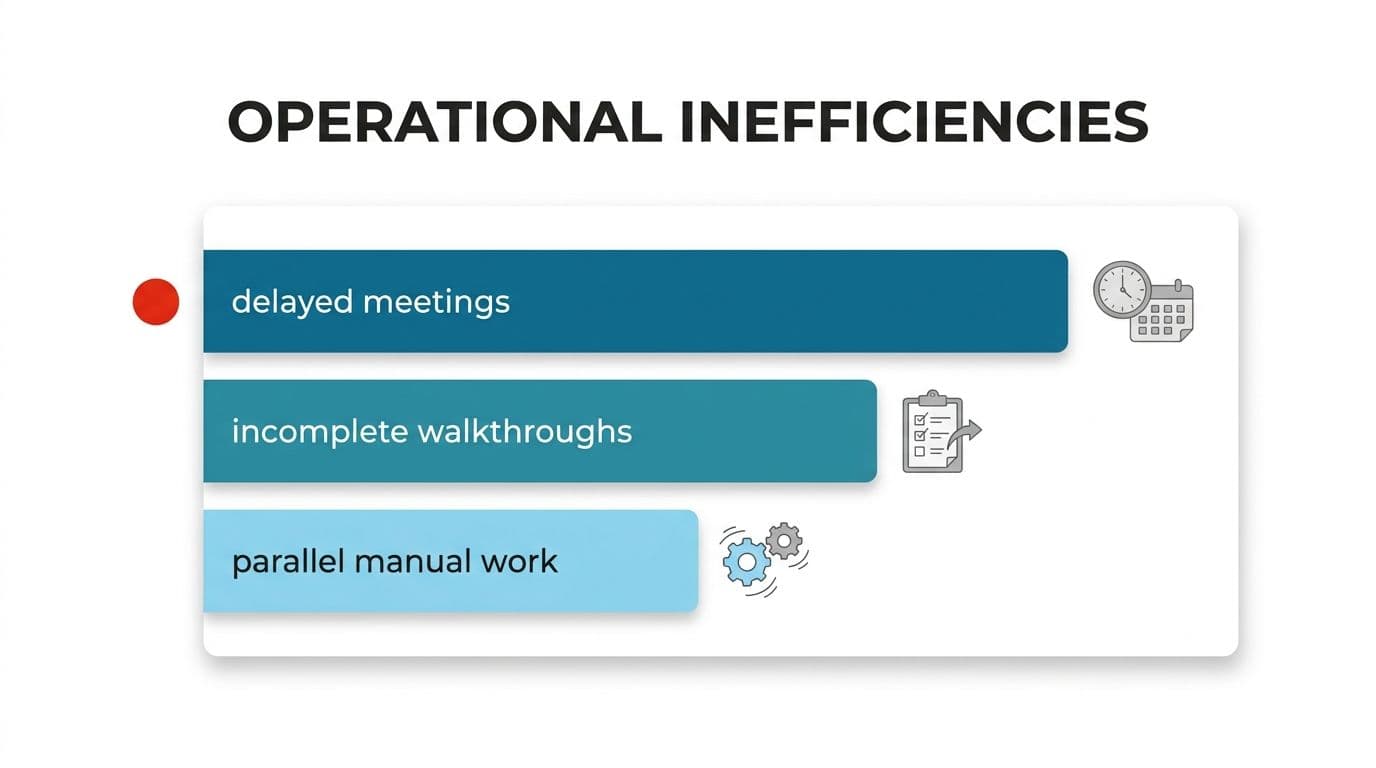
Staff resistance is the most common reason automation projects stall, and it rarely announces itself. It shows up as delayed meetings, incomplete process walkthroughs, and the quiet continuation of the old manual method alongside the new one.
The fear is reasonable. Tell the truth about it early. If the plan is to redeploy people to work that needs judgment, say so and name the work. If headcount genuinely changes, say that too. People detect vagueness and fill it with the worst option.
Then make the people who do the task the authors of the automation. They know the exceptions. They know which supplier always sends the wrong reference number. Involving them during the audit produces a better system and removes the sense of something being done to them. The person who helped define the rules tends to defend the result.
Keep the first win visible and small. One team, one process, measurable before and after. Let that team tell the rest of the company what changed, because internal word of mouth carries further than a management announcement.
One more thing helps more than it should. Give people the ability to override the automation and log why. Override data is your best source of improvements, and the ability to override removes the feeling of being managed by software.
How e-commerce automation can empower your business
Online retail generates a high volume of small, repetitive, rule-bound work, which makes it one of the better starting points. Order exceptions, returns processing, and marketplace listing changes are typical examples. Each one is minor on its own. Together they consume a workday every day.
Removing the lag between an event and a response is where most of the benefit shows up. A stock discrepancy flagged the moment it appears costs a correction. The same discrepancy found at week's end costs oversells, apologies, and refunds.
A few areas where the return is usually clearest: order exception handling, where an automation checks the order against inventory and address rules, resolves the routine cases, and queues the rest; returns triage, where the reason text is read and the refund, replacement, or inspection path is proposed for approval; and listing and content work, where product descriptions are drafted for new SKUs and a person edits rather than writes from scratch.
A marketplace platform we built publishes listings in twelve languages.
That's only workable because the translation and formatting steps are automated and reviewed rather than done by hand each time. The cautionary note is the same as everywhere else: anything that issues a refund, changes a price, or messages a customer directly gets human approval until you have months of clean evidence behind it.
Response time, and what it does to conversion
For anything customer-facing, speed of reply is the variable that moves revenue. It's the one small businesses are structurally worst at. A query arriving at 7pm on a Friday sits until Monday, and by then the customer has bought elsewhere.
Automation changes this in two ways that are easy to confuse. The first is an instant substantive answer, where an agent grounded in your documentation handles the common questions directly. Think shipping times, return policy, or sizing and availability. If your support lead can name the twenty questions that make up most of the inbox, those twenty are automatable.
The second is instant acknowledgment and routing, where the system confirms receipt, gathers the missing details a human will need, and puts the ticket in front of the right person with context attached. Less impressive in a demo, and often more worthwhile, because it shortens the human's handling time as well as the customer's wait.
Measure both first-response time and resolution time before you start. Teams that only measure the first one end up with fast replies that resolve nothing, which annoys customers more than silence.
Set the escalation rule tightly. Any uncertainty, any complaint, any mention of a payment problem goes to a person immediately. An automated reply that confidently gives a wrong answer about a refund costs more than the ten correct answers saved.
Running it in production: monitoring, backups, and the boring parts
Building a workflow that works is a different job from building one that keeps working. This gap catches out almost everyone who starts with a weekend prototype and then depends on it.

A production automation needs four things the prototype doesn't have. Monitoring, so you learn about a failure from an alert rather than from a customer. Error handling, so a malformed input gets queued for review instead of silently dropping. Retries with limits, so a temporary API outage doesn't lose the day's work or submit the same payment twice. Backups and logs, so you can reconstruct what happened to a specific record three months later.
That last one matters more than it sounds. When something goes wrong in an automated finance process, the question is always what the system saw and what it did. Without a log of inputs, decisions, and approvals, you cannot answer it.
Decide who owns the system before launch. Someone needs to receive the alerts and have the authority to pause the pipeline. In small teams this is usually the operations manager, which is fine as long as it's explicit.
We've carried this lesson across a long run of projects in different countries, and the pattern holds regardless of size. The projects that last are the ones where someone internal owns the running system, not just the build.
How to learn AI workflow automation before you spend anything
You don't need a technical background to get usefully informed, and the exercise will make you a much better buyer.
The question of how to learn AI workflow automation has a practical answer. Build one trivial automation yourself, end to end, on a process that doesn't matter. Connect a form to a spreadsheet, then add a step where a model summarizes the submission. Break it on purpose and watch what happens. An afternoon of this teaches more about triggers, failure modes, and data formats than weeks of reading.
From there, read vendor documentation rather than vendor marketing. Documentation tells you what a tool actually does. Marketing tells you what it wants to be associated with. When you're ready to compare options, our rundown of the automation platforms worth shortlisting and where each one struggles covers the trade-offs without the pitch.
The second half of how to learn AI workflow automation is less about tools. Learn to document a process properly, in steps, with the exceptions written down. That skill is the constraint on most projects, and it transfers to every tool you'll ever use.
This path works especially well for less technical operations, where modern platforms have removed most of the setup barrier. Reliable connections to accounting software like Xero are standard now, and customizable workflows handle a surprising range of scenarios without code.
Build, buy, or leave it: AI workflow automation for SMEs
The right choice depends on how standard your process is, and there are really only a few honest paths.
Buy off-the-shelf when your process resembles everyone else's. Standard invoice capture and standard helpdesk routing are good examples. Do not pay for a custom build to do what a subscription does well. Check the exit terms before you commit, because software that nearly fits is usually software that eventually blocks something.
Build when the process is specific to how you make money, when the data can't leave your infrastructure, or when the off-the-shelf tool handles eighty percent and the remaining part is where the value sits. That's where putting AI into the systems you already run beats replacing them, and where a thin, well-scoped layer over a model API often does the job for far less than a platform.
Leave it alone when volume is low, rules are fuzzy, or the process is about to change anyway. We say this to clients regularly, and it's the cheapest advice we give.
For founders weighing a product rather than an internal process, proving the idea with a working prototype first avoids the most expensive mistake in this space: building for months before anyone has tried it.
Good AI workflow automation for SMEs is unglamorous. One process, measured before and after, with a person still accountable for the outcome. Get that right and the second one is far easier.
Where to start this week
Pick the process your team complains about least and does most often. Time it properly for one week, then write down every step and every exception. That document is worth more than any tool evaluation, and it's the thing we ask for first.
If you want a second opinion on what's worth automating, book a free automation audit and we'll go through your list with you. You'll get a straight answer on what to automate, what to redesign, and what to leave alone, along with a fixed price for anything worth building. You can also read more about how we scope and run automation work or how we work with clients before you get in touch.
Wondering what this would take against your own systems?
The audit costs nothing, and you keep the costed plan and the risks whether you go ahead or not.
Book a free automation auditHitasoft
LinkedInHitasoft has built software since 2008, for companies that mostly do not have an IT department. These pieces are written by the people who do the integrations rather than by anybody in marketing.