
A finance lead starts every month the same way. Download statements from four banks, open the accounting system, and retype numbers that already exist in both places. Nobody designed that job. It accumulated over time. Two systems didn't talk, someone filled the gap with a spreadsheet, and a few years later the spreadsheet has become a role.
That gap is where this category lives. What is AI workflow automation? It's software that moves work between your systems and handles the small judgment calls a rules engine can't make. It reads an invoice that doesn't match any template. It decides which queue a support ticket belongs in. It notices that a payment looks out of pattern. The moving part is old technology. The judgment part is new.
Here's the thing most vendor pages skip. Whether this works for you has very little to do with which model you pick. It depends on whether you fix the workflow before you automate it, where you put human sign-off, and how carefully you plan what happens when a step fails at two in the morning.
What Is AI Workflow Automation, in Plain Terms
Start with the older idea. Traditional workflow automation follows instructions you write in advance. When a form is submitted, create a record, send an email, update a field. It's reliable and completely literal. If the input shifts shape, it breaks.
So what is automation in AI, and how is it different? AI adds a step that interprets. A language model reads unstructured input, classifies it, extracts what matters, drafts a response, and hands the result back to the deterministic part of the pipeline. What is AI process automation in practice? It's that combination. Fixed rules where you need certainty, model judgment where the input is messy.
AI business process automation is the same mechanics, applied end to end across a process that spans departments rather than a single task. Accounts payable from inbox to posted entry. Onboarding from signed offer to provisioned accounts. The scope is what changes, not the technology.
What does AI workflow automation mean for a team that currently does the work by hand? It means the retyping stops and the deciding moves up. People stop transcribing and start reviewing exceptions. That's the honest version of the pitch. The volume of low-value tasks drops, but the need for someone who understands the process does not.
Workflow automation using AI isn't a chatbot bolted to your tools, and it isn't a system that runs unsupervised on anything touching money or a customer.
How Does AI Workflow Automation Work: Triggers, Memory, Tools, Tests
Four pieces make up any working automation. Treating agents as chatbots with API access is the fastest way to build something that demos well and fails in week three.
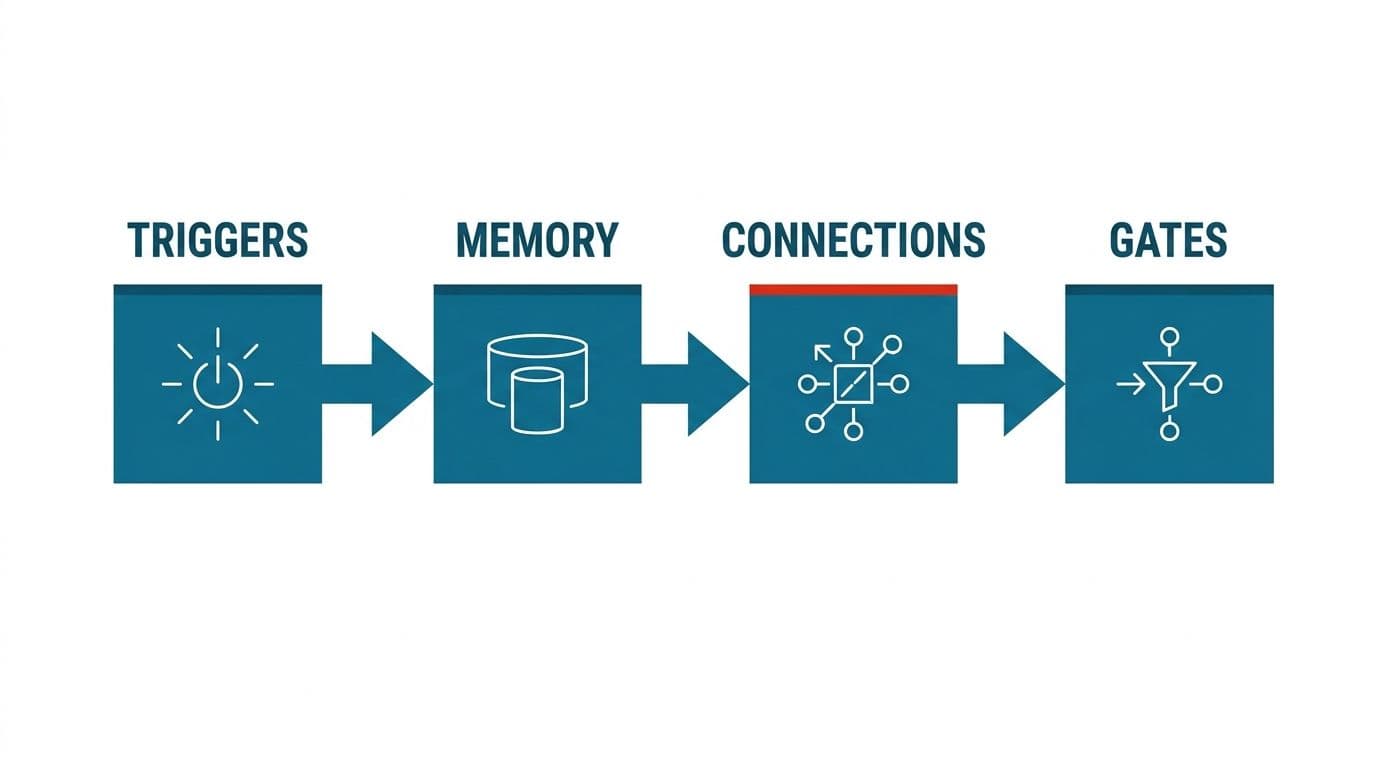
Triggers. Something has to start the run. A file lands in a folder, a webhook fires, a scheduled job wakes up, an email arrives from a known sender. Weak triggers cause duplicate runs and silent misses, so this deserves more thought than it usually gets.
Memory. The system needs context: what it already processed, what the customer asked last week, which vendor terms apply. This is usually a mix of your database and retrieval augmented generation (RAG), where the model pulls relevant documents before answering instead of guessing from training data.
Tool access. The model doesn't do the work. It decides, then calls something that does: your ERP, your ticketing system, a payment API. Each tool needs permissions scoped tightly enough that a confused model can't do damage.
Testing. Run the same inputs repeatedly and check whether the outputs hold. Models are not deterministic, so a change in prompt, model version, or input format can shift behavior without any code changing.
How does AI workflow automation work when all four are right? Quietly. The interesting part is that most teams build the first three and skip the fourth, which is also why most of them are debugging in production by month two.
Map the Workflow Before You Pick a Tool
Automating an inefficient process doesn't fix it. It makes the inefficiency faster, more consistent, and much harder to see. A three-step approval chain that exists because somebody got burned in 2019 will still be a three-step chain, now running at machine speed with nobody left who remembers why.
So the first job is mapping, and it's done on paper before anyone opens a tool. Write out every step someone actually performs, not the official procedure. Note where work waits, where it gets rekeyed, where someone makes a judgment call and what information they use to make it. Mark the steps that exist only because two systems don't share data. Then cut. Steps that duplicate a check, approvals nobody reads, reports nobody opens. What survives is the process worth automating.
This is also where you find out how to automate your workflow without buying anything. We regularly finish a mapping session and tell a client that a configuration change in software they already own solves most of it. Fixing a field mapping between two systems is cheaper than any AI project, and if that's the answer we'd rather say so than sell around it.
What are AI automation workflows worth, in the end? Exactly as much as the process underneath them. A clean process with a model attached runs well. A tangled one with a model attached produces confident, fast, wrong output.
How to Create an AI Automation Workflow That Survives Production
Once the map is clean, the build follows a predictable shape.
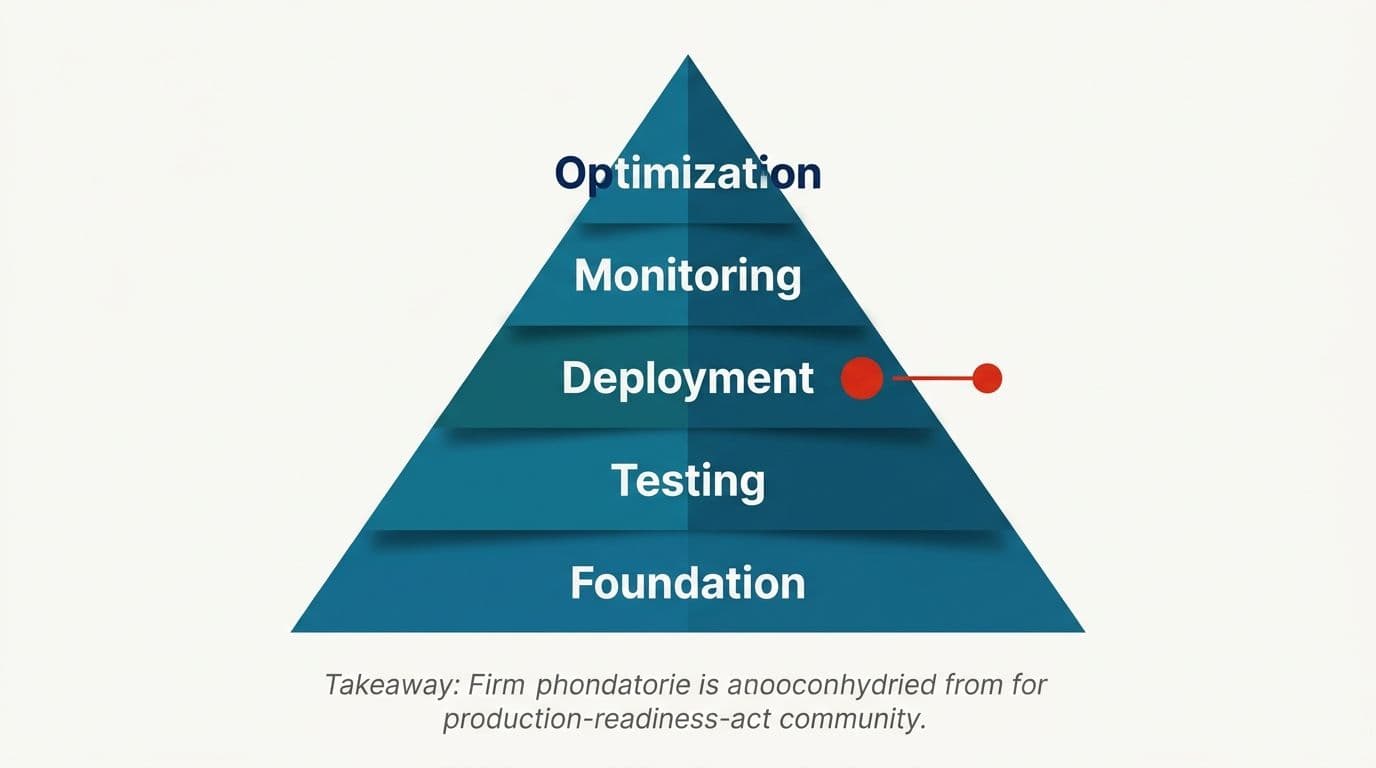
Start with one process and one trigger. Narrow beats broad. A single invoice type, a single ticket queue, a single document format. Prove it end to end, then widen.
Split the work into specialist roles, not one big prompt. Bundling extraction, validation, and drafting into a single context window degrades all three. A model asked to do four unrelated things at once does each of them worse than a model asked to do one. Define separate steps with explicit handoffs. One reads the document, one checks it against your records, one writes the output.
Put approval gates between stages. Catching a bad extraction before it reaches the posting step costs a few seconds. Catching it after four downstream steps have built on it costs an afternoon. On anything touching money or a customer, a person approves before the action commits. That's a rule we don't bend.
Make the output structured. Free text is hard to validate. JSON with required fields can be checked in code before anything moves.
No-code builders are genuinely useful for the first version here. You can wire triggers, a model call, and a system write in an afternoon and see whether the logic holds. The limit shows up at error handling and at scale, which is the next section.
If you want the longer version of how to use AI to automate workflows across a full process, our approach to automating end-to-end business processes walks through it with examples.
Error Resolution: The Part Almost Everyone Underbuilds
Most AI workflows fail after launch, not during it. The build goes fine, and six weeks later a vendor changes an invoice layout, an API deprecates a field, a model version updates, and the automation keeps running while producing nonsense.
Error resolution is the most undervalued part of this work. Plan it as its own design task, not as exception handling you'll add later.
Three things to build in. First, validation in code, not just in the prompt. If the extracted total doesn't match the line items, the run stops. The model isn't the authority on whether the model was right. Second, a visible failure path. Failed runs go to a named person with the input, the output, and the reason, not into a log nobody reads. Third, retries with limits, so a transient API timeout doesn't become a stuck queue and a permanent failure doesn't loop forever.
Partial automation deserves the same honesty. Processes with heavy conditional logic rarely automate all the way, and pretending otherwise is how projects stall. The practical pattern is to automate the common paths fully, route the rest to a person with everything pre-filled, and track which exceptions recur. The recurring ones become next quarter's rules. The genuinely rare ones stay human forever, and that's fine.
How to automate AI workflows so they last is mostly this: assume every external thing you depend on will change. Make the system tell you when it has.
API Connections vs Screen Scraping: Which One Holds Up
Two ways exist to make an automation touch a system you don't control. Use its API, or drive its interface the way a person would, reading the page structure (DOM parsing) and clicking through.
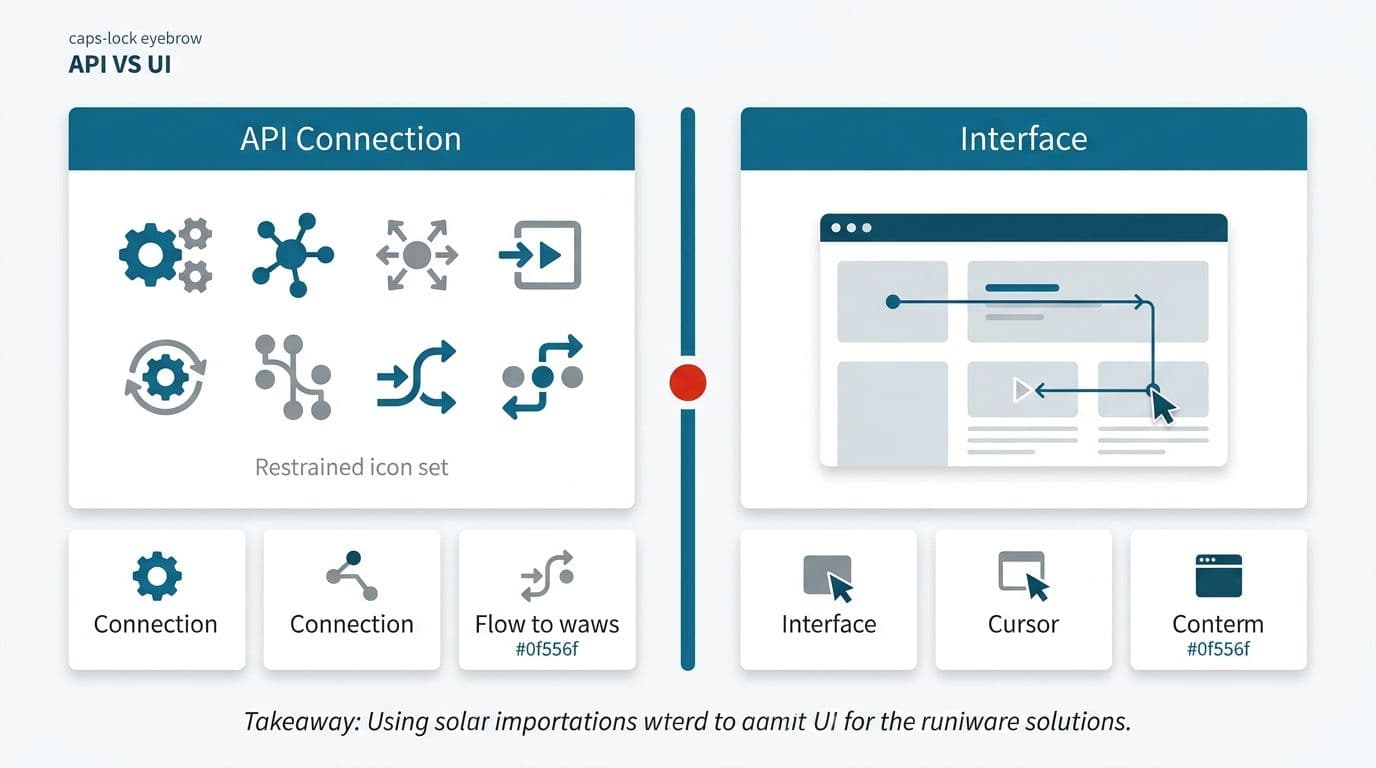
APIs win on reliability every time. They're versioned and documented, and they usually give you error codes you can act on. When something changes, you generally get warning. Build on APIs wherever one exists.
Screen-level automation is what you reach for when there's no API: an old on-premise system, a government portal, a vendor that won't open access. It works, and we've shipped it. It's also fragile in a specific way: a layout change that a human wouldn't even notice can break the selector your automation depends on, and the failure is often silent. The script completes. It just clicked the wrong thing.
Vision models have made this somewhat more tolerant, since a model reading the screen can adapt to a moved button better than a hardcoded selector can. It's still the less stable path, and it needs tighter monitoring than an API integration does.
The practical rule we use is this. APIs for anything in the critical path, screen automation only for genuinely closed systems. Never screen automation for a step that moves money without a person confirming it first. If a core system has no API, the better long-term fix is often connecting it properly through a custom integration layer rather than automating its screens indefinitely.
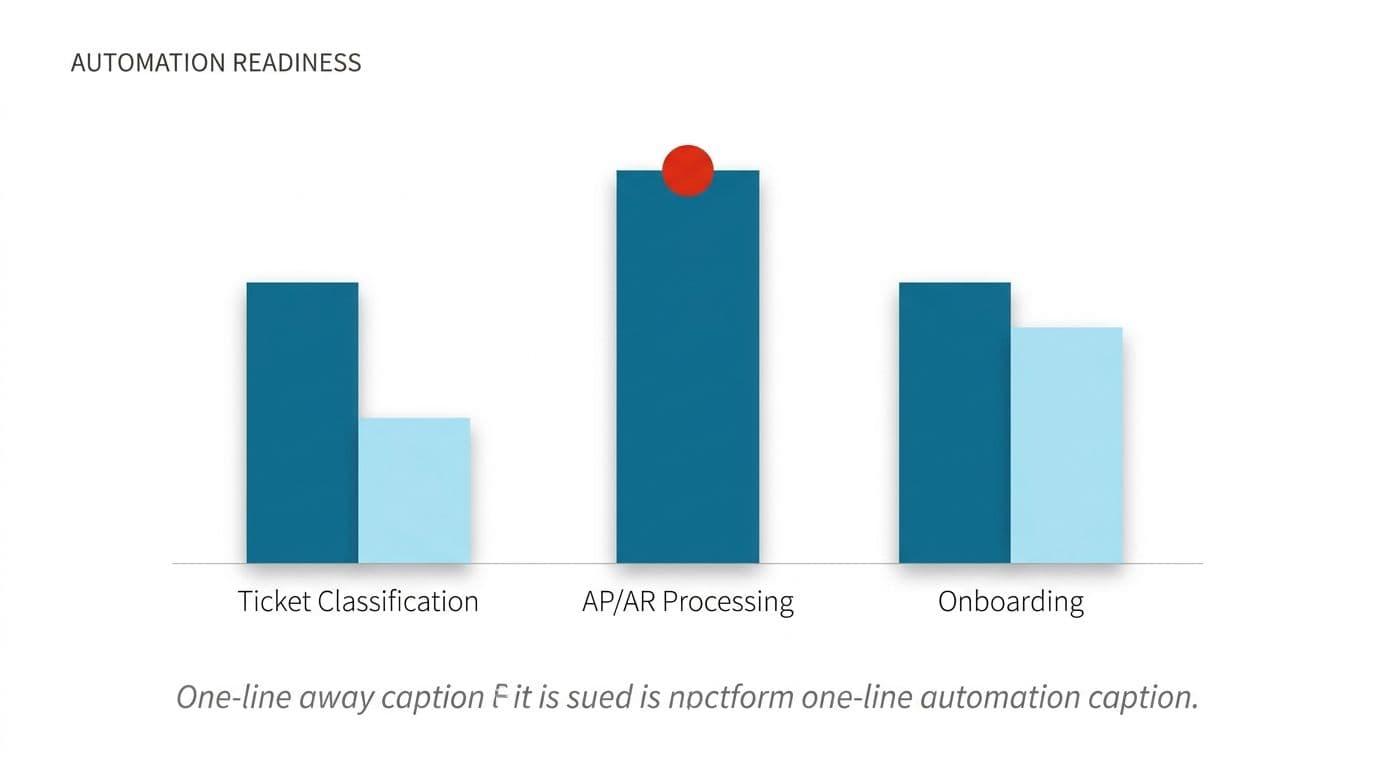
Where This Actually Gets Used: Tickets, AP/AR, Onboarding
Can AI automate ticket classification? Yes, and it's one of the most dependable applications in the category. Ticket classification is a well-bounded judgment call with abundant training examples sitting in your own history. A model reads the message, assigns category and priority, attaches the relevant account context, and routes it. Where confidence is low, it routes to a human triage queue instead of guessing. Automatic ticket classification works because the cost of a wrong answer is a reassignment, not a loss.
Support automation that answers from your own documentation usually follows the same build, with retrieval added so answers cite your actual policies.
Accounts payable and receivable is the other heavy hitter. Invoices arrive as PDFs, scans, and email bodies, in formats that vary by vendor. Extraction, matching against purchase orders, and flagging mismatches are all automatable with a person approving before anything posts.
We won't promise error-free ledgers, and anyone who does is overselling. What's realistic is fewer manual touches and exceptions surfaced earlier. Healthcare finance teams, in particular, need to automate AP/AR with a platform that understands the need for HIPAA, since patient-linked billing data can't flow through consumer endpoints, which narrows their options considerably.
HR runs on the same machinery. Onboarding is a document-heavy, multi-system process with clear triggers and obvious handoffs, which makes it a natural fit. Pay analysis, statement generation, and notice runs follow a similar shape. Structured output, checked in code, approved by a person.
Compliance, Private Deployment, and Data That Can't Leave
The question we get first from regulated clients is whether vendors train on their data. On enterprise endpoints with retention switched off, no. That's contractual and verifiable, and it's a different arrangement from the consumer version of the same product. Check which one your team is actually using, because people paste things into consumer tools without thinking.
For workloads where data can't leave your infrastructure at all, the answer is a model running inside it. Private LLM fine-tuning and self-hosted deployment cost more and take longer, and for some records they're the only defensible option. Architecture built around compliance constraints is where that conversation starts.
What we won't tell you is that any system is breach-proof or that a given build is guaranteed to pass audit. Nobody can promise that honestly. What we can do is design to the standard, document the data flows, and keep audit trails on every automated action. That gives your assessors something they can actually review.
Reducing compliance cost through automation is real, and the mechanism is specific. Most compliance expense is evidence gathering: proving who approved what, when, and on what basis. Automated workflows produce that record as a byproduct of running. The reporting burden shrinks because the log already exists.
For teams moving toward automated document handling in finance, including post-trade processing, the direction of travel across the industry is straightforward. The platforms getting serious investment right now are the ones handling documents autonomously with human checkpoints, not the ones removing people entirely.
What Is the Best AI Workflow Automation Tool for Your Situation
There's no single answer, and anyone who names one without asking about your systems is selling. It depends on where your data already lives and how much conditional logic your process carries.
The real decision is specialist tool versus general platform. Single-purpose tools do one thing well: invoice capture, contract review, ticket routing. They're faster to deploy and need less configuration. The trade-off is that you accumulate them, and six narrow tools that don't share state create exactly the integration problem you were trying to solve.
General platforms connect anything to anything and handle branching logic, at the cost of real setup effort and someone who owns them internally. What is the best AI workflow automation platform for a small operations team is often not the most capable one. It's the one somebody on staff can maintain after the consultants leave.
Model choice sits underneath both. Teams benefit from running the same task across different models and comparing output quality, test coverage, and token cost side by side rather than defaulting to whatever's in the headlines. Costs vary enormously for identical work, and on high-volume workflows that difference compounds.
We've written a side-by-side breakdown of the platforms worth shortlisting with the trade-offs named plainly. Read it after you've mapped your process, not before.
Do You Need an AI Workflow and Automation Specialist?
Sometimes, no. If your process is clean and your systems have decent APIs, a capable operations person with a no-code builder can get real value without outside help. We'll say that during a scoping call if it's true.
The need for a specialist shows up when the process crosses several systems, when compliance constrains where data can go, or when a mistake costs money rather than time. Those builds need error paths, audit trails, and validation logic that off-the-shelf configuration doesn't cover.
A word on how we work, since the question of trusting an overseas supplier comes up honestly and deserves an honest answer. We've built this practice over many years, working across a range of clients in multiple countries. Price is fixed and named before work starts. You own the code, the accounts, and the keys from day one. Our builders travel to clients rather than routing you through account managers, and we publish numbers instead of hiding them behind a demo request. How we scope and run projects is written down.
The next step is small. Pick the process that costs your team the most hours this month, map it on paper, and count the steps that exist only because two systems don't talk. That list tells you what is AI workflow automation worth to you, in your numbers, before anyone quotes you anything.
When you want a second pair of eyes on it, book a free automation audit and we'll go through the map with you.
Wondering what this would take against your own systems?
The audit costs nothing, and you keep the costed plan and the risks whether you go ahead or not.
Book a free automation auditHitasoft
LinkedInHitasoft has built software since 2008, for companies that mostly do not have an IT department. These pieces are written by the people who do the integrations rather than by anybody in marketing.