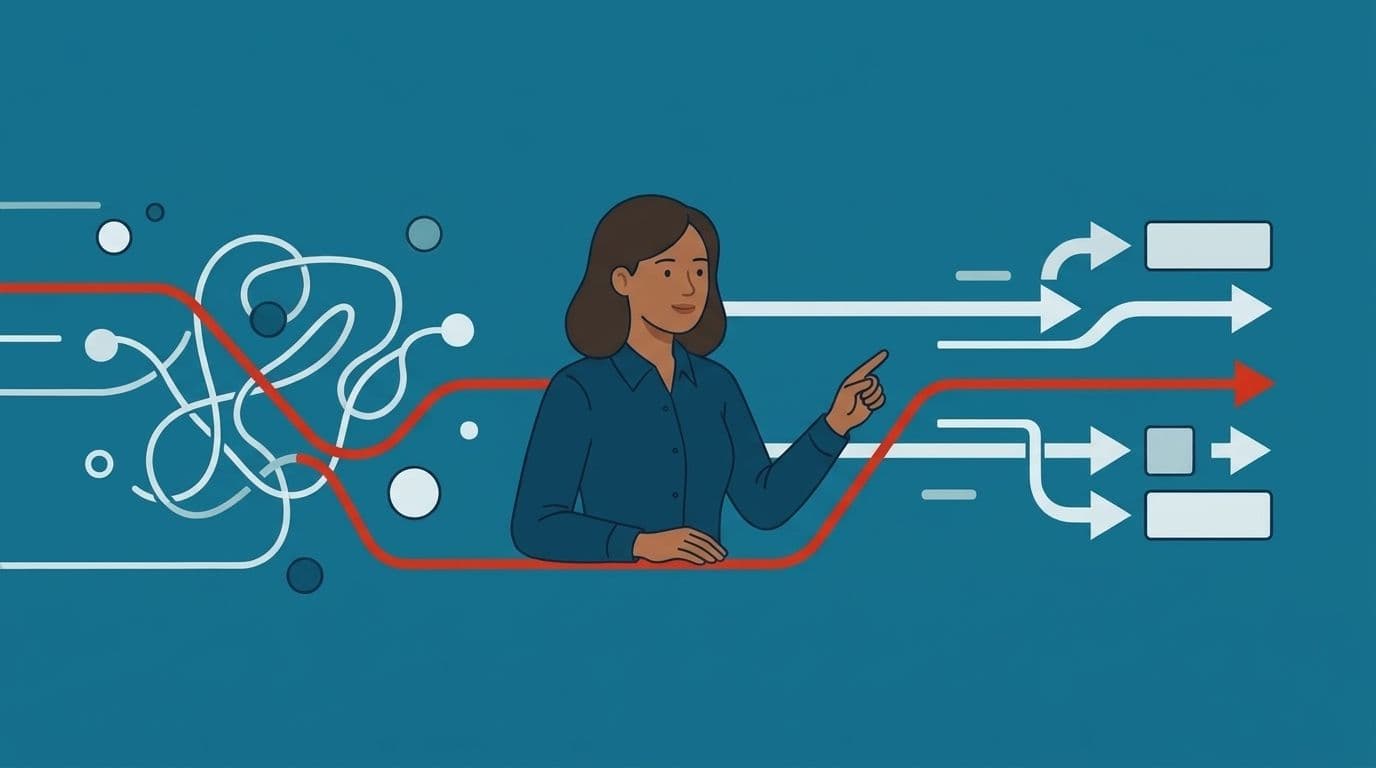
A controller at a 60-person logistics firm sends us the same message every month, in slightly different words. Three legal entities. Two bank feeds. A supplier portal exports CSV files with the columns in a different order each time. Four people spend the first week of every month moving numbers between systems that already hold those numbers. By Friday nobody can say for certain which version of the ledger is the real one.
That company doesn't have a software problem in the usual sense. The accounting package works, and the ERP works too. What's missing is the piece in between, the one that reads a supplier's invoice format, matches it against a purchase order, flags the three lines that don't agree, and leaves the rest alone. No vendor sells that piece. It only exists in the shape that one business needs.
That gap is what custom AI development fills. It's building software that uses machine learning or language models to do a specific job inside your business, shaped around your data, your rules and your existing systems, rather than buying a general tool and bending your process to fit it. This guide covers what gets built, what it costs, when buying is smarter than building, and how to tell whether your situation warrants either.
What Is Custom AI Development, in Plain Terms
Strip away the vocabulary and you're left with three parts. A model that can interpret something, your data that gives it context, and the code around it that decides what happens next.
The model might be a commercial language model from a provider like OpenAI or Anthropic, an open-weight model you run yourself, or a small classifier trained on your own records. It supplies the reading and reasoning. On its own it knows nothing about your business.
Your data supplies the context. That's your invoice history, your support tickets, your product catalog, your policy documents. The model reads from it at the moment it's needed rather than memorizing it.
The code around both is the part people underestimate, and it's usually where most of the build time goes. It handles authentication, retries when an API call fails, validation rules, and logging. It also decides what a human sees before anything is committed. In a finance workflow, that last piece matters more than model choice. A person approves anything that touches money or a customer, every time.
So custom AI development isn't model building in most cases. Most projects never need a model trained from scratch. The work is integration, data plumbing, interface design and the careful definition of what the system is allowed to do without asking. Teams that expect to spend their budget on model science are usually surprised to find they spent it on connecting to a 12-year-old ERP.
What Is Custom App Development, and Where AI Changes It
Most people considering an AI project have already asked a simpler question first. What is custom app development, and is it different now? The honest answer is that the foundations haven't changed much. You still define a workflow, build screens and APIs, connect to databases, test it, and ship it. Custom app development means writing software for one organization's process instead of licensing software written for a market.
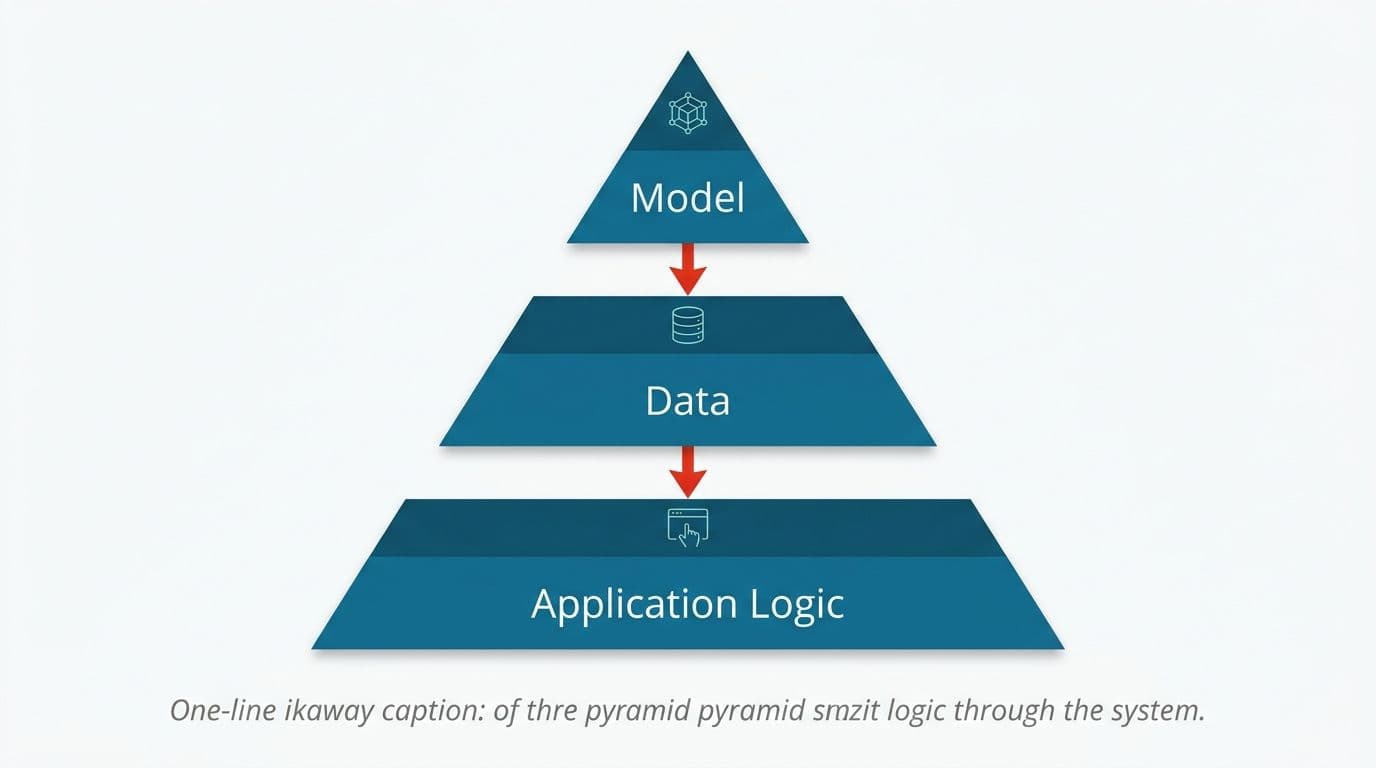
Three things do change when AI is part of it.
Outputs become probabilistic. Traditional software is deterministic. Given the same input, you get the same output, and a bug is a logic error you can find. An AI feature returns something plausible, which is usually right and occasionally confidently wrong. That changes how you test. You need evaluation sets, accuracy thresholds, and a defined fallback when confidence is low.
Running costs scale with use. A conventional app costs roughly the same to run whether 50 or 500 people use it. A language model charges per token. If you don't design for that, usage growth turns into a bill that grows alongside it.
Unstructured input becomes usable. This is the real gain. Scanned PDFs, email threads, chat transcripts and handwritten delivery notes all become something software can act on. Problems that were previously too messy to automate are now worth looking at again.
When people ask us what custom app development costs versus an AI build, the difference is rarely the engineering rate. It's the extra time spent on evaluation and the ongoing model spend.
What Actually Gets Built
"AI project" covers a wide range of things. In practice, most of what businesses commission falls into a handful of recognizable shapes.
- A layer on top of systems you already run. The CRM, the ERP and the warehouse system stay exactly where they are, and new intelligence is added through their APIs. This is what adding AI to the systems you already run usually means in practice, and it's the lowest-risk starting point because nothing you depend on gets replaced.
- Document reading. Invoices, purchase orders, claim forms, ID documents, delivery notes. The system extracts fields, validates them against your records, and routes exceptions to a person. Turning scanned paperwork into structured records is one of the most common first projects because the before-and-after is easy to measure.
- Support automation. A model answers questions using your own documentation and ticket history, and escalates what it can't resolve. Done properly this uses retrieval augmented generation (RAG), where the model looks up your real content before answering instead of improvising. Our work on answering repeat customer questions from your own documentation tends to target the twenty questions that make up most of the queue.
- Workflow automation. Steps that currently require a person to copy, check and forward get handled by software, with approval gates where they matter. Automating the handoffs between teams and tools is less about intelligence and more about removing waiting time.
- Agents that carry out multi-step tasks. Software that completes a sequence of steps on its own suits well-bounded jobs with clear success criteria. It suits open-ended work badly.
- Finance and data operations. Reconciliation across entities, ledger matching, anomaly flagging. We build reconciliation and ledger matching that surfaces exceptions, though no system produces an error-free ledger. The output is a shorter list for a human to check, not a reason to stop checking.
Where the Intelligence Comes From: Models, Data and Your Rules
Most teams assume the model is the product. It isn't. The model is a component you can swap, and the ones available this year are considerably cheaper and more capable than those available two years ago.
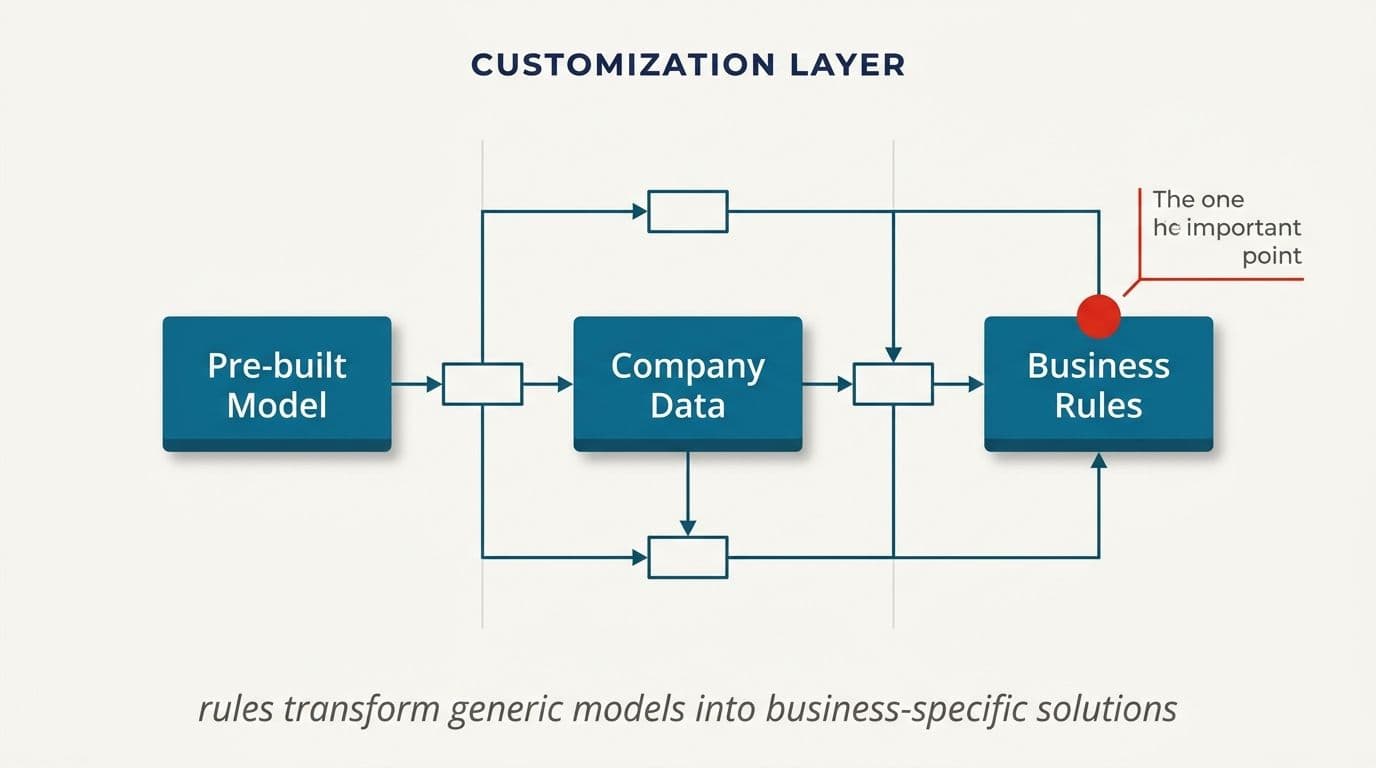
What makes a build yours is the layer that sits between the model and your business. That layer decides which documents get retrieved for a given question, how a currency mismatch is handled, what happens when the confidence score falls below your threshold, and which approvals are mandatory. Those rules come from your operation and nowhere else.
You have three broad options for the model itself. Commercial APIs give you the best capability with the least setup, and on enterprise endpoints with retention disabled, the provider doesn't train on your data. Open-weight models you host yourself cost more in infrastructure but keep everything inside your network. A fine-tuned model sits between the two, useful when your domain language is unusual enough that general models keep misreading it.
For regulated work, hosting matters more than capability. Health records, lending files and anything covered by a data residency clause often can't leave your infrastructure at all. That's the case for private LLM fine-tuning and hosting on infrastructure you control, paired with access controls and audit trails designed for regulated data. No architecture is breach-proof, and anyone who tells you otherwise is selling something. What good design gives you is a smaller attack surface, logged access, and a straightforward answer when an auditor asks where the data went.
When Off-the-Shelf Is the Right Answer
We've talked clients out of builds, and we'd rather do that in week one than month four.
Buy instead of build when your process is genuinely standard. Payroll, email marketing and basic helpdesk ticketing are good examples. Thousands of companies run these the same way, which is exactly why a product can serve all of them. Writing your own gains you nothing and leaves you maintaining it forever.
Buy when the volume is low. If three people process 40 documents a month, a build won't pay back. Fix the template, add a shared inbox rule, and spend the budget elsewhere.
Buy when the vendor's roadmap is already heading where you want to go. Plenty of SaaS platforms shipped valuable AI features over the past 18 months. Before commissioning anything, check whether the tool you already pay for does it in the next release.
Build when the thing that makes your business work is the thing no product fits. That shows up in specific ways: a pricing model nobody else uses, a compliance regime that forces an unusual approval chain, an integration between two systems that were never meant to speak, or data that can't go to a third-party cloud.
Build when the workaround has become permanent. The spreadsheet that four people maintain, the inbox folder that functions as a database, the person who is the only one who knows how a step works. Those are costs that don't appear on any invoice, which is why they persist for years.
There's also a middle path people forget. Sometimes you keep the off-the-shelf tool and build a thin connector around it. Custom API integrations and wrappers around existing AI tools cost a fraction of a full build and often close the gap entirely.
What a Custom AI Project Looks Like, Week by Week
Here's the shape of a project that works, based on how we run them.
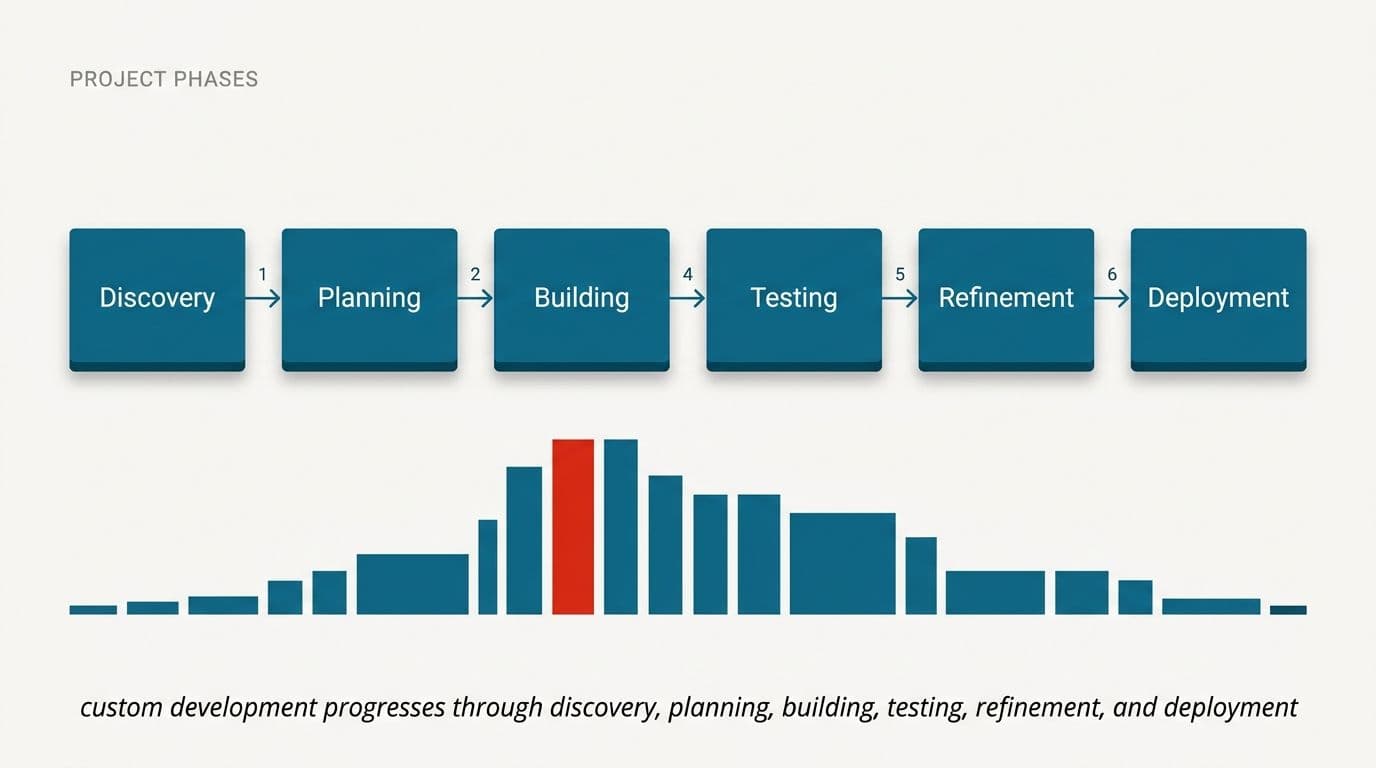
Week zero: the audit. Before anyone writes code, someone sits with the people doing the work and watches them do it. Not a requirements workshop. An observation. This is where you find out that the "automated" report is rebuilt by hand every Tuesday, and that the real bottleneck is a signature, not a calculation. We call this an automation audit, and it's free because a surprising number of them end with us saying the build isn't worth it.
Weeks one to two: the narrowest worthwhile slice. Pick one document type, one entity, one queue. Build it end to end, including the boring parts: authentication, error handling, the screen where someone approves the output. Working software exists in month one or the scope was wrong.
Weeks three to five: real data and real users. The system runs alongside the manual process, not instead of it. Two people use it daily, and you compare its output against theirs and count the disagreements. This is where accuracy numbers stop being theoretical.
Weeks six to eight: hardening and handover. Fix what the pilot exposed, add monitoring so you know when something breaks, and document it. You get the repository, the cloud accounts and the API keys, in your name.
The beneficial discipline here is deciding the kill criteria up front. If the pilot can't hit the accuracy threshold you set, you stop. We've seen more money lost to projects nobody would cancel than to projects that failed fast.
What It Costs, and Why Model Spend Doesn't Have to Climb Forever
Two costs matter and they behave differently.
Build cost is the engineering. We name a fixed price before work starts, which means scope gets argued about in week zero rather than month three. An integration that adds AI to one workflow in an existing system is a smaller number than a product built from nothing. A document pipeline with human review sits somewhere in between. Published pricing beats a discovery call in our view, which is why we put real numbers in front of people rather than requiring a demo first.
Run cost is where the worry about escalating bills comes from, and it's reasonable, since language models charge per token, so a careless design charges you repeatedly for the same thing.
Four techniques keep it flat.
- Cache aggressively. The same question asked 200 times should hit the model once.
- Route by difficulty. Use a small, cheap model for classification and a large one only for the cases that genuinely need it.
- Trim context. Sending an entire 80-page policy document with every query is the most common cause of a surprising bill. Retrieve the three relevant paragraphs instead.
- Set hard ceilings. Per-user and per-day caps with alerts, so a runaway loop costs you an hour of confusion rather than a month of budget.
Designed this way, cost per transaction tends to fall as volume rises, because caching gets more effective. Designed poorly, it rises in a straight line instead. The difference is architecture, decided in week one.
The Questions That Stall Projects
Six things come up in almost every first conversation. They deserve direct answers.
Will the vendor train on our data? On enterprise API endpoints with zero retention configured, no. Get it in the contract and verify the endpoint configuration rather than trusting the marketing page. If the answer still isn't good enough for your regulator, run the model inside your own infrastructure.
Can we trust an overseas supplier? Fair question, and the answer isn't a reassurance. It's structure. You own the code, the repositories, the cloud accounts and the keys from day one. Payments are tied to delivered milestones. Our builders travel to clients when a project needs it, and you talk to the people writing the code rather than an account manager relaying messages. We're based in Madurai, India, with 150 people and 18 years behind us, and we've delivered for clients in more than 50 countries.
Will it pass compliance or app store review? We build to the published requirements and prepare the documentation. Nobody can guarantee an approval, because the decision belongs to the reviewer and the submission belongs to you. Any firm promising otherwise is promising something it doesn't control.
Do we even need new software? Sometimes not. A workflow change, a better template or a setting in software you already own will occasionally do the job. We'd rather tell you that.
How accurate will it be? Accurate enough to shorten a person's work, not accurate enough to remove the person. Every output is validated either in code or by a human before it affects a customer, a payment or a record. That's a design principle, not a limitation we're apologizing for.
What if the model gets better next year? Good. Build so the model is a swappable component and you benefit from that instead of rewriting.
Start With an MVP, Not a Platform
The most expensive mistake in this field isn't a failed model. It's eight months spent building the complete vision before a single user touches it.
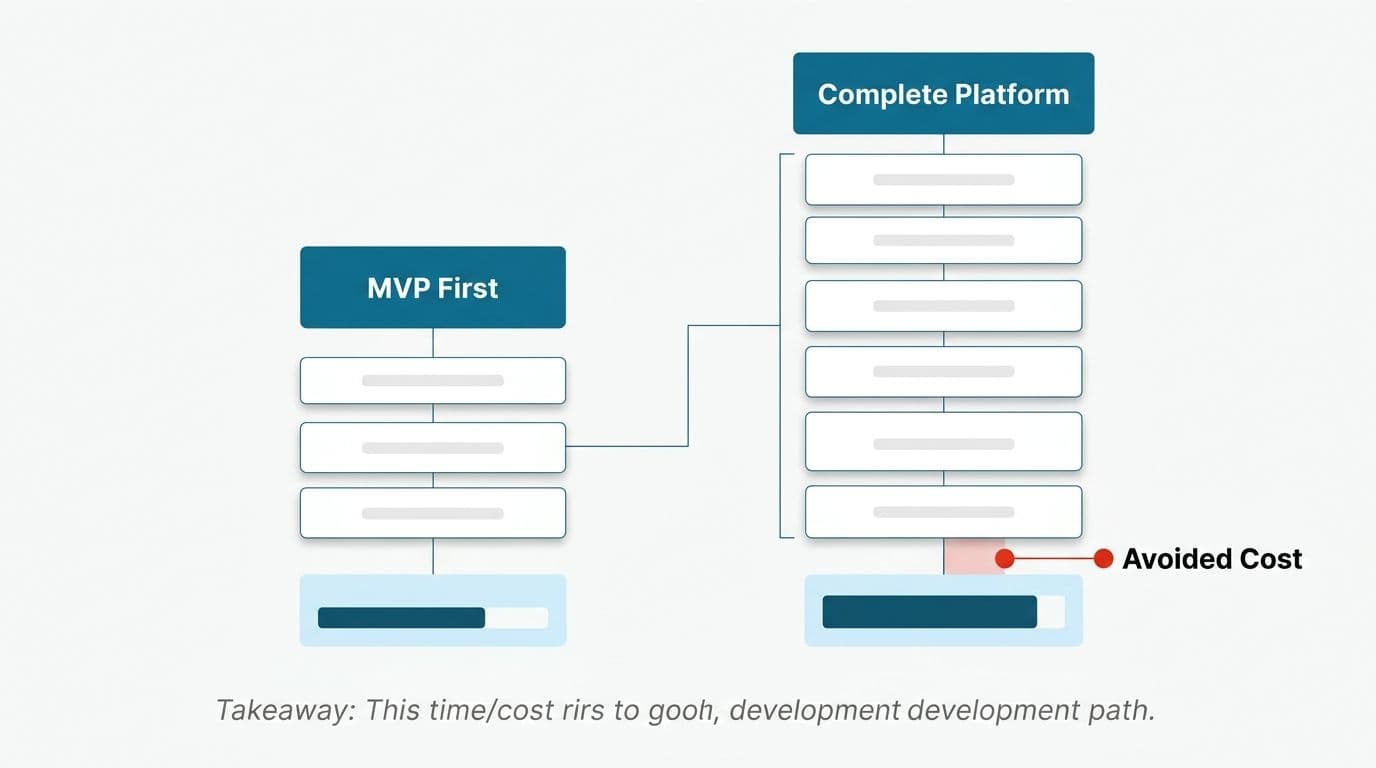
An MVP in this context means the smallest version that produces a real result for a real user, in production, with real data. Not a slide deck. Not a demo on sample files. If the goal is automated invoice processing across six suppliers, the MVP handles one supplier, end to end, including the exception path.
The reason this matters more with AI than with established software is that you can't fully predict accuracy before you test against production data. Clean sample documents behave nothing like the scanned, skewed, partially handwritten reality that shows up once a pilot goes live. Teams routinely find their pilot accuracy falls noticeably short of their lab accuracy, and that gap only appears once real files go through.
A tight first build also gives founders something concrete for investor conversations. A working prototype that processes real transactions is a different conversation from a mockup. That's the thinking behind our approach to building a working AI prototype before committing to the full product, and it's why the first milestone is weeks away rather than quarters.
One example shows what a focused scope can do: a content operation with a large team of writers cut a monthly production cycle down to about a week by automating the handoffs between drafting, review and publishing. The scope was narrow. The effect wasn't.
A Short Readiness Check Before You Commit
Run through these before you talk to anyone, including us.
- Can you name the task? Not "use AI in operations." Something like "match supplier invoices to purchase orders across three entities." If you can't write it in one sentence, the project isn't ready.
- Can you count it? How many times a week does it happen, how long does each one take, and who does it? Without those numbers you can't tell whether a build pays back.
- Does the data exist and can you reach it? Historical examples with known correct answers are what make evaluation possible. If the knowledge lives only in someone's head, extracting it is the first phase of the project.
- Do you know what "good enough" means? Pick a number. Ninety percent extraction accuracy with a review step might be fine. For a payment instruction it won't be.
- Who owns it after launch? Someone has to watch accuracy drift, approve edge cases and decide when to retune. A system with no owner degrades quietly.
- Can you say what you'd stop? If the manual process continues unchanged alongside the new system, you've added cost rather than removed it.
If three or more of those are blank, your first step isn't a build. It's a week of measurement.
What Custom AI Development Looks Like When It Works
Six months after launch, a good build is unremarkable, and nobody mentions it in meetings. The month-end close that took a week takes a day and a half, and the two people who used to spend that week retyping numbers now spend it on supplier queries and cash flow. Exceptions still reach a human, because they always should. The team trusts the output enough to act on it and knows exactly where to look when something seems off.
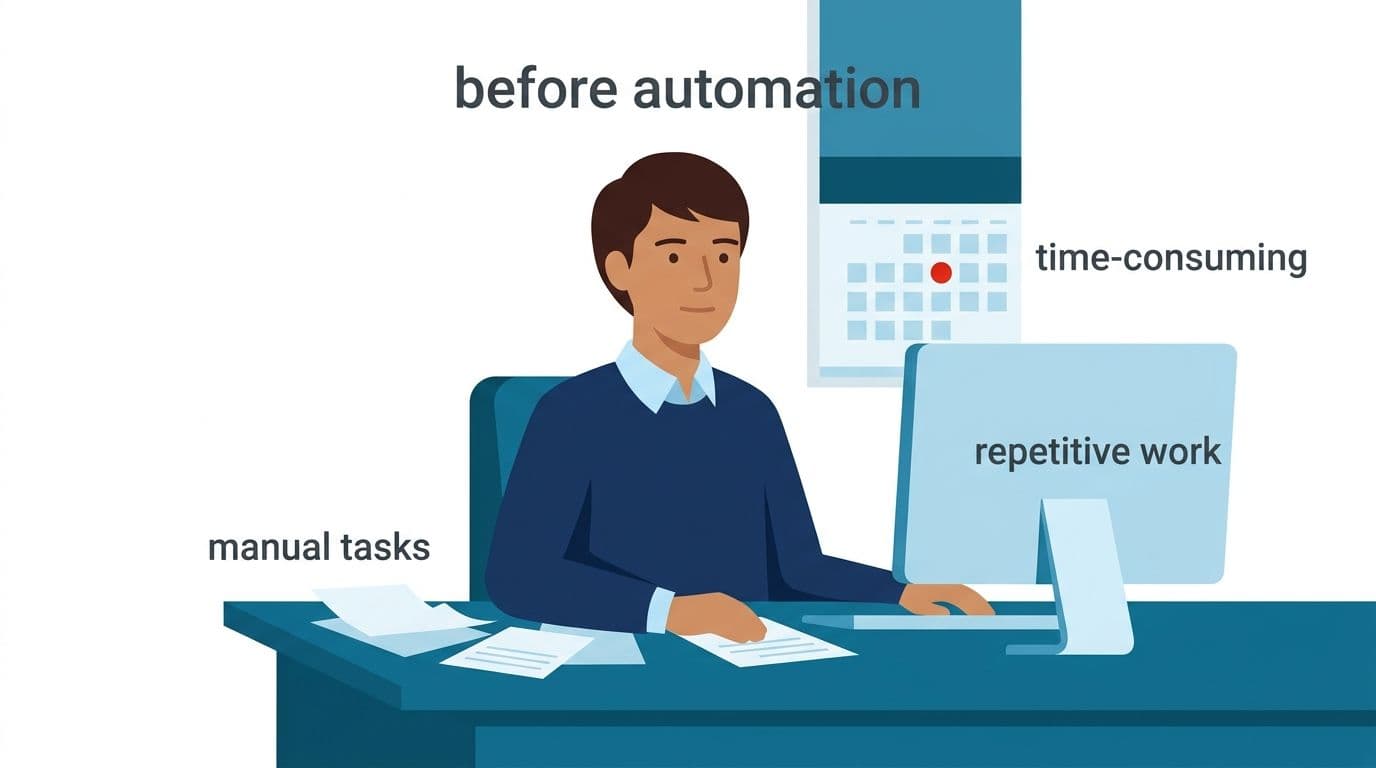
That's the realistic version. Not a transformation, not a replaced department. A specific, measurable reduction in work nobody wanted to do, with a person still accountable for anything that matters.
The question worth answering before you spend anything is narrower than what is custom AI development as a category. It's whether the particular task eating your team's week is one that software can take on, and whether the numbers justify building. Sometimes they don't, and knowing that early is worth something too.
Your next step: pick the single task that costs your team the most hours this month, write it in one sentence, and count how often it happens. Then book a free automation audit and we'll tell you honestly whether it's worth building, or see how we work first. If you'd rather test the idea in code, we can start a prototype with a fixed price named before anyone writes a line.
Wondering what this would take against your own systems?
The audit costs nothing, and you keep the costed plan and the risks whether you go ahead or not.
Book a free automation auditHitasoft
LinkedInHitasoft has built software since 2008, for companies that mostly do not have an IT department. These pieces are written by the people who do the integrations rather than by anybody in marketing.