
A support lead we spoke with earlier this year kept a tally on a whiteboard. Three columns: password resets, "where is my order," and refund policy questions. By Friday those three columns held more than half the week's tickets.
That whiteboard is the real argument for automating support. It's not about cost savings or round-the-clock coverage. The argument is that your experienced people are spending their attention on questions that already have a correct answer written down somewhere, and by Thursday they're too tired to do the work only they can do.
A chatbot for customer support can take those three columns off their plate. What it cannot do, and what most vendors go quiet about, is handle the fourth column. The real test of any of these systems is whether they survive a real customer typing a real sentence, not whether they ace a demo script.
What a Chatbot for Customer Support Actually Does
Strip away the marketing and there are two different things wearing the same name.
The first is a rules-based bot. Someone writes a list of questions and answers. The bot matches incoming text against that list, and it returns the matching answer. Decision trees, keyword triggers, button menus, all of it decades old. It works when customers ask questions the way the author of the FAQ expected, and it fails the rest of the time.
The second is a retrieval-based system, usually built on retrieval augmented generation (RAG). Instead of matching a question against a fixed list, it searches your actual documentation, help articles and past ticket resolutions for passages relevant to what the customer asked. It hands those passages to a language model along with the question, and the model writes an answer grounded in what it found. The difference matters more than any feature list. A rules-based bot knows only what someone remembered to type into it. A retrieval system reads your knowledge base the way a new hire would, every time, and answers a question nobody anticipated as long as the answer exists somewhere in your material.
Most of what gets sold as an AI chatbot for customer service sits somewhere between these two. Plenty of tools labelled AI underneath are keyword matching with a language model applied as a politeness filter on the output.
The practical test is simple. Ask the vendor what happens when a customer asks something the FAQ doesn't cover but the documentation does. If the bot says it doesn't know, you're looking at matching. If it finds the documentation passage and answers from it, you're looking at retrieval. One of those scales with your business. The other needs a human to keep feeding it forever.
Why Most Support Bots Break on Paraphrased Questions
Here is the failure that costs companies the most goodwill, and it shows up within days of launch.
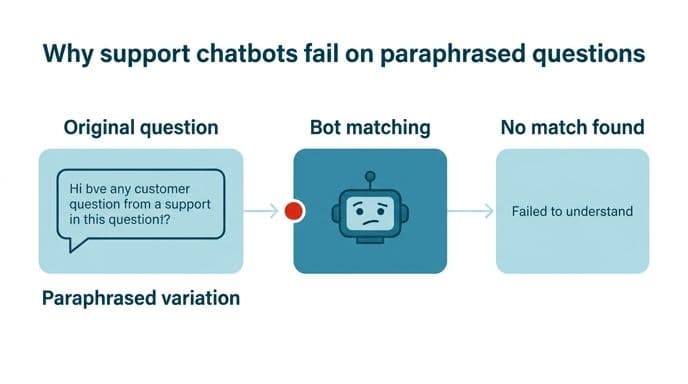
Your FAQ says "How do I reset my password?" A customer types "can't get in, it keeps saying wrong details even though I'm sure it's right." An FAQ-trained bot scores that against its list, finds nothing above threshold, and returns a fallback message. The customer tries once more, gets the same wall, and leaves angry.
We see this pattern constantly in audits of existing bots. The system performs beautifully on the questions it was built from, for the obvious reason that those are the questions it was built from. Then it meets real tickets, where people describe symptoms rather than naming features. They misspell product names, write in their second language, paste error text without explanation, or stack three questions into one message. Accuracy on the demo set has almost no relationship to accuracy on the inbox.
Retrieval helps here because it works on meaning rather than wording. The search layer converts both the question and your documentation into numerical representations of meaning. That's why "keeps saying wrong details" lands near a password reset article even with no shared words. Retrieval still fails when your documentation describes a feature in internal language the customer would never use, or when the answer exists only in the heads of two people on your team.
The fix is less technical than it sounds. Pull a few hundred real tickets from your actual queue, including the badly written ones, and run them through any system you're evaluating before you sign anything. Skip the sample questions the vendor prepared. Count how many get a correct answer, how many get a wrong answer delivered confidently, and how many get an honest "let me pass you to someone."
How to Test a Chatbot on Messy Tickets, Not Demo Questions
Build an evaluation set from your own history. Export two or three hundred closed tickets covering a normal month, and weight them the way your queue is actually weighted. If a third of your volume is shipping questions, a third of your test set should be too. Include the ones that embarrassed you, along with the furious customers, the typos, and the forwarded email chains with no context.
Then split the set into categories before you test anything:
- Pure retrieval. The answer exists in one document and doesn't change. Policy questions, hours, specifications, what's included in a plan.
- Account lookups. The answer depends on live data about this specific customer. Order status, balance, subscription tier.
- Troubleshooting. The answer depends on a back and forth, where each response narrows the problem.
- Judgment calls. Refunds outside policy, complaints, anything involving a decision rather than a fact.
Measure each category separately. A single blended accuracy number hides exactly what you need to know, and in our own testing on client knowledge bases, pure retrieval tends to perform well enough to deploy quickly.
One more thing worth checking deliberately: ask the same question five different ways and see whether you get five consistent answers. Inconsistency is a sign the retrieval layer is pulling different documents depending on phrasing, which means some customers are getting the outdated page. Better to find that in a spreadsheet than in a screenshot a customer posts publicly.
Resolution Rate and Handoff Quality Beat Deflection Rate
Deflection rate is the number vendors lead with. It counts conversations that ended without reaching a human. It is a poor measure of anything, because a customer who gives up in frustration counts as a deflection, identical to a customer whose problem was solved.
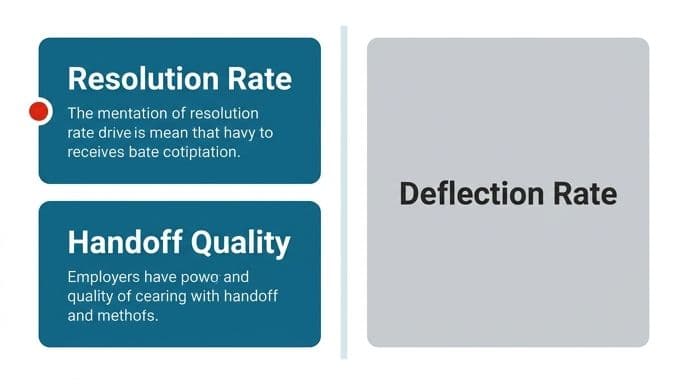
Three numbers tell you more.
True resolution rate. Of conversations the bot handled alone, how many ended with the customer's problem actually solved? You find this by sampling transcripts and reading them, and by checking whether the same customer opened another ticket within a few days. Repeat contacts are the giveaway. One client's bot showed an impressive deflection figure until we matched conversations against follow-up tickets and found a meaningful share of those customers coming back within forty-eight hours.
Handoff quality. When the bot escalates, what does the human receive? That moment, being asked to repeat yourself after already explaining it to a machine, produces more complaints than any other part of an automated support flow.
Confident-wrong rate. How often does the system give a specific, plausible, incorrect answer? This is the one that creates liability, especially in fintech and healthcare contexts. Every wrong answer about a fee, a deadline or a medical process is a problem that lands on a person later.
Track those three weekly for the first couple of months. Deflection rate can stay on the dashboard for whoever likes it.
What Customers Actually Think About AI Chatbots in Support
Honesty is worth more than optimism here, and the signal from customers is not flattering.
Dissatisfaction with automated support is widespread and getting louder. Customers frequently end up routed through automated layers and multiple specialists without ever reaching someone with the authority and knowledge to resolve their problem. That experience has made a lot of customers hostile to chat widgets on sight, before the widget has done anything wrong.
There's a second pattern worth understanding. Automated support interactions tend to be purely transactional. If a meaningful part of your retention comes from support quality, automating the wrong conversations will cost you more than it saves.
What this means in practice is design restraint. Make the path to a human visible and short. Don't make customers argue with a bot to get escalated, don't hide the escalation behind three menu layers, and don't let the bot insist on trying again after it has already failed once. Customers forgive a bot that says "I can't help with that, here's Priya" far faster than one that keeps cheerfully offering help it can't deliver.
Set expectations in the first message too. State plainly that this is an automated assistant, that it handles order status, returns and account questions, and that anything else goes to the team. That costs you one sentence and prevents a lot of anger.
Where a Chatbot Genuinely Helps, and Where It Doesn't
The useful split is between retrieving a fact and diagnosing a problem.
Retrieval works. If the answer lives in a document and doesn't change based on who's asking, an automated system handles it well. Return windows, plan comparisons, business hours and setup steps are questions your team answers hundreds of times with identical wording, so automating them is close to pure gain.
Account-specific lookups work too, with integration. "Where's my order" needs the bot to query your fulfillment system and report back. That's an engineering task rather than an AI task, and it's where a lot of deployments stall. Connecting to the order system turns out to be the hard part all along.
Troubleshooting is where things fall apart. Diagnosis requires forming a hypothesis, testing it, and revising based on what comes back. Automated systems tend to run through a checklist instead, offering the same three suggestions regardless of what the customer already said they tried.
Judgment calls shouldn't be automated. A refund outside policy, a complaint about a staff member, a customer threatening to leave: those need a person with authority. The moment a bot handles one poorly, you've turned a recoverable situation into a public one.
Honest version of the ceiling: for teams with a high proportion of repetitive, documented questions, automation takes a large share of inbound volume off human hands. The exact proportion varies by team, but in the strongest cases, automation has handled a clear majority of inbound tickets without a person ever seeing them. For teams whose volume is mostly diagnosis, the realistic figure is far lower, and a chatbot might not be worth building at all. We'd rather tell you that at the audit stage than six weeks into a build.
Your Knowledge Base Decides How Good the Bot Gets
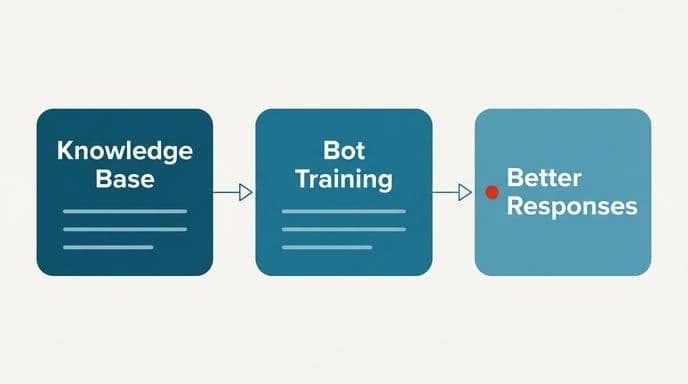
Here's the part nobody wants to hear. The model is mostly a commodity. The thing that determines whether your customer support AI chatbot is valuable or embarrassing is the quality of what it reads.
- Contradictions. The returns page says thirty days, a help article says fourteen, and a blog post from two years ago says something else. Retrieval will find all three and answer from whichever scores highest, which might not be the current one.
- No freshness signal. Nothing marks which page is current, so outdated material competes equally with the page you updated last week.
The preparation work is unglamorous and it's most of the project. Deduplicate. Pick one canonical source per topic and delete or redirect the rest. Break long pages into sections that each answer one question, because retrieval works at the passage level and a two-thousand-word page dilutes the specific answer you need. Tag content with product, region and audience so the system can filter before it searches. Write down the tribal knowledge, which usually means sitting with your best agents for an afternoon and transcribing what they know.
Then assign an owner. Knowledge bases decay, so if nobody is responsible for updating the source when a policy changes, your bot will be confidently quoting last year's pricing by spring. Build the update into whatever process already changes the policy, so it can't be skipped.
How Retrieval Augmented Generation Works, Without the Jargon
Worth understanding properly, because it changes what you ask vendors.
When a question arrives, the system converts it into a vector, a list of numbers representing its meaning. Your documentation has already been chunked into passages and converted the same way. The system finds the passages whose vectors sit closest to the question's, which in practice means closest in meaning rather than wording. Those passages, usually a handful, go to the language model along with the question and an instruction along the lines of: answer using only this material, and say you don't know if it isn't here.
Three consequences follow.
The model isn't drawing on what it absorbed during training. Instead, it's reading your documents at the moment of the question. Update a policy page and the next answer reflects it, with no retraining involved. That alone solves the staleness problem that plagued earlier generations of support automation.
Answers can be cited. Because you know which passages were retrieved, you can show the customer the source and give your team an audit trail. When something goes wrong, you can see exactly which document misled the system and fix that document.
Hallucination drops but doesn't vanish. Grounding the model in retrieved text cuts invention substantially. It still happens, particularly when retrieval returns something nearly relevant and the model stretches to connect it. This is why we hold to human approval for anything touching money, account changes or a customer's personal records. We won't promise accuracy without a validation step in code or a person reviewing.
For regulated work, retrieval has one more advantage. The documents can stay in your infrastructure, and the model can be hosted privately rather than called over somebody else's API. If your records can't leave your environment, that's the architecture worth asking about. We cover the full approach on our customer support AI and RAG agent services page, including where private deployment makes sense.
Security: Token Freeloading and Cost Exploitation
This risk gets almost no coverage, and it's real.
A public chat widget wired to a language model is, from a certain angle, a free API that you're paying for. Every one of those requests bills to your account.
Reasonable defenses, none of which are exotic:
- Scope enforcement at the system level. The bot refuses anything outside support topics, checked before the expensive model call rather than after.
- Rate limits per session and per address. Cheap to implement, stops the bulk of abuse.
- Input and output length caps. A support answer doesn't need to be a thousand words, and capping it removes the incentive for misuse.
- Spend alerts and hard ceilings. Set a monthly cap on the account and get notified at thresholds you choose, so a bad week shows up on day two rather than in the invoice.
- Classification before generation. Route clear FAQ matches to cached answers and only invoke the model when it's needed. This cuts cost and attack surface at the same time.
This connects to a question we're asked in nearly every scoping conversation: will model spend keep climbing with usage? It might, if the architecture calls the model for everything.
On data handling, the honest answer is that enterprise endpoints with retention disabled do not use your conversations for training. If that isn't sufficient for your compliance position, private model fine-tuning and secure hosting keeps everything inside your own infrastructure. No system is breach-proof, and we won't tell you otherwise, but you decide where your data physically sits.
What Deployment Looks Like for a Small Team
The timeline question comes up fast, usually with skepticism attached, because people have been quoted quarters for this before.
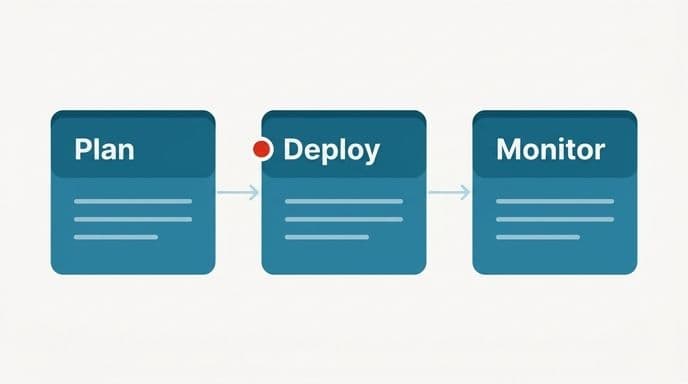
For a small team with a straightforward pattern of repetitive tickets, the realistic shape is weeks rather than quarters. The first stretch is almost entirely knowledge base work: auditing what you have, resolving contradictions, writing down what only lives in people's heads. Then the retrieval layer gets built and tested against your real ticket export. Then a limited pilot, usually on one channel or one category, with every conversation reviewed. Then widening, based on what the review showed.
What slows projects down is rarely the AI. It's integration. Connecting to the order system, the CRM, the billing platform: those connections often reveal that the data the bot needs isn't where anyone thought it was. Budget for that discovery.
Our own working pattern applies here directly. We name a fixed price before work starts, so the bill doesn't move while you're waiting. Working software exists in month one rather than at the end. It costs us a project and saves you a wasted quarter.
Build or Buy: An Honest Comparison
Off-the-shelf support chat tools are genuinely good at what they do. If your needs are standard, buying one is the right answer and you should.
Buying makes sense when your questions are mostly generic and your knowledge base is already tidy. It also makes sense when you don't need deep integration with internal systems, and your data can sit on a vendor's infrastructure without a compliance problem. Setup is days, cost is predictable, and nobody has to maintain anything. We tell clients to buy more often than people expect.
Building makes sense under specific conditions: your data can't leave your environment, or your support depends on systems with no standard connector.
The middle path gets overlooked. A custom retrieval layer on top of your existing helpdesk, through custom AI API integration and wrappers, keeps your current tooling, ticketing and reporting while replacing the part that was underperforming. Less work than a full build, more control than a subscription.
If you're still comparing options, we've written a separate piece working through how the leading AI support agent platforms compare on real criteria, including where each one tends to struggle.
Designing the Handoff So Customers Don't Resent It
The handoff deserves more design attention than the bot.
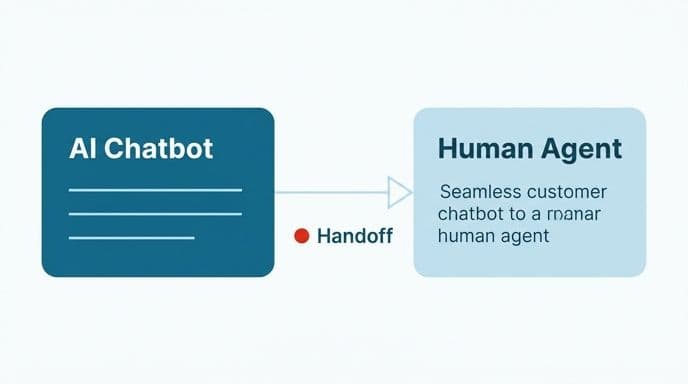
Trigger escalation on signals, not just on failure. Repeated rephrasing of the same question means the customer isn't getting through. Frustration language, explicit requests for a person, mentions of cancelling or complaining, anything involving a payment dispute: any of those should route to a human immediately, without the bot attempting one more suggestion.
Make the exit permanently visible, with a "talk to someone" option present in every message rather than buried. Customers who know they can leave are more willing to try the bot first, which improves your automation rate rather than hurting it. Pass everything forward.
Set honest expectations about timing. If a human reply takes until tomorrow morning, say tomorrow morning. Vague reassurance about someone being with you shortly, followed by hours of silence, does more damage than the original problem.
And give agents the ability to correct the bot in place. When an agent sees a wrong automated answer, there should be a one-click way to flag it that feeds into the knowledge base review.
Deciding Whether Your Team Needs One
A short diagnostic, usable this week.
Take last month's tickets and sort them into the four categories from earlier: pure retrieval, account lookup, troubleshooting, judgment. If the first two categories together make up a substantial majority of your volume, automation will help meaningfully. If troubleshooting and judgment dominate, a bot will take the uncomplicated tickets and leave your team's actual workload unchanged. In that case, better routing, better internal tooling, or workflow automation behind the scenes will do more for you than a customer-facing bot.
Then check whether the answers exist in writing. If your top twenty questions aren't documented anywhere, documenting them is the project. You might find that publishing those answers well reduces ticket volume on its own before you automate anything.
Last, check your tolerance for imperfect answers. In retail, a slightly wrong answer about shipping is a minor annoyance. In fintech or healthcare, a wrong answer about a payment deadline or a clinical process is a serious problem, and the architecture needs human review built into every path that touches it.
The right question isn't whether to deploy a chatbot for customer support. It's which specific conversations yours should handle, and which should never reach it. Get that boundary right and the whole thing works. Get it wrong and you've built a wall between your customers and your team.
If you want a straight answer about your own queue, book a free automation audit. We'll look at your real tickets, tell you what's genuinely automatable, and tell you plainly if the answer is not much. You can also see how we work before you talk to anyone.
Wondering what this would take against your own systems?
The audit costs nothing, and you keep the costed plan and the risks whether you go ahead or not.
Book a free automation auditHitasoft
LinkedInHitasoft has built software since 2008, for companies that mostly do not have an IT department. These pieces are written by the people who do the integrations rather than by anybody in marketing.