
A founder we spoke with last spring had a patient intake app half-built in an AI coding tool. The web version looked good. The demo ran. Then came the part where it needed to work on an iPhone, store records that couldn't leave the country they were in, and pass a security questionnaire from a hospital group. That's where the project stalled for four months.
This happens often enough that it's worth planning around.
So the real question behind how to choose an AI app developer isn't "which tool is best." It's "which option matches where my product actually is, and what it will cost me to move to the next one when I outgrow this." This article compares the main AI app builders people are using right now, plus a services option, using the same honest structure for each: who it suits, what it does well, what it costs, and one drawback that's real.
Quick picks before the detail
Best overall for developers who want speed without giving up control: Cursor. It sits inside a real codebase, so you keep the code, the repo and the deployment pipeline. You need to know how to program.
Best for non-technical founders validating a web idea: Lovable. It gets you from a sentence to a working web app quickly. That's the cheapest way to find out whether anyone wants the thing.
Best free entry point: Windsurf has a free tier with limited access, so you can test the workflow before paying anything.
Best when the app handles regulated data, money, or has to survive a hospital security review: a services partner. We'd put ourselves in that bracket, and we'll describe what that means and what it doesn't, further down.
Three of them are AI coding tools you operate yourself. One is a team you hire. Comparing them in one place is useful precisely because most people are choosing between those two categories without realizing it.
How to choose an AI app developer when the decision is really about your stage
Most comparison articles on this topic treat AI vendor selection criteria as a scoring exercise: features, price, integrations, pick the highest total. That misses the thing that actually determines the outcome.
What determines the outcome is your stage. If you're still proving demand, your biggest risk is spending six months building something nobody asked for, so speed beats architecture. If you're past that and selling to hospitals, schools or banks, your biggest risk is a security review you can't answer, and architecture beats speed by a wide margin.
The expensive mistake is applying stage-two rigor at stage one, or stage-one tooling at stage two. We've watched both.
So before you look at any vendor, write down two things. One, what you are currently unsure about. Two, what would have to be true for you to spend real money. If the uncertainty is "will anyone use this," you want the fastest, cheapest path to something clickable. If the uncertainty is "can we handle this data legally," no AI builder answers that, and you should be talking to people, not tools.
That framing changes what you're even shopping for.
1. Cursor
Who it suits: developers, or teams with at least one developer, who already work in a codebase and want AI assistance inside it rather than a separate generation tool that hands back a zip file.
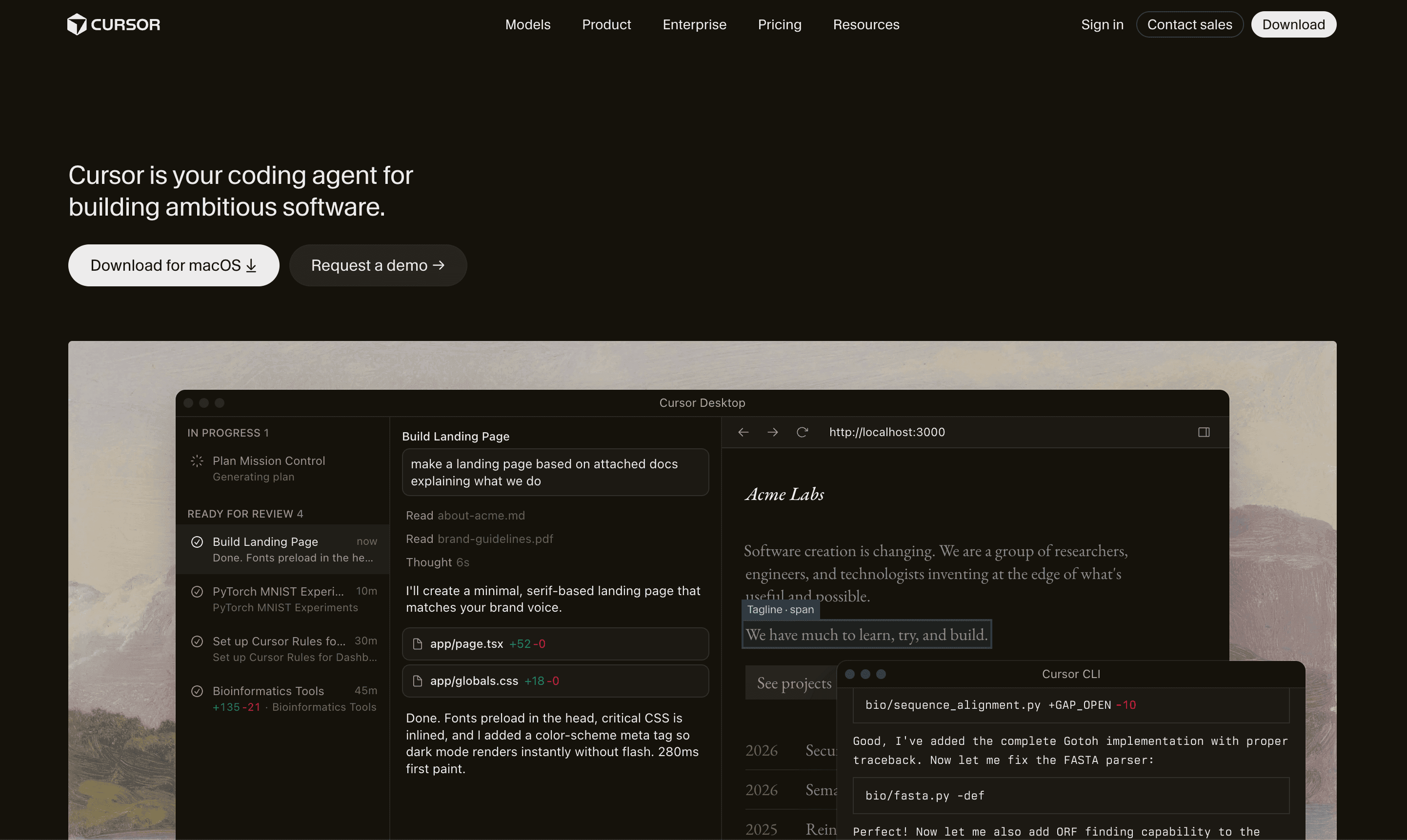
What it does well: Cursor keeps you in a real code editor. You own the repository, the dependencies and the deploy process from the first line. That matters more than it sounds.
It's also the option that leaves you least exposed if you change your mind, since there is no proprietary runtime to migrate off. The output is code in a language you chose.
Price: $20 per month, per the pricing listed publicly.
One real drawback: it assumes coding knowledge. If you can't read what it produces, you can't tell a working implementation from one that compiles and does the wrong thing. If nobody on your team reads code, this is not your starting point.
2. Lovable
Who it suits: non-technical founders and product people who want a working web application from a description, fast, mainly to test whether the idea holds up.
What it does well: Lovable is strong at the first mile. You describe what you want, you get something that runs, you show it to five potential customers, and you learn more in a week than you would from a quarter of planning. For validating an edtech tool, a retail ordering flow, or an internal dashboard, that loop is hard to beat.
It also sidesteps a trap we see constantly. People try to build with a general chat assistant alone, hit syntax errors they can't diagnose, and conclude that AI development doesn't work. Pairing a conversational AI with a dedicated builder gives much better results than either alone, and Lovable is one of the tools that collapses both halves into one product.
Price: $25 per month at the published rate.
One real drawback: web first, mobile second. If your product needs to be a real app in the App Store and on Google Play, generating reliable builds for both platforms is where web-focused AI builders are weakest. That's a sensible sequence, but it's also a second build, and you should budget for it rather than discover it.
3. Windsurf
Who it suits: people who want to try agentic AI coding without committing budget, and developers who prefer an editor that takes more initiative across a project rather than file by file.
What it does well: Windsurf leans into multi-step work. You give it a goal that spans several files and it attempts the whole thing. That suits refactors and feature additions in an existing project better than initial from an empty folder. The free tier gives modest access with the Cascade Base model, which is genuinely valuable for evaluating whether this way of working fits your brain before you pay.
For a small team deciding how to hire AI app developers versus upskilling the developers they already have, a free tier is the cheapest experiment available. Give it to one engineer for two weeks on a real ticket. You'll learn more than from any comparison table, including this one.
Price: free tier with restricted access to the Cascade Base model. Paid tiers start at $15 per month. Check Windsurf's own page for current tier details, since these move.
One real drawback: more autonomy means more review. When an assistant edits six files to satisfy one instruction, somebody has to read six diffs. Teams that skip that review accumulate changes nobody fully understands, and that debt shows up later as bugs that are hard to trace. The tool isn't at fault. The habit is. But it's a habit this tool makes easier to fall into than a more conservative assistant does.
4. Hitasoft
Who it suits: founders and product owners whose app touches regulated data, money, or an existing system that can't be rebuilt. Healthcare platforms handling patient records. Fintech products where a wrong number is a real problem. Retail and edtech teams with an ERP or SIS that the new thing has to talk to. Also founders who want a custom AI MVP development partner rather than a tool, because they'd rather spend their own time on customers.
What it does well: we put AI into systems companies already run, which is a less glamorous job than building from scratch and usually the one that pays off. AI software integration into an existing stack, workflow automation for the manual work between systems, and secure AI and compliance architecture when the data can't leave your infrastructure. For healthcare specifically, our healthcare and consulting practice is where that work lives, and we've integrated a health platform with India's national ABDM system, which is the kind of plumbing that decides whether a product is usable or just demonstrable.
Some specifics about how we work, because they're the part that's checkable. The price is fixed and named before work starts. You get working software in month one, not a quarter in. You own the code, the accounts and the keys. Builders travel to clients, so you talk to the people writing the software rather than an account manager relaying messages. We've been doing this a long time, across a large number of clients in many countries. Our product division Appkodes carries a strong independent rating from a meaningful base of reviews.
Price: fixed, quoted before the work begins, scoped to what you actually need. There's no monthly subscription tier to compare against the tools above, because it's a different kind of purchase.
One real drawback: we're costlier than $20 a month, and for a lot of ideas that's the wrong trade. If you're still testing whether anyone wants your product, hiring a team is premature, and we'll say so. A fair number of conversations we have end with us telling someone to go build it themselves in a tool like the ones above and come back when they have users. That's not modesty. It's that we'd rather not take money for a build that shouldn't happen yet.
RAG is not a yes-or-no decision, and the setup is the real cost
Retrieval augmented generation (RAG) is the technique where your app looks up relevant documents and feeds only those into the model, instead of hoping the model already knows your content. Nearly every AI vendor will offer it. Fewer will tell you what it costs to run well.
Here's the honest version. RAG's main benefit is noise reduction. A model given three relevant paragraphs tends to answer better than one given forty pages of mostly irrelevant material, even when the larger context technically fits. For a support bot answering questions from a policy manual, or a clinical tool pulling from protocol documents, that precision is the whole point. Our customer support AI and RAG agents work is built on exactly this.
What gets skipped in the sales conversation is the engineering. Deploying and configuring a retrieval system is substantial upfront work: chunking documents sensibly, choosing and hosting embeddings, building the index, keeping it in sync when source documents change, and evaluating whether retrieval is actually returning the right passages. None of that shows up in a demo. All of it shows up in your timeline.
And RAG isn't universally necessary. If your app answers from a small, stable set of information, you might not need a retrieval layer at all. If your users ask questions that span multiple documents and change weekly, you probably do. The right question for any vendor is not "do you do RAG" but "for our specific content and query patterns, do we need it, and what would you build instead if we don't."
A vendor who answers that with a straight "probably not, here's a simpler approach" is telling you something worthwhile about how they'll behave for the rest of the project.
Vendor lock-in: what you can actually get out
Lock-in is the risk people underestimate because it costs nothing on day one and everything in month eighteen.
There's a sensible sequence that reduces it. Learn the basic concepts of building AI agents first, using general coding tools, and only adopt a specialized platform when you hit a concrete gap you can name. Numerous things that required an expensive agent platform a couple of years ago can now be built directly with a coding assistant. If you start on the platform, you'll never find out which parts you needed it for.
When you're vetting an AI software vendor, three questions distinguish the ones you can leave from the ones you can't.
Who owns the code and the accounts? Not "do we get a copy." Do the model API keys sit in your account, billed to you, under your control? If the vendor's account is in the middle, your product stops when the relationship does. We put the code, accounts and keys in the client's name, and you should expect that from anyone you hire.
What happens to your data in the model provider's hands? On enterprise endpoints with retention disabled, your data is not used to train the provider's models. That's the accurate answer and it's worth getting in writing, with the specific endpoint and configuration named rather than a general reassurance.
Can the system run somewhere else? If the answer involves a proprietary runtime, a hosted agent framework, or a visual builder with no code export, you're renting. Sometimes renting is fine. Just price it as a recurring dependency, not a one-time build.
For data that genuinely cannot leave your infrastructure, private LLM fine-tuning and secure hosting is the route, though we won't pretend any deployment is breach-proof. What a private deployment does is keep the data inside a boundary you control and can audit.
What AI app development actually costs beyond the subscription
The advertised price of an AI coding tool is the smallest line in the budget. Here's what sits underneath it.
Model usage. This is the fee most founders forget to model, and the one that makes a CFO nervous six months in. The fix isn't hoping it stays flat. It's designing for it. Caching answers that repeat, routing simple queries to cheaper models, using retrieval so you send three paragraphs rather than forty pages. Those are engineering decisions with a direct line to your monthly bill.
Infrastructure. Hosting, databases, vector stores if you're doing retrieval, background job runners, monitoring. An AI builder that generates your app does not generate your production environment.
The second build. If you validate on web and then need mobile, that's a project, not a port.
Ongoing correction. Models change, and providers deprecate versions. Prompts that worked in January drift by June. Somebody has to notice and fix it.
Human review. Anything touching money or a customer needs a person to approve it before it goes out. We build that in by default, and it has a staffing cost you should count rather than discover.
When you compare a $25 monthly subscription against a fixed project quote, you're not comparing like with like. One is a tool you then operate. The other includes the operating. Neither is cheating. Just add the full column before you decide.
Mobile builds are where AI tools quietly fall over
Most AI app builders struggle to reliably produce mobile builds that run on both iOS and Android. The newer web-focused tools are the least dependable here. They'll give you something that looks like an app in a browser, and the gap between that and a signed binary that passes store review is wider than it appears.
Consider the sequence that works: build the web version with AI tooling first, because it's faster and cheaper to learn whether the idea has legs. Once the flows are validated, move them into a dedicated cross-platform tool. FlutterFlow is a reasonable destination for non-developers, since it pairs structured mobile development with no-code building and still accepts AI assistance for logic. That combination gets more people to a published app than trying to go straight to mobile from a prompt.
What nobody can promise you is store approval. What a good partner does is reduce the obvious reasons for rejection: permissions you can justify, privacy disclosures that match what the app actually does, and account deletion flows where the platform requires them.
If your product is mobile-first and regulated, think hard before opening in a web-only builder. The prototype is still worth having. Just don't let anyone plan the launch date around it.
Matching the tool to how much code you can read
Your own technical level is the most practical AI vendor selection criterion there is, and the one people are least honest with themselves about.
If you write code: Cursor or Windsurf. You get speed and you keep the ability to verify. The main risk is reviewing less carefully than you would a human colleague's work, which is a discipline problem rather than a tool problem.
If you don't write code but you're technically comfortable: pair tools. A conversational assistant for logic, structure and content, plus a dedicated no-code builder such as Adalo, Glide or Bubble for the visual layer and the data model. The builder handles what it's good at. The AI handles the thinking around it. On its own, a general chat assistant produces syntax errors you can't diagnose and stalls out at the early stage, which is where most solo attempts die.
If the app has to satisfy somebody else's rules: a security team, a regulator, an auditor. That's where you hire AI app developers rather than operate a tool, because the work is mostly architecture and evidence rather than screens.
Be honest about which row you're in. Choosing up a level costs you months. Choosing down a level costs you a rebuild.
The questions to ask an AI development company before you sign
Here's the list we'd use if we were on your side of the table. These produce informative answers rather than reassuring ones.
"What would you build if we removed the AI from this?" A vendor who can describe a simpler, cheaper version understands the problem. One who can't is selling a category.
"Show me a build you shipped in this sector." For AI app development for healthcare, ask specifically about integration with existing clinical systems, because that's where these projects live or die. The comparison of approaches in healthcare AI builds is worth reading before this conversation.
"Which endpoint, with what retention setting?" Vague data answers are a signal. You want the specific configuration named.
"What is the fixed price, and what changes it?" Scope creep is normal. Undisclosed scope creep is a choice.
"Who reviews output that touches money or a customer?" The answer should include a person. No one can guarantee AI accuracy without human validation, and a vendor who implies otherwise is either inexperienced or hoping you won't check.
"What does month thirteen cost?" Maintenance, model spend, infrastructure, the lot.
"Can we run this ourselves if we part ways?" Covered above, worth asking directly.
Ask these of every option, including us. Comparing answers across three vendors tells you more than any single answer does.
After the MVP: the part nobody budgets for
The MVP is roughly a third of the work. Here's the rest.
Usage changes behavior. That's ongoing staffing, not a one-off task.
Models move underneath you. Providers release new versions and retire old ones, and a prompt tuned for one version behaves differently on the next. Someone has to test and adjust, and the cadence is faster than most annual plans assume.
Content goes stale. If you built retrieval over a document set, that set changes. Policies get updated, products get discontinued, protocols get revised. An index that doesn't refresh will answer from last year's documents with complete confidence.
None of this is an argument against starting small. Start small. Just build the expectation that the MVP is the beginning of the spend, not the end of it, and whoever you choose should be willing to talk about year two before you've signed for year one.
How to choose, in the order we'd actually do it
Start by naming your current uncertainty in one sentence. If it's about demand, go cheap and fast. Lovable for web, or Windsurf's free tier if you have a developer, and give yourself a few weeks to put something in front of real users. Spend as little as possible to learn whether the idea stands up.
If demand is settled and the uncertainty is technical, check what you can read. Developers go to Cursor and keep the code. Non-developers pair an AI assistant with a dedicated builder rather than fighting syntax alone.
If the uncertainty is regulatory, contractual, or about systems you already run, stop evaluating tools, because that's a hiring decision. Shortlist three firms, ask every one of the questions above, and compare the answers rather than the slide decks.
Then check the exit on whatever you choose: code you own, keys in your account, data on endpoints with retention off, and a realistic number for what month thirteen costs. Get those four checks right, whether the developer is a tool or a team.
If you want a second opinion on where you are, we'll give you one.
Wondering what this would take against your own systems?
The audit costs nothing, and you keep the costed plan and the risks whether you go ahead or not.
Book a free automation auditHitasoft
LinkedInHitasoft has built software since 2008, for companies that mostly do not have an IT department. These pieces are written by the people who do the integrations rather than by anybody in marketing.