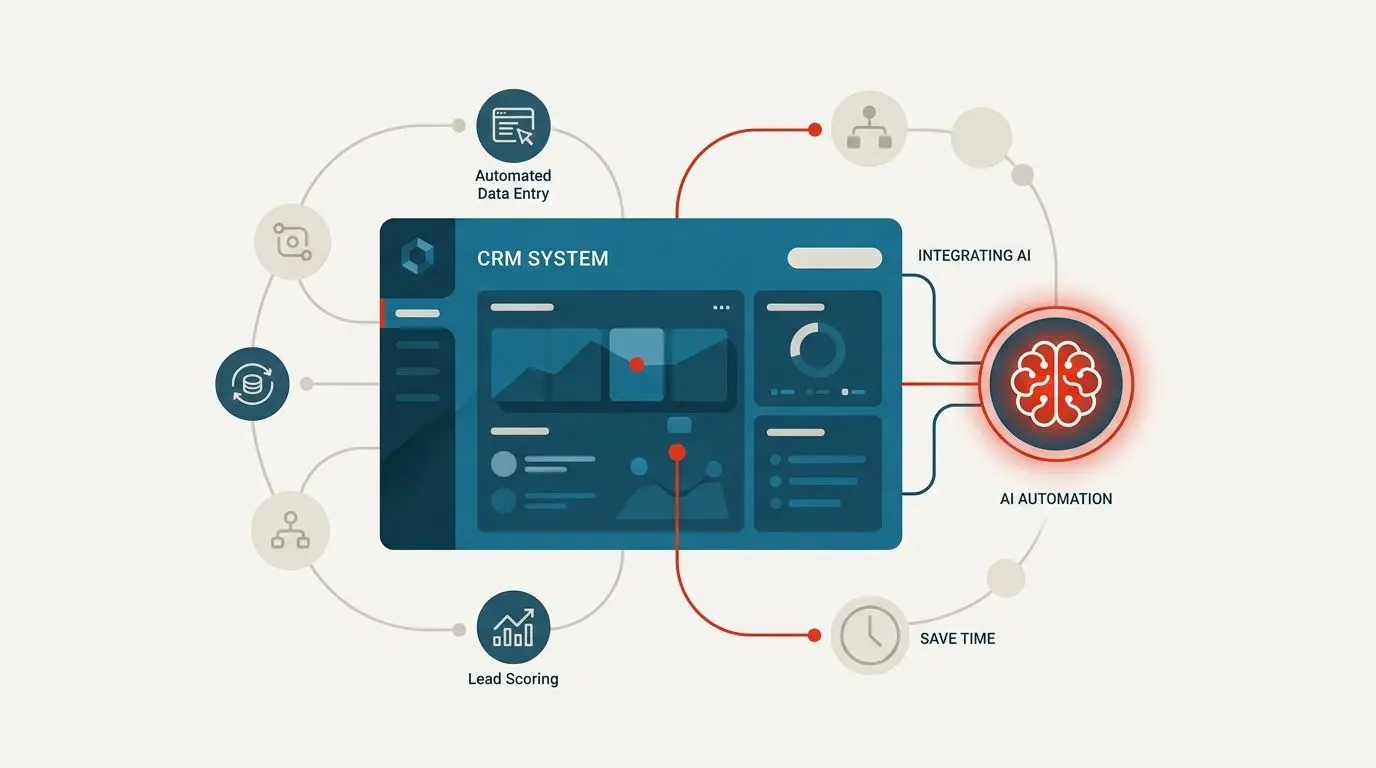
Your CRM was supposed to save your team time. For most sales and operations teams, it has quietly become a second job. Reps spend mornings copying lead details out of inboxes. They retype the same "thanks for reaching out" emails. They manually tag which enquiries are worth a call. The tool built to accelerate revenue has turned into an administrative treadmill.
Here's the good news. You don't have to rip anything out to fix it. You can integrate AI into existing CRM using an external middleware layer that plugs into the platform you already own. No painful migration. No retraining your whole team on a new interface. Just a smart layer that handles the repetitive work while your reps focus on selling.
This guide breaks down how that integration works and where the wasted hours are hiding. You'll see the three core AI workflows you can deploy on top of your current system today.
What Is CRM AI Integration?
CRM AI integration is the engineering process that connects Large Language Models (LLMs) and workflow orchestration engines to an existing Customer Relationship Management platform through REST APIs and webhooks. This lets your current software capture incoming leads, classify complex customer queries, and generate personalized communication drafts. All of it happens without a ground-up system rebuild.
In plain terms, you keep the CRM your team already knows. AI becomes an invisible assistant working behind the interface. It reads incoming messages, fills in fields, and prepares responses. The reps still make the decisions. The software just removes the grunt work that leads up to those decisions.
Start by mapping which of these tasks eats the most hours on your team.
Where the 20 Hours a Week Actually Go
Before you can recover lost time, you have to see where it leaks. When we audit sales and operations teams, the same four bottlenecks appear again and again.
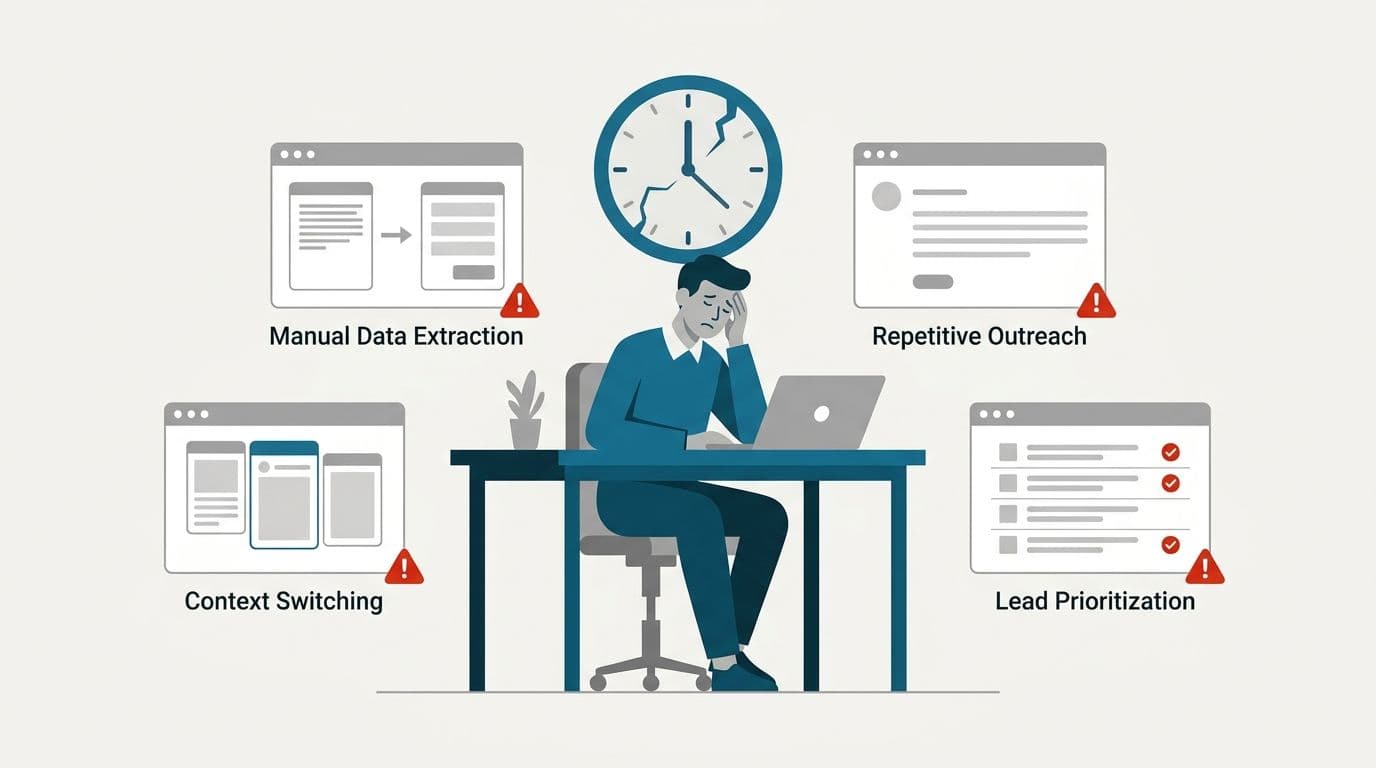
Manual Data Extraction
Someone on your team is copying names, budgets, and enquiry details out of landing page notifications and lead forms. Then they paste them, field by field, into CRM records. It's monotonous, error-prone, and it scales badly. The more leads you generate, the deeper this hole gets. Audit one rep's morning regular and you'll spot this leak fast.
Repetitive Initial Outreach
Every new enquiry gets a first reply. Most of those replies say roughly the same thing. Reps retype personalized-sounding intro emails and WhatsApp messages dozens of times a day. The intent is good. Fast, warm responses close deals. The execution burns hours that could go toward actual conversations.
Track how many first replies your team writes weekly. The number will surprise you.
Context Switching
A single client interaction might touch Outlook, WhatsApp, and the CRM dashboard. Keeping activity logs accurate means constantly toggling between tabs. Reps re-enter the same information in multiple places. Studies on task-switching consistently show it drains focus and time.
In a sales context, that fragmentation quietly erodes productivity all day long. Each toggle costs more than it looks like on the surface. Count your open tabs right now, then try consolidating two of them tomorrow.
Lead Prioritization Fatigue
This might be the most expensive leak of all. Reps scroll through raw inquiries trying to guess which leads are hot and which are tire-kickers. Instead of calling ready-to-buy prospects, they spend hours triaging. Hot leads go cold while your best people play detective.
Add these up across a team. Twenty hours per rep, per week, is a conservative estimate. Pick one bottleneck above and tackle it first.
The AI Middleware Architecture and Tech Stack
The core idea is simple. You build a smart layer on top of your legacy platform, not inside it. This middleware talks to your CRM through its API. It listens for events through webhooks and runs the AI logic in a separate, secure environment. If something in the middleware ever needs changing, your core CRM data is never at risk.
Here's how a typical Hitasoft integration is structured:
| Layer | Recommended Tech | Purpose in the Integration |
|---|---|---|
| Orchestration | n8n / Webhooks | Bridges data movement between landing pages, messaging channels, and the CRM. |
| Logic & AI | Python, OpenAI / Gemini APIs | Handles sentiment analysis, document parsing, lead scoring, and draft generation. |
| Database & Hosting | PostgreSQL, Docker | Stores logs, workflow states, and user permission rules securely on private infrastructure. |
| Communication | Outlook API, WhatsApp Business API | Enables unified messaging and two-way auto-syncing across channels. |
The orchestration layer is the traffic controller. With n8n CRM automation, events flow from wherever a lead originates into the right processing pipeline. The logic and AI layer is where the thinking happens. Python services call LLM APIs to interpret text and generate drafts. The database and hosting layer keeps everything auditable and protected on infrastructure you control. That matters enormously for teams handling sensitive customer data. The communication layer connects it all back out to the channels your customers actually use.
Every piece is modular, so you can start with one workflow and expand. Nothing about this approach forces an all-at-once transformation. Choose the single layer that solves your biggest pain and build from there.
The 3 Core AI Workflows You Can Inject Today
You don't need dozens of automations to feel the impact. These three cover most of the wasted hours described above.
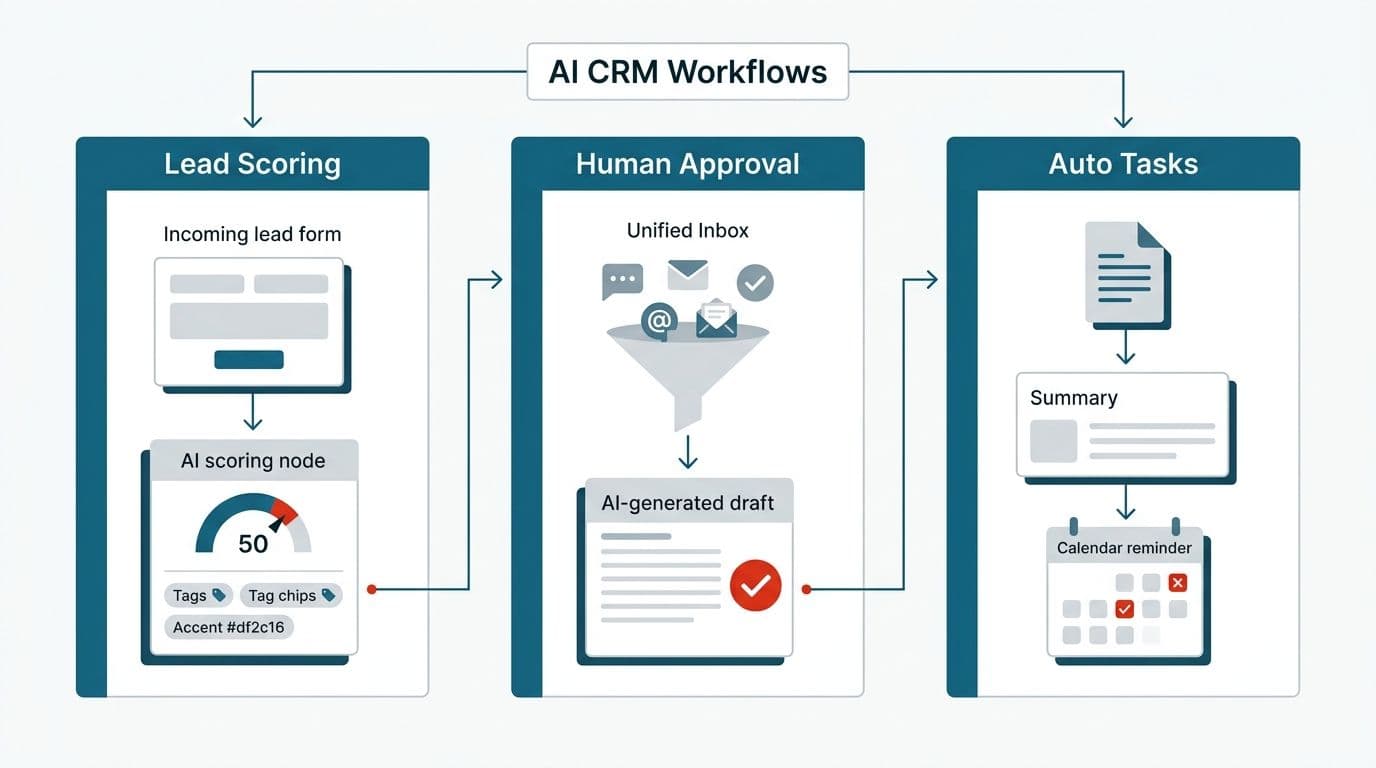
Workflow 1: Automated Lead Capture, AI Scoring & Segmentation
This is the fastest way to automate CRM data entry with AI and clear prioritization fatigue in one move.
- Lead ingestion. A new enquiry arrives via a landing page, web form, or social ad webhook. The moment it lands, the orchestration layer picks it up. No one has to be watching an inbox.
- AI qualification and scoring. An LLM reads the submission and evaluates it against your internal criteria, assigning a numeric score and relevant tags such as High Intent, SMB, or Urgent. This is AI lead scoring integration working in real time, not once a day.
- Instant CRM record update. The CRM auto-populates the contact and company records with clean, structured fields. No copy-paste, no typos, no delay.
- Behavior-based routing. Based on the score and tags, the AI decides the next logical action, either assigning a task to a specific rep or triggering an automated sequence for lower-priority leads.
The payoff is real. Your reps open the CRM to a prioritized queue, already knowing who to call first. Set your scoring rules today and watch the queue sort itself.
Workflow 2: "Human-in-the-Loop" Email & WhatsApp Responses
This workflow attacks repetitive outreach and context switching. It never takes your team out of the driver's seat.
- Unified inbox trigger. Incoming messages from WhatsApp, Facebook, Instagram, or Outlook all funnel into one central pipeline. No more tab-hopping to check every channel.
- Smart classification. The AI reads each message. It decides whether it's a uncomplicated question about pricing or availability, or a complex enquiry that needs a specialist.
- Draft preparation. For messages it handles, the AI agent drafts a personalized reply. It draws on the client's past history and your internal docs so the response is accurate and on-brand.
- Human approval. The draft waits in the rep's dashboard queue. The rep reviews it, makes quick edits, and clicks Approve & Send in a single action.
This is the heart of a responsible integration. The AI does the tedious 90%, reading, classifying, and drafting. The human keeps final say. Customers get fast, thoughtful replies. Your team never loses control of its voice or its compliance duties. Turn this on with everything gated behind manual approval, then loosen the reins as trust grows.
Workflow 3: Document Summarization & Automatic Task Management
For teams that deal with paperwork in legal, healthcare, or finance, this workflow is transformative.
- Document upload. A client uploads complex files such as medical records or contracts, through a client portal or an email attachment.
- AI analysis and extraction. OCR and vision engines parse the document and generate a concise executive summary attached directly to the CRM case record. Instead of reading 40 pages, your account manager reads a transparent paragraph.
- Deadline and task triggers. The AI detects key dates buried in the text. It automatically creates reminders, tasks, and audit-log alerts for the assigned account manager. Nothing slips through because a human forgot to flag a renewal date on page 12.
These three workflows are examples of custom AI CRM workflows tailored to how your business actually operates. They aren't generic templates bolted on from the outside. Map your document flow first, then decide which workflow to build next.
No-Code Adjustability: Keeping Operations Non-Technical
A common fear with any automation project is dependency. What happens when the rules need to change and the developer isn't around? The answer, done right, is that they don't need to be.
Once the Python services and API hooks are deployed, the day-to-day logic lives in visual tools. With n8n, non-technical team members adjust workflow triggers, modify lead-scoring logic, or update message templates through a drag-and-drop interface. No backend code required.
Your operations lead can raise the threshold for a "High Intent" lead or reroute a channel on a Tuesday afternoon without filing a development ticket. The engineering investment happens once. The flexibility lasts indefinitely. This is what keeps an AI integration sustainable rather than turning it into another system only one person understands. Hand your ops lead the visual editor early and let them own the tweaks.
Where to Go From Here
The path to reclaiming 20 hours a week per rep doesn't start with a bigger CRM. It starts with a smarter layer on top of the one you already have.
- Looking to upgrade your existing software instead of rebuilding? Explore our AI software integration services to see how we bolt intelligence onto legacy systems.
- Need autonomous workflows built for your team? Our AI workflow automation services cover everything from lead capture to document processing.
For a deeper look at how the API connections are engineered, our custom AI API integration team can map your existing stack and identify the highest-impact automations first. Book that mapping session and start with your biggest time leak.
Conclusion
Your CRM is not the problem. The manual work piled on top of it is. When you choose to integrate AI into existing CRM through a modular middleware layer, you keep the platform your team trusts and protect your data. You hand the repetitive work to software that never gets tired. That gives your best people their time and their focus back. The same modular approach works beyond CRMs too, if you run a learning business, here's how to integrate an LLM into an EdTech platform using the same principles. Pick one workflow and start this month.
Wondering what this would take against your own systems?
The audit costs nothing, and you keep the costed plan and the risks whether you go ahead or not.
Book a free automation auditCommon questions
Do I need to replace my current CRM to get these AI features?
No. With REST APIs and webhooks, an AI middleware layer plugs into almost any existing CRM platform, whether that's Salesforce, HubSpot, or custom-built legacy software. Your core system stays exactly as it is. The AI simply works alongside it. Start by confirming your CRM exposes an API.
Will the AI send emails to my clients automatically without review?
We recommend a "human-in-the-loop" architecture. The AI drafts the response, classifies the lead, and prepares the next step. Your team retains full approval control before any message is sent. You decide how much autonomy to grant. Begin with everything gated behind a manual approval, then adjust over time.
How do non-technical users adjust these workflows later?
Managers use visual orchestration platforms like n8n alongside custom API endpoints. They update workflow triggers and lead-scoring rules visually, without writing code. The technical setup happens once. Ongoing adjustments run through a easy interface anyone on your team can learn. Give a teammate a test workflow to practice on this week.

Arun Andiselvam
LinkedInI am a startup veteran who has built five brands. I sold the first, an SEO tool, for a six figure exit, and now build AI automation products for businesses. I bootstrapped every one of them from day one.