A finance lead we spoke with had 400 supplier invoices sitting in a shared inbox at the end of a month. Roughly half were clean PDFs exported straight out of a supplier's accounting system. The rest were phone photos, scans with a coffee ring on them, and one fax that had been scanned, printed, and scanned again. Two people spent three days retyping the lot into the ledger.
That pile is the exact problem OCR was built for. It's also the exact pile where OCR quietly falls over if nobody plans for it. So here is a straight answer to what is OCR document processing, what it reliably does, and where it stops being magic and starts being work. The short version: OCR reads characters off an image, document processing is everything wrapped around that reading, and almost every failed project we've seen failed in the wrapping, not the reading.
The OCR document processing meaning, without the vendor gloss
OCR stands for optical character recognition. It takes an image of text, a scan, a photo, or a page of a PDF that is really just a picture, and returns characters a computer can search and compare. That is the whole of OCR. It does not know what an invoice number is, and it does not know that the total should match the sum of the lines.
Document processing is the layer that gives those characters a job. It decides which document type you're holding, pulls named fields out of the text, and checks them against something you already trust before pushing the result into your ERP, ledger, or case system. When people ask about the OCR document processing meaning in a business context, this combined pipeline is usually what they actually mean, even when they say OCR.
The distinction matters for budgeting. Raw text extraction is close to a solved problem for clean printed pages, and you can get it cheaply. Turning that text into a posted journal entry, a verified claim, or a KYC decision is where the engineering time goes. We've watched teams approve an OCR license, get accurate text back on day one, and then discover six weeks of work still sat between that text and their accounting software.
A useful rule before you commit: write down the decision the extracted data will drive. If nobody can name it, you don't have a document processing project yet.
How an OCR pipeline actually runs, stage by stage
A production pipeline has more stages than most explanations admit, and each one can be the weak link.
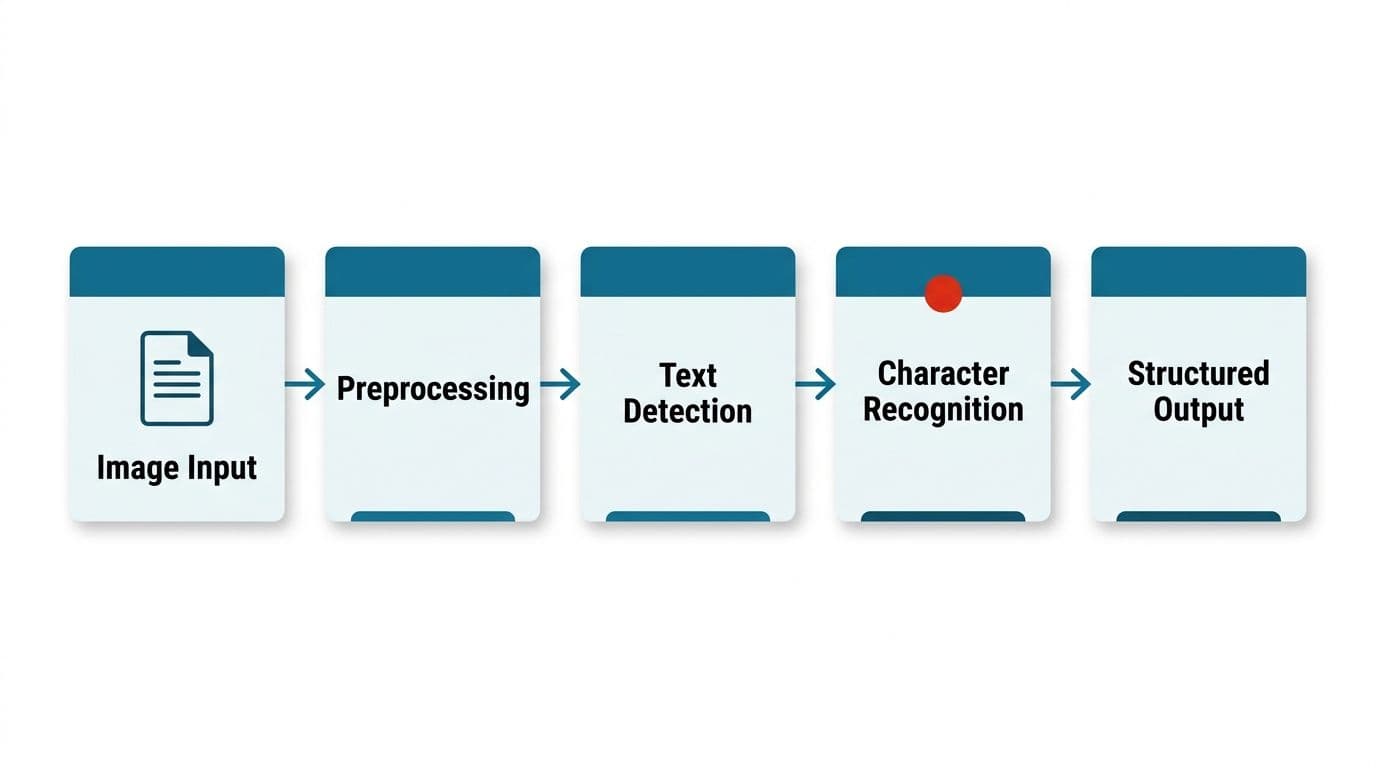
Ingestion. Files arrive from email, a scanner, a customer portal, or an API. You separate multi-page batches into logical documents here, because a 60-page scan is often eleven invoices stapled together by a scanner, not one document.
Classification. Before extraction, something has to decide what each page is. Invoice, delivery note, or passport page. Get this wrong and the extraction step looks for fields that were never there.
Preprocessing. Straightening, cleaning, and normalizing the image happens here. More on this below, because it does more for accuracy than switching engines usually does.
Recognition. The OCR engine returns characters, along with coordinates and a confidence score per word or per line. Those coordinates matter more than people expect, since they're how you reconstruct tables and reading order.
Field extraction. This step maps text to meaning. Which number is the total, which date is the due date, which of the three addresses is the supplier.
Validation. Arithmetic checks, format checks, and lookups against your supplier master or patient list happen here. This is the stage that catches the errors recognition made, and it's the stage most pilots skip.
Human review and export. Anything below your confidence threshold, or anything that fails a check, goes to a person. Everything else posts automatically.
Our own rule on this is simple and we don't bend it. A person approves anything that touches money or a customer record. Automation decides the large majority of straightforward cases and routes the rest to someone who can look at the original page.
What OCR accuracy rates mean, and why benchmarks mislead
Vendors quote character accuracy. Your business runs on field accuracy. Those two numbers can be very far apart, and the gap is where trust gets lost.
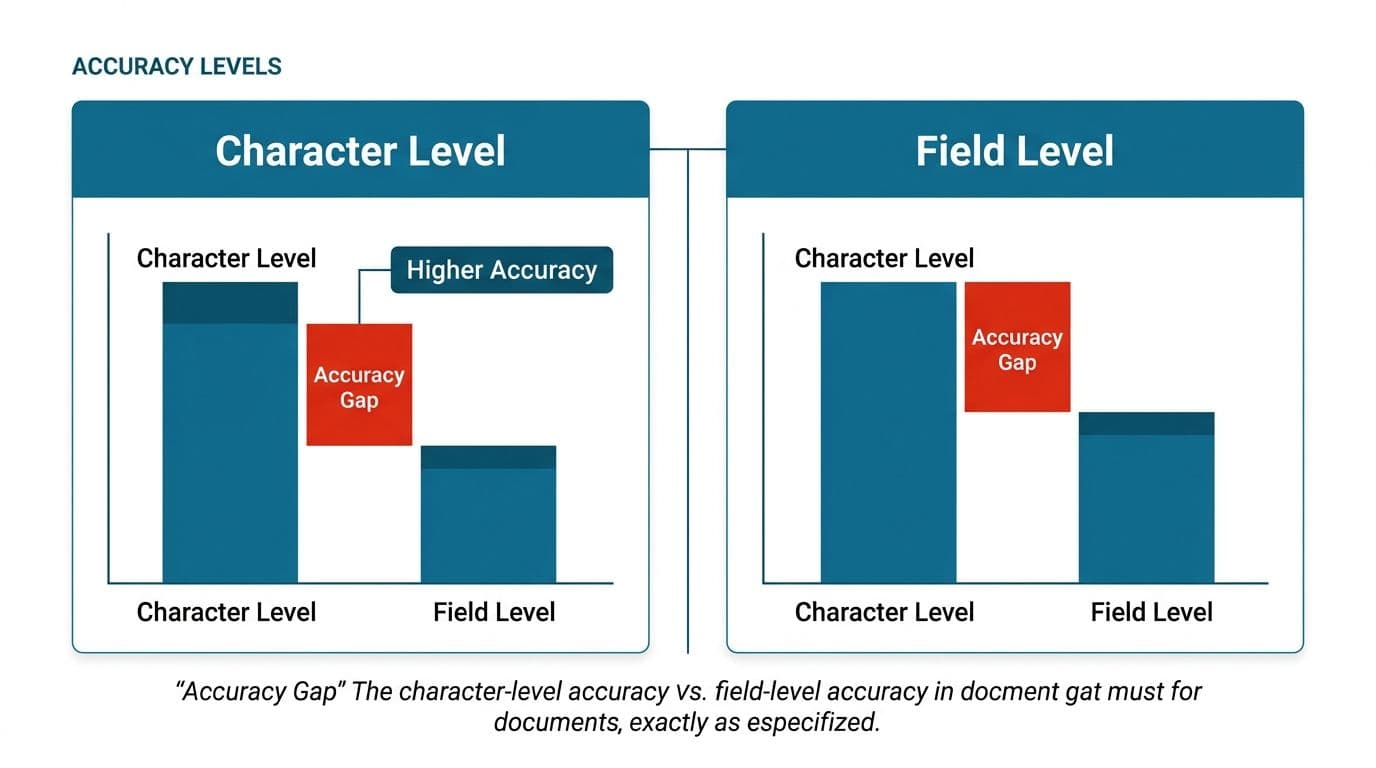
If an engine reads 99 characters out of 100 correctly, that sounds excellent until you apply it to a 14-digit IBAN or an invoice total. One wrong character in a bank account number is a failed payment, not a rounding issue. Character accuracy is averaged across a page of mostly forgiving body text, while the fields you care about are short, dense, and unforgiving.
Three numbers are worth measuring separately on your own documents:
- Character accuracy. Valuable for search and archiving. Nearly useless for deciding whether to automate a payment.
- Field accuracy. Per field, per document type. Totals, dates, reference numbers, and party names each get their own score.
- Straight-through rate. The share of documents that clear every validation rule without a human touching them. This is the number your business case actually rests on.
Published benchmarks are a starting point, not an answer. It's worth asking for the underlying accuracy graphs and the raw benchmark data rather than a summary table. The sensible request we keep seeing is for comparisons plotted as accuracy against speed and accuracy against cost. The fastest model and the most precise model are rarely the same one, and the gap between them is where your budget lives.
The only benchmark that settles an argument is a sample of your own documents, including the bad ones. We've broken down how the major engines behave on messy real-world pages in our comparison of OCR engines on real documents, and even there the advice ends the same way: test on your pile.
Traditional OCR vs Vision LLMs: which one for which job
Until recently the choice was between OCR engines, and they all worked roughly the same way. Now there's a genuine fork in the road, and organizations keep asking which branch to take.
Conventional OCR engines are deterministic. Give the same page twice, get the same output twice. They return per-character confidence scores and precise coordinates, they run fast and cheap, and they run on your own hardware without fuss. What they don't do is understand. A established engine reads "Total Due 1,240.00" as five tokens near each other, and your code has to infer the rest.
Vision language models read the page the way a person skims it. They handle an unfamiliar layout without a template, they cope with a table that spans a page break, and they'll answer a question about the document rather than just transcribing it. The trade is that they produce fluent, confident, wrong answers sometimes. A model that misreads a digit tells you nothing went wrong, and there's no confidence score sitting next to the number, so your validation layer has to be stricter, not looser.
The model releases through 2026 have narrowed the cost gap considerably. Some newer releases have cut the number of visual tokens a page consumes while improving parsing quality compared with earlier, larger models. That makes vision models viable on volumes that would have been absurd a year ago. Compact models now run on modest hardware too.
In practice, the pipelines that work best use both. Traditional OCR handles the high-volume, stable, templated documents where speed and determinism matter. The vision model picks up the long tail, the one-off contract or the unfamiliar supplier format.
Where OCR breaks: tables, mixed layouts, and multi-column pages
Tables are the most common reason an OCR project stalls, and it's worth being blunt about why.
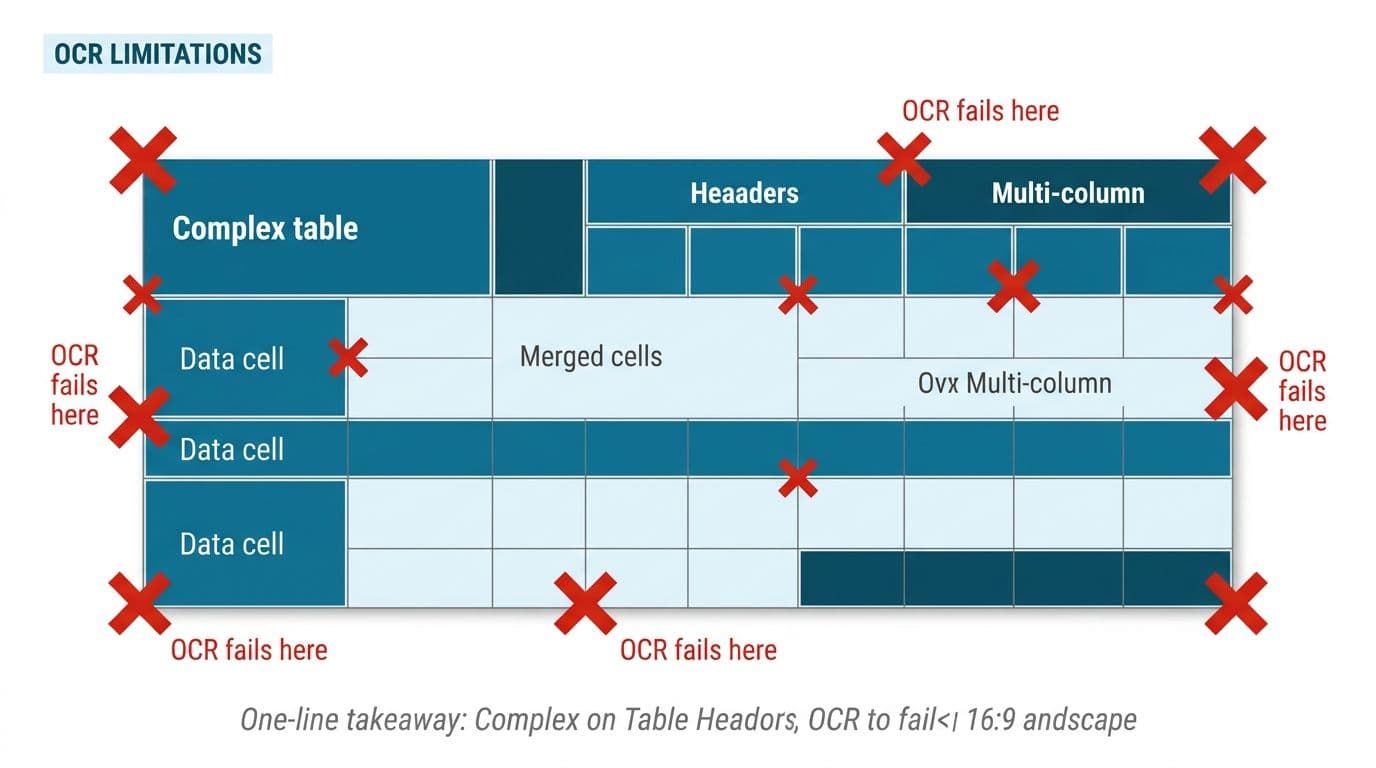
An OCR engine returns text with positions. It does not return a table. Rebuilding rows and columns from coordinates works when the table has clean ruling lines and consistent spacing. It starts guessing when a cell wraps onto two lines, when a column is right-aligned against a neighbor that is left-aligned, or when a row is a continuation of the one above it. The result is data that looks fine at a glance and has quantities attached to the wrong line items.
This is still the most consistent complaint we hear about general-purpose OCR tools. Documents with tables or mixed layouts come back needing manual cleanup that cancels out much of the time the tool was supposed to save. Anyone converting PDFs into structured rows for a downstream workflow needs the row and column relationships preserved, not a jumbled stream of text in reading order.
Other reliable failure points:
- Multi-column layouts. Reading order collapses, and sentences from two columns interleave.
- Handwriting. Block capitals on a form are manageable. Cursive on a delivery note is not, and no vendor should tell you otherwise.
- Checkboxes and stamps. Marks that carry meaning but contain no characters.
- Low-contrast thermal receipts. The text fades faster than the paper does.
- Documents that are already a photocopy of a fax. Every generation loses detail the engine needed.
The fix is not a better engine. The fix is layout-aware extraction, validation rules that catch impossible results, and a review queue for the cases that trip them.
Preprocessing: the cheapest accuracy gain available
Before you switch vendors, clean the image. Deskewing a tilted scan, removing speckle noise, raising contrast on a faint page, and cropping away the black scanner border reliably improve what comes back. These steps cut the cleanup work that follows, too. The effect is large enough that teams who add a preprocessing step often find their existing engine suddenly good enough.
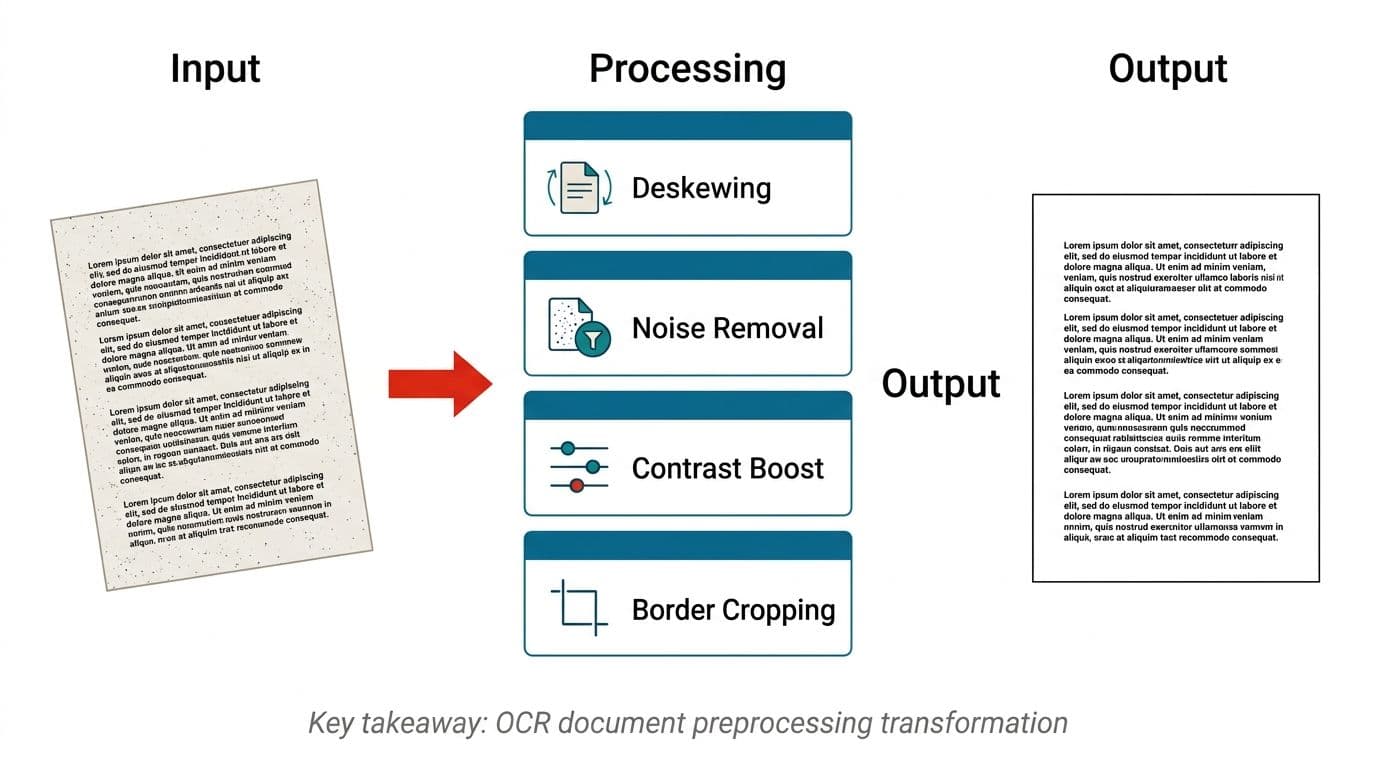
A workable preprocessing sequence for scanned business documents:
- Deskew. Rotate the page until text baselines are horizontal. A few degrees of tilt costs real accuracy.
- Binarize adaptively. Convert to black and white using local thresholds, so a page with uneven lighting doesn't lose half its text.
- Denoise. Strip the speckle that scanners and photocopiers add.
- Normalize resolution. Upscaling a small photo rarely helps, but downsampling an oversized scan speeds recognition without hurting it.
- Detect and correct orientation. Pages scanned upside down are more common than anyone admits.
Resist the urge to apply every filter to every page. Aggressive denoising eats thin strokes and turns decimal points into nothing, which is a worse outcome than a slightly noisy page. Tune the sequence per document source, since the scanner in one branch office behaves differently from a customer's phone camera.
What OCR document processing costs, and how routing controls it
Per-page pricing hides the real cost structure. You're paying for the OCR calls themselves, the engineering to build the extraction and validation layer, the human review time on exceptions, and the maintenance when a supplier changes their invoice template.
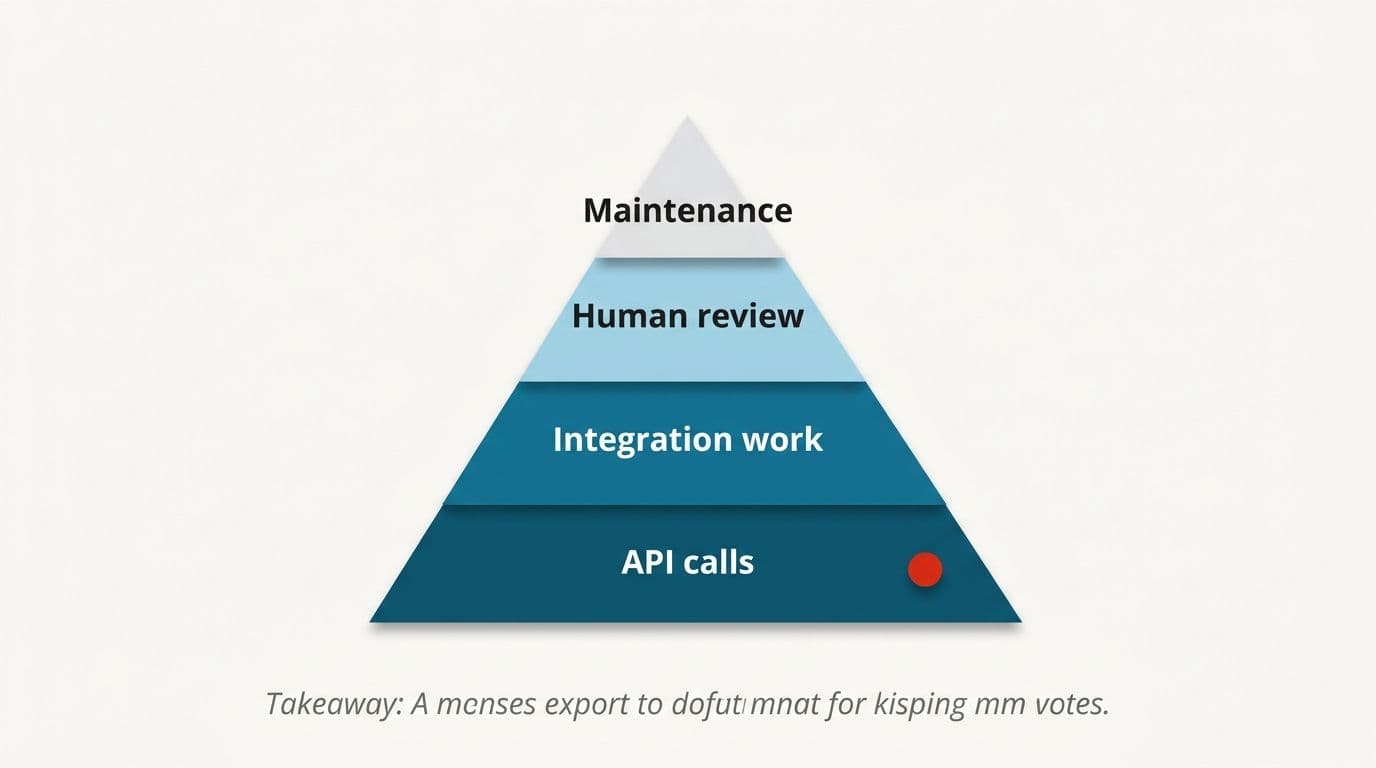
The single most effective cost control we've implemented is routing. A large share of the PDFs flowing through most businesses are not scans at all. They're native digital PDFs with a text layer already embedded, generated by someone else's accounting software. Running those through a paid cloud OCR endpoint is spending money to recognize text that is already sitting in the file.
Page-level routing like this, deciding per page rather than per file, keeps the expensive path reserved for genuinely image-based content. Mixed files are common, where a native invoice has a scanned delivery note stapled to the back.
Full intelligent document processing platforms bundle classification, extraction, validation, and a review interface. They cost more per document and considerably less in engineering time.
The honest comparison depends on volume and variety. Low volume with many document types usually favors buying. High volume with a handful of stable types usually favors building on top of an engine you control. We'll say when buying is the better answer, and we have built that decision into how we scope document work rather than treating every enquiry as a build.
Offline and private OCR when documents can't leave your network
Some documents can't be uploaded anywhere. Patient records, legal discovery, and personal journals all fall under some kind of data residency rule. The demand for OCR that runs entirely on local hardware has grown sharply, driven by people who simply don't want sensitive pages passing through a third-party service, regardless of what the terms of service promise.
The good news is that local OCR is genuinely practical now. Traditional engines have always run offline. The newer development is that compact document models released through 2026 run on a single workstation GPU, and in some cases on CPU, with quality that would have required a cloud API not long ago.
What changes when you go offline:
- You own the throughput ceiling. Scaling means buying hardware, not raising an API quota.
- You own the updates. No model changing underneath you mid-quarter and shifting your outputs.
- You carry the ops burden. Patching, monitoring, and failover become yours.
On the question everyone asks: no, data sent to enterprise endpoints with retention disabled isn't used to train models. That's a contractual position, and it's the right question to ask every vendor. But contracts and architecture are different things, and for some records only architecture satisfies the auditor. That's the case for running document models inside your own infrastructure, where the pages never leave the building. Whichever route you pick, you keep the code, the accounts, and the keys.
Building it: what a first working pipeline looks like
Start narrow. One document type, one source, one destination system, and a review queue. The instinct to handle every format at once is what turns a six-week build into an eight-month one.
A sensible first build, in order:
- Collect a sample set. A few hundred real documents, including the ugly ones, not the tidy examples finance keeps for training.
- Label the fields you actually need. Usually six to ten per document type, not forty.
- Measure a baseline. Run an off-the-shelf engine, score field accuracy per field. Now you know which fields are hard.
- Add preprocessing and routing. Re-score. Most of your gain shows up here.
- Write validation rules. Line items summing to the total, dates in plausible ranges, references matching a known list.
- Set confidence thresholds per field. A supplier name can clear at a lower bar than a bank account number.
- Build the review screen before go-live. Side by side, original image and extracted fields, keyboard-first, since reviewers will use it hundreds of times a day.
- Log every correction. Those corrections are your improvement data and your audit trail.
Connecting the output to the systems you already run is its own piece of work, and it's also the part that decides whether the pipeline saves anyone time. Extraction that lands in a spreadsheet nobody opens has moved the typing, not removed it. We treat the integration into ledgers, ERPs, and case systems as part of the build, not a follow-on phase. That's also how our workflow automation work is scoped.
Deciding whether you need this at all
Not every pile of paperwork justifies a pipeline. If your team processes a small number of documents a week, if the formats change constantly, or if the data lands somewhere nobody reads, automation will cost more than the typing does. We'd rather tell you that at the scoping stage than six weeks in.
The cases where it clearly pays: steady volume, a handful of recurring document types, a measurable downstream decision, and a team currently retyping what another system already printed. That last one is the strongest signal. Data being keyed in by hand after a computer produced it is pure waste, and it's the pattern behind most of the document work we take on.
To put the answer to what is OCR document processing in one line: it's character recognition plus the classification, validation, and review scaffolding that makes those characters safe to act on. The recognition is the easy half. Accuracy never comes from the engine alone, which is why we don't promise error-free output from any model, and why a person stays in the loop on anything financial.
Across years of client work spanning many countries, the document projects that worked all started the same way: a small sample of real documents, an honest baseline measurement, and a fixed price named before anyone wrote code.
If you have a pile like the one at the top of this article, send us a sample set and we'll measure what's realistically automatable. Book a free automation audit, or see how we work first.
Wondering what this would take against your own systems?
The audit costs nothing, and you keep the costed plan and the risks whether you go ahead or not.
Book a free automation auditHitasoft
LinkedInHitasoft has built software since 2008, for companies that mostly do not have an IT department. These pieces are written by the people who do the integrations rather than by anybody in marketing.