
A finance lead at a three-entity retail group opens her laptop on the first Monday of the month. Three bank feeds, two payment processors, and about 400 supplier invoices sitting in a shared inbox. Nothing is broken, but everything is slow, and she will spend four days moving numbers between systems that already hold those numbers.
That is the kind of problem most ai workflow automation examples are built to solve. Not robot receptionists. Not a chatbot bolted onto a homepage. Just the boring middle of a business, where information arrives in one format and has to leave in another, and a person is currently doing the translation by hand.
This guide walks through what those builds look like in practice. Finance, support, document handling, HR onboarding, and the small scheduling jobs people ask about most. Then it covers the parts that decide whether an automation survives its first month in production. Partial automation and branching logic, running costs, local models versus cloud APIs, and human approval before anything commits.
The thesis, stated up front: the automations that last are narrower than people expect, only partly automated, and built so a person confirms anything touching money or a customer. The ones that fail are the ones designed to run end to end with nobody watching. We have built both kinds over eighteen years, and the difference shows up fast.
A worked example first: the invoice nobody retyped
The example starts with a single supplier invoice arriving as a PDF attachment.
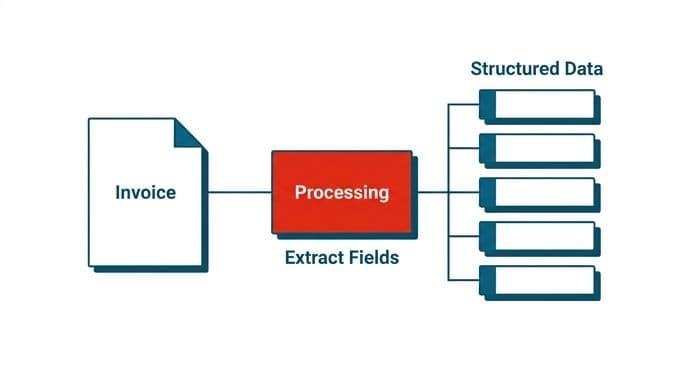
The automation picks it up from the inbox, reads the document, and pulls out the fields that matter. Supplier name, invoice number, date, line items, tax, total, purchase order reference. Then it checks those fields against the purchase order already in the accounting system. Quantities match, price matches, supplier is known and active.
At that point the workflow does three things. It writes a draft entry in the accounting system, flags the invoice as matched, and posts a line to a queue a human reviews. If the total sits outside the PO by any amount, if the supplier is new, or if the document is unreadable, the item goes to a different queue with the reason attached.
Nobody retypes anything, but nobody approves a payment without a person looking at it either.
That is the whole shape. Extraction, validation against a system of record, a draft action, and a review step. Most of the ai automation examples in this article are variations on it. What changes is the document type, the system of record, and how much the business is willing to let run unattended.
The work we do under automation for operations teams almost always starts here, with one document type and one queue, rather than a plan to automate a department.
Finance ops: AI process automation examples from month-end close
Reconciliation is where finance leads feel the pain first, because it repeats monthly and it never gets easier as the business grows.
A typical build: pull transactions from each bank feed and each payment processor on a schedule. Normalize them into one shape, because every provider names its fields differently. Match them against ledger entries using rules first, exact amount and date and reference, then fall back to a model for the ones rules miss, like a payment that arrived net of fees or a batch deposit covering six invoices.
The model does not post anything. It proposes matches with a confidence signal and a short reason, and the controller works a review list instead of a blank reconciliation screen.
Other finance and data automation jobs follow the same pattern. Intercompany charge allocation across entities. Expense claim triage, where receipts get read and coded and only the odd ones reach a human. Dunning, where overdue accounts get drafted follow-ups that someone sends.
We never promise an error-free ledger, and no honest supplier will. Models misread handwriting, suppliers change their invoice layouts without warning, and a bank will restate a feed. What these AI process automation examples do is move the work from typing to checking, which is a different job with different hours. Measure it by how many items reach a human, not by how clever the matching is.
Support desks: the same twenty questions, answered once
Support leads describe the same situation everywhere. Twenty questions make up most of the ticket volume, the answers already exist in the help center, and the team retypes them with small variations all day.
A retrieval augmented generation agent, usually shortened to RAG, handles this by searching your own documentation and account data before it writes anything. It does not answer from general knowledge. It finds the passages that apply, drafts a reply citing them, and either sends it for simple cases or hands it to an agent for review.
The second half matters more than the drafting. Incoming tickets need sorting before they can be answered. Category, product area, urgency, and whether a refund or account change is involved. We wrote separately about how AI agents sort and route incoming support tickets, which covers the comparison between rules, classifiers, and model-based routing in more detail than fits here.
Where teams get this wrong is scope. They point an agent at every ticket on day one, accuracy sits at an uncomfortable level across the whole queue, and trust collapses. Point it at the five highest-volume question types instead. Let it answer those, pass everything else through untouched, and widen the scope once the numbers hold.
AI customer support automation works best as a narrow, well-fenced helper. Output still gets validated, either in code or by the person sending it.
Document processing: what arrives as PDF and leaves as structured data
Plenty of businesses are not drowning in tickets or reconciliations. They are drowning in paper that someone converts into database rows.
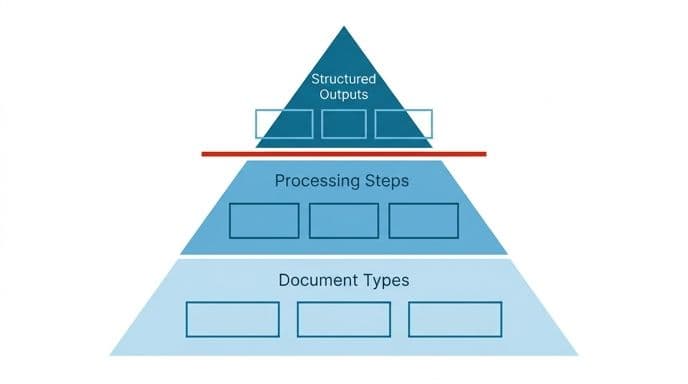
Claims forms. Shipping manifests. Patient intake sheets. Lease agreements where someone needs to pull out the renewal date and the notice period and put them in a tracker.
Document processing and OCR builds combine optical character recognition, which turns an image of text into text, with a model that understands what each piece of text means in context. The combination handles documents that plain OCR cannot, like a table that spans two pages or a form where the label sits above the value on one layout and beside it on another.
A few things we tell clients before starting. Scan quality sets your ceiling, and a phone photo of a crumpled receipt will always be harder than a clean digital PDF. Document variety matters more than volume, so 10,000 identical forms are easier than 200 different ones. Confidence scores per field are worth more than a single score per document, because they let you route only the uncertain fields to a human instead of the whole page.
In healthcare work the rule is absolute. The system drafts, a clinician reads every word, and nothing clinical goes out unchecked.
HR onboarding: the workflow nobody owns
Onboarding keeps coming up when people ask where else this applies, and it is a good fit for a reason. The work is well defined, it repeats, and it is split across people who each think someone else is tracking it.
A new hire is confirmed. Now an offer letter needs generating from a template with the right terms. IT needs a ticket for hardware and accounts. Payroll needs the tax and bank details collected and checked.
The workflow here does not write anything clever. It orchestrates. It reads the signed offer, extracts start date and role and location, fires the right provisioning requests, generates the documents that follow a template, and chases the gaps. A model handles the parts that need judgment, like reading a returned form to check it is complete, or drafting a first-week schedule from the role description and the team's calendar.
HR teams tend to be comfortable with this because the stakes per step are low and the failure mode is visible, since a missing laptop gets noticed on day one.
These are some of the most approachable ai automation examples for a company that has never built anything like this. That is exactly why we suggest them as a first project more often than finance workflows.
Email, calendar, and compliance: choosing tools for the small jobs
People evaluating platforms usually want a straight answer about which ones handle email and calendar work well. The honest answer is that the question is slightly off.
Email and calendar automation splits into two different problems. The first is connection: reading a mailbox, creating events, respecting permissions, handling tokens that expire. That is plumbing, and most general automation platforms do it adequately. The second is judgment. Deciding what an email is about, whether it needs a reply, what the reply should say, which of four people should own it. That is where tools differ, and where the marketing stops being useful.
So the comparison worth running is not platform against platform. The real question is whether a tool can express the decision rule your business actually uses, and whether you can see why it decided what it decided when it gets one wrong.
Compliance automation raises the stakes further. Policy checks, audit trails, and retention rules all need the reasoning to be inspectable later. A tool that produces a good answer with no record of how it got there will fail the first audit conversation.
For regulated work, compliance-aware AI architecture means deciding early where logs live, who can read them, and what gets retained. That decision is harder to retrofit than the automation itself, and nobody can promise you a regulatory approval, since anyone who does is selling something they do not control.
Partial automation and conditional logic: the branches you cannot predict
Here is where most projects actually fail. Someone maps the happy path, builds it, and discovers that the happy path covers maybe half the real volume.
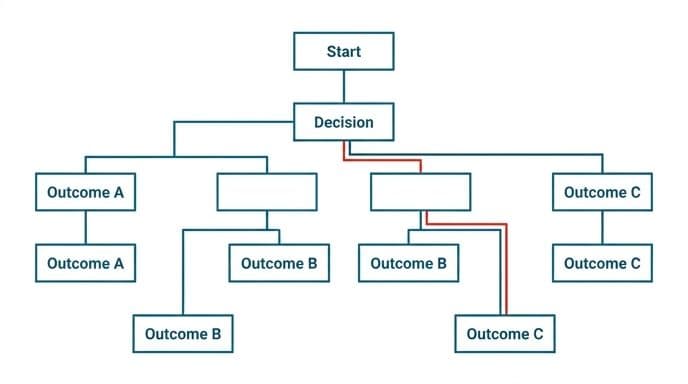
Real workflows branch constantly. The invoice has a credit note attached. The customer is on a legacy plan with different terms. The shipment cleared customs under a different reference. The approver is on leave and the deputy rule has never been written down.
Full automation means handling every branch. Partial automation means handling the branches you understand, detecting the ones you do not, and routing those out cleanly. The second is achievable and the first usually is not, which is why the ai automation workflow examples that survive are the ones that fail loudly rather than guessing.
Practically, that means three things in the build. Explicit conditions, so a branch is a rule you can read, not a model's opinion. A default route for anything unmatched, which goes to a person rather than to the most likely-looking path. And a record of which branch fired, so when the output is wrong you can find out where it went sideways.
Autonomous AI agents handle more branching than a fixed flowchart, because they plan a sequence of steps rather than follow one. They still need hard boundaries on what they are allowed to touch.
Why agent tutorials lose people at the build step
Anyone learning this from videos notices the same gap. The setup gets explained patiently. Connections, keys, a first uncomplicated flow, and then the agent build section accelerates past the part that actually matters. Tool definitions, memory handling, what happens when a step returns an error, how the agent decides it is finished.
That section deserves its own hour, not five minutes at the end. If you are evaluating a platform by following a tutorial, pause where the pace changes and try to rebuild that part yourself without the video. Whatever you cannot reproduce is the part your team will be maintaining at 11pm.
Propose and confirm, not auto-commit
The single design decision that separates automations people keep from automations people switch off: does the system act, or does it propose an action that a person confirms?
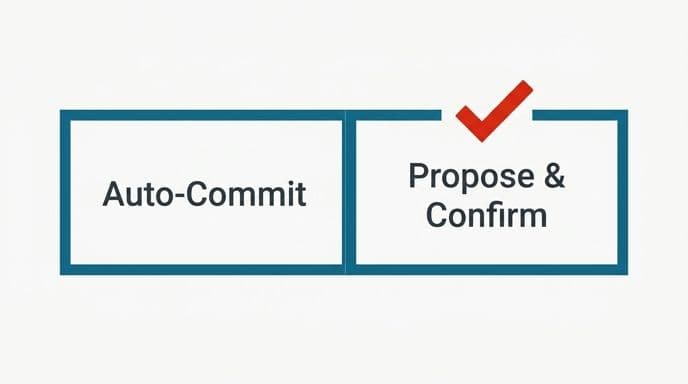
Auto-commit feels like the point of automation. It is also where the damage happens, because a wrong action that writes to a ledger or changes an account takes longer to unwind than it took to prevent.
The propose-confirm pattern looks like this. The system does all the work, assembles the full proposed action, shows the evidence it used, and waits. The person clicks approve, edits, or rejects with a reason. Approval takes seconds because the thinking is already done, and rejections become training data for the next iteration.
Our rule is that a person approves anything touching money or a customer. That is not caution for its own sake. It is the only honest position when no model is accurate enough to go unchecked, and we are not going to claim otherwise.
You can relax it selectively once you have evidence. Low-value, high-volume, easily reversible actions can move to auto-commit with sampling and a kill switch. High-value or irreversible ones should not, no matter how good the numbers look in month three.
The valuable framing: the automation is a very fast assistant that prepares work, not a colleague with signing authority.
What these workflows actually cost to run
Token spend surprises people, usually in the second or third month when usage scales past the pilot.
A token is roughly a fragment of a word, and you pay for what goes in as well as what comes out. The input side is where costs hide. A RAG agent that stuffs twelve retrieved passages plus a long system prompt plus conversation history into every call is paying for all of that on every single message, whether or not it needed the context.
Four things we check on every build. Measure tokens per completed task, not per API call, because one task takes multiple calls. Cap retrieval to what the answer needs. Use a smaller model for classification and routing, reserving the expensive one for generation. And cache anything stable, like the system prompt or a policy document that changes twice a year.
Agentic workflows cost more than single-call ones, sometimes several times more, because the agent reasons across numerous steps and re-reads its own context each time. Budget for that honestly before you commit to an agent architecture.
Rate limits and third-party costs cause the other half of the surprise. AI drafting tools cheerfully assume an external API is free and unlimited, which it rarely is, and that assumption breaks at implementation. We price custom AI API integration work with those limits checked first, and we name a fixed price before work starts so the surprise is not on your side.
Local models versus cloud APIs: when the data cannot leave
The question comes up in every fintech and healthcare conversation: will the vendor train on our data?
On enterprise endpoints with retention turned off, no. That is contractual and it is verifiable. For most businesses, that settles it, and a cloud API gives you better models at lower operating cost than you could run yourself.
Some data genuinely cannot leave the building. Patient records under certain jurisdictions. Government contract work where a client agreement forbids third-party processing outright. For those, a self-hosted model inside your own infrastructure is the answer, and the trade-offs are real. Weaker reasoning at the same size, GPU costs that run whether you are busy or idle, and a maintenance job that becomes yours.
A hybrid often works better than either extreme. Keep sensitive fields local, redact them, send the redacted remainder to a cloud model, and reassemble. Or classify locally and generate in the cloud only for non-sensitive content.
Private LLM fine-tuning and secure hosting is the route when the compliance position is fixed and non-negotiable. We will say plainly when it is not needed, because running your own model to process marketing copy is an expensive way to feel safe.
You own the code, the accounts, and the keys either way, and that is not a feature we charge for.
ROI and adoption when the team is not technical
Low-tech companies often get the most out of this, because the gap between how they work now and what is possible is widest. They also stall most often, and not for technical reasons.
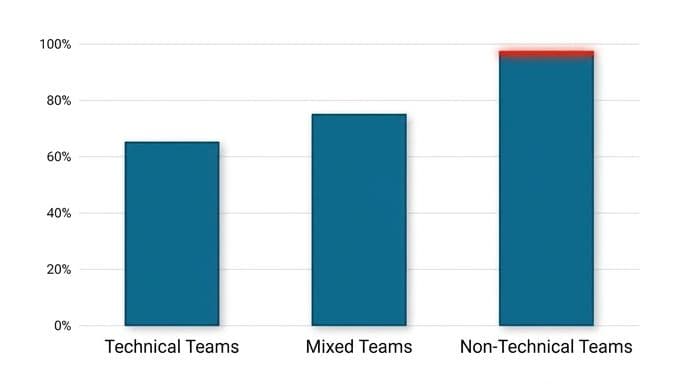
Adoption fails when the automation sits beside the existing process instead of inside it. If the team has to open a new tool, log in, and check a dashboard, they will stop within a fortnight. If the output arrives in the inbox, spreadsheet, or ticket queue they already live in, it survives.
The second barrier is trust after the first mistake. A model gets something wrong in week one, someone notices, and the story spreads faster than any accuracy report. Counter it by shipping with the error path visible from the start, so a wrong result looks like a flagged item rather than a betrayal.
On ROI, count the hours the work currently takes, including the chasing and the corrections, not just the typing. Then count what stays after automation, because review time does not go to zero. The gap is your return.
Our own content team saw a similar shift when we removed handoffs from the production process rather than relying on any single clever model, though we have not run a formal study to put a number on it. For a non-technical team, the most worthwhile ai automation examples are the ones where a wrong answer is obvious at a glance.
Where AI-drafted requirements quietly waste sprints
A pattern worth naming, because it costs more than any model bill.
Teams now use language models to draft requirements and user stories. The output reads well, but it also invents things. Permissions that your role model does not support, integrations between systems that do not talk, workflows that assume a field exists somewhere it does not. The specification sounds plausible enough to pass review, and the problem only surfaces when a developer tries to build it.
The other failure is vaguer and more corrosive. Generated requirements produce performance language with no number attached. Fast, scalable, responsive. Estimation sessions stall because nobody can size an undefined target, and QA disputes run forever because there is no line to test against.
The fix is unglamorous. Every generated requirement gets checked against the actual architecture by someone who knows it. Every performance claim gets replaced with a measurable condition before it enters a sprint. Anything describing an integration gets verified against the real API, including its rate limits and its cost.
Even setting up a single third-party key, something as ordinary as a weather service, tends to eat the better part of an hour once you account for registration, scopes, and the first failed call. Multiply that across the integrations a generated spec casually assumes.
When we run AI MVP and prototype builds, the first week is spent cutting the spec down to what the architecture can carry. Sometimes we tell a client they do not need to build at all.
Choosing which AI workflow automation examples fit your business
Pick the workflow where three things are true at once. It repeats often enough that hours are measurable. The inputs arrive in a consistent enough form that a model has something to work with. And a wrong answer is caught cheaply, by a person who would have been looking anyway.
Then scope it smaller than feels beneficial. One document type. One ticket category. One entity's reconciliation, not all five. A narrow build that works beats a broad one that half works, and you learn more from two weeks in production than from two months of planning.
Before you commit, answer these in writing. Which system is the source of truth, who approves the action, what happens to items the automation cannot handle, and how you will know next month whether it is still working. If you cannot answer the last one, you do not have an automation yet. You have a demo.
Most of the AI process automation examples worth your time will look unexciting written down. That is the point. The interesting part is the four days a month that come back.
If you want a second opinion on which of your workflows is worth automating first, book a free automation audit and we will look at the real process rather than a wishlist. If you would rather see the mechanics before talking to anyone, how we run projects lays out the fixed price, the month-one delivery, and who owns what. And if you already know the build you want, you can start a working prototype instead of a proposal.
Wondering what this would take against your own systems?
The audit costs nothing, and you keep the costed plan and the risks whether you go ahead or not.
Book a free automation auditHitasoft
LinkedInHitasoft has built software since 2008, for companies that mostly do not have an IT department. These pieces are written by the people who do the integrations rather than by anybody in marketing.