
A controller we spoke with last year had four legal entities, two currencies, and a month-end close that ran eleven working days. Her team exported trial balances from QuickBooks into a shared spreadsheet, retyped intercompany eliminations, and chased a variance that reappeared every quarter. She wasn't asking whether NetSuite was good software. She was asking whether a six-figure migration would actually fix the eleven days, or just move them.
That's the real question behind netsuite vs quickbooks. Both products work. The decision isn't about which one is better in the abstract. It's about whether your pain comes from the ledger itself or from everything bolted around it: the exports, the manual categorization, the integrations that were sold as supported and never worked. Sometimes the answer is to migrate. Often it's cheaper to fix the layer between your systems and leave the ledger alone.
We build finance automation for companies on both platforms, so we have no stake in which one you pick. Here's an honest read.
The Short Verdict
If you're under roughly 50 people, single entity, single currency, and your close takes a few days, QuickBooks is almost certainly enough. Adding NetSuite at that size buys configuration work you don't have the staff to absorb.
If you're running multiple entities, consolidating across currencies, carrying inventory with real cost layers, or managing revenue recognition schedules that span contract terms, QuickBooks will fight you. NetSuite handles those natively, and the switching point most companies hit lands somewhere around 80 to 200 employees and five to twenty million in annual revenue, which matches what we see in practice.
The third verdict, the one neither vendor will give you, is that a large share of the pain people attribute to QuickBooks isn't a QuickBooks limitation. It's reconciliation, document handling, and data movement between systems that no accounting package was designed to solve. That work can be automated on top of whatever ledger you already run, usually for a fraction of an ERP migration. We cover the full decision framework in our guide to choosing between building and buying a finance automation platform.
What Is the Difference Between QuickBooks and NetSuite, Really
The marketing framing is "small business accounting versus enterprise ERP." That's true and not very useful. Here's the structural difference.
QuickBooks is an accounting application. It records transactions, produces financial statements, and connects to banks and a wide ecosystem of third-party apps, assuming most of your operational data lives somewhere else and arrives through an integration or an import.
NetSuite is a business system with accounting inside it. The general ledger shares a database with order management, inventory, procurement, CRM, and project accounting. When a sales order ships, inventory and revenue move without an integration between them, because there's nothing to integrate.
That single architectural fact explains most of the practical differences. It explains why NetSuite consolidates several subsidiaries in minutes and QuickBooks needs a spreadsheet or a third-party consolidation tool. It explains why NetSuite's implementation takes months and QuickBooks takes an afternoon. And it explains why NetSuite costs what it costs.
So when someone asks what is the difference between quickbooks and netsuite, the honest short answer is scope of record, not feature count. QuickBooks keeps the books. NetSuite tries to be the system of record for the whole company. If your company's operational truth genuinely lives in five disconnected tools, the second model is worth paying for. If it doesn't, you're buying an architecture you won't use.
Total Cost of Ownership: The Number Nobody Quotes You
License pricing is the smaller half of the NetSuite bill, and this is where comparisons published by resellers get quietly thin.
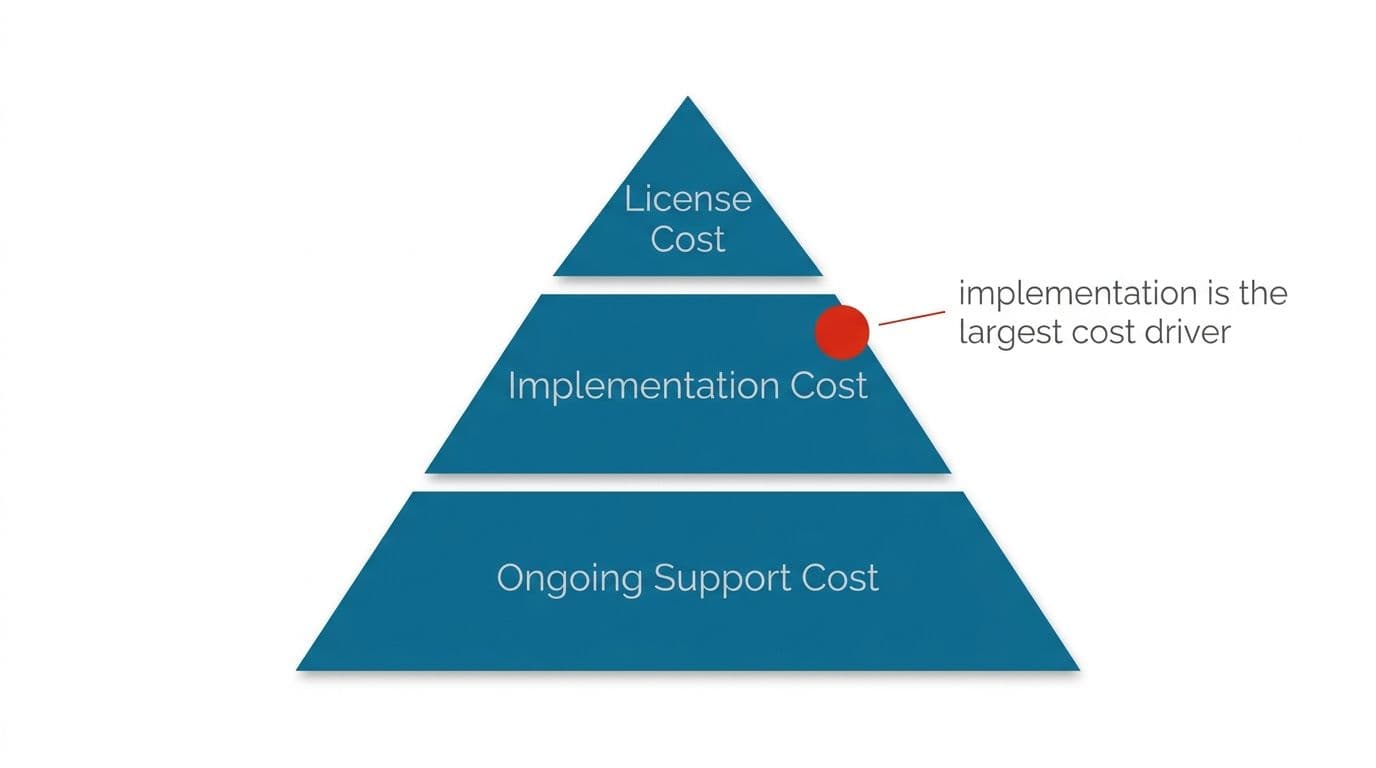
For a company around twenty million in revenue, what we consistently observe is a first-year outlay in the range of one hundred to one hundred and twenty-five thousand dollars covering license plus implementation, then forty-five to fifty thousand annually after that. Implementation frequently costs more than the software license itself, sometimes by a wide margin. That gap is the single most common budgeting mistake we see.
Then there's the part that doesn't appear in any quote:
- Ongoing customization. Scripts, saved searches, workflows, and custom records accumulate. Each one needs maintenance when NetSuite releases an update.
- Internal time during implementation. Your controller will lose a meaningful slice of their working week for months. That cost is real even though it never appears on an invoice.
- Consultant retainers after go-live. Most teams discover they can't maintain the configuration alone.
- User seat growth. Adding operations or warehouse staff to the system increases the annual bill in steps, not smoothly.
QuickBooks total cost is more honest but less complete. The subscription is modest. Then you add a bill pay tool and an expense card platform, plus a reporting layer and maybe an inventory app, and each has its own subscription and its own integration. The stack total creeps up. More importantly, the integration seams between those tools become your team's unpaid second job.
The fair netsuite vs quickbooks comparison on cost isn't license against license. It's one expensive system with internal complexity against numerous cheap systems with complexity between them. Both have a bill. One arrives as an invoice, the other as headcount hours.
How Does NetSuite Compare to QuickBooks on Features That Actually Decide It
Feature matrices are useless because both products tick most rows. Five capabilities genuinely decide the outcome.
Multi-entity consolidation. NetSuite does this natively with intercompany elimination and subsidiary-level reporting. QuickBooks does not, at any tier, without external help. If you have three or more entities and a monthly consolidated P&L obligation, this one capability can justify the whole migration.
Revenue recognition. If you sell subscriptions, multi-element contracts, or anything with deferred schedules, NetSuite's revenue module handles the arrangement properly. QuickBooks users end up maintaining deferred revenue in a spreadsheet, which works until an auditor asks for the supporting detail.
Inventory and cost layers. QuickBooks handles average cost adequately. It handles landed cost, many warehouses with bin tracking, and serialized inventory poorly or not at all.
Custom reporting depth. NetSuite saved searches reach into any record type. QuickBooks reporting is good for standard financial statements and limited beyond them.
Audit trail and permissions. NetSuite's role-based permissions are granular to the field level. For a company heading toward a funding round or an external audit, that granularity matters.
Everything else, bank feeds, AP entry, basic financial statements, both do fine. So when a reader asks how does netsuite compare to quickbooks on features, the valuable reply is to check those five against your actual obligations and ignore the rest of the comparison chart.
Where Both Platforms Leave You Doing Manual Work
This is the section the vendor pages won't write, and it's the one that changes how people decide.
Built-in automation in accounting software works on predefined rules. QuickBooks will categorize a transaction it has seen before, in the shape it has seen it. Show it a vendor name that's abbreviated differently this month, a payment that nets three invoices against a credit, or a bank line with a reference your rules don't recognize, and it stops and waits for a human. Someone then creates a new rule, which works until the next unfamiliar pattern appears. Rule libraries grow faster than they help.
NetSuite's automation is more capable but the same in kind. It's configuration, not judgment, and it follows what you told it to do. The difference is that in NetSuite, changing the rule requires a workflow edit or a script, which often means a consultant, which means a ticket and a wait.
The work that survives both platforms looks like this. Matching remittance advice to open invoices when the payment doesn't equal any single invoice. Reading a supplier PDF that arrives in a slightly different layout every quarter. Reconciling a payment processor settlement file against the ledger when fees are netted. Chasing the intercompany difference that appears because two entities booked a transfer on different dates.
None of that is a reason to prefer one platform over the other. It's a reason to be skeptical of any netsuite vs quickbooks comparison that implies the migration will end manual work. It will change which manual work you do.
Integrations That Are Listed as Supported and Still Don't Work
Both ecosystems advertise long integration directories. Treat those lists as marketing, not as engineering commitments.
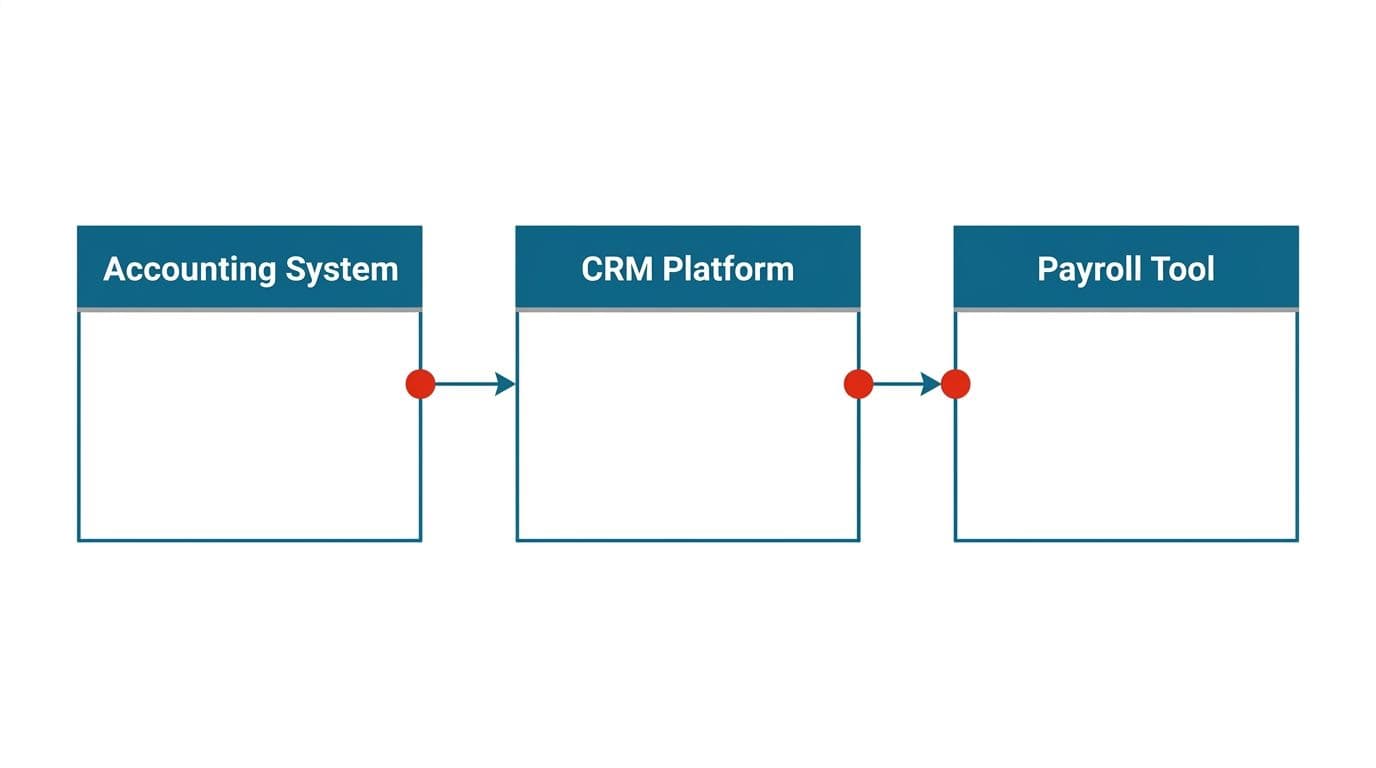
A pattern we come across repeatedly: a finance team adopts a well-known spend management or corporate card platform specifically because its QuickBooks Online sync is listed as supported. The sync partially works, or works for some transaction types and silently fails for others, or stops after a credential refresh. Troubleshooting runs for months, bounced between two vendors who each point at the other. Nobody is lying. The integration exists. It just wasn't built to handle that company's chart of accounts, class structure, or multi-entity setup.
NetSuite integrations fail differently. They're usually more robust once built, because the API surface is deeper. They're also more likely to require a developer or a middleware platform to build in the first place, and more likely to break when a customization changes a record type the integration depends on.
Three things we'd tell any team before they sign:
- Ask for a reference customer with your structure, not just any reference. Multi-entity, multi-currency, or inventory changes everything about whether a sync holds.
- Test the failure case, not the happy path. What happens when a transaction fails to post? Is it queued, logged, silently dropped?
- Agree a troubleshooting escalation path in writing with both vendors before you depend on the connection.
When an integration genuinely can't be made to work, the practical fix is a thin middleware layer that owns the mapping and the error handling, with a person reviewing anything that touches money before it posts. That's the sort of work our financial and data automation service is built for, and it's usually cheaper than abandoning a tool your team already likes.
Multi-Currency: Where the Gap Is Widest
If you invoice in one currency and bank in another, this section could decide your answer on its own.
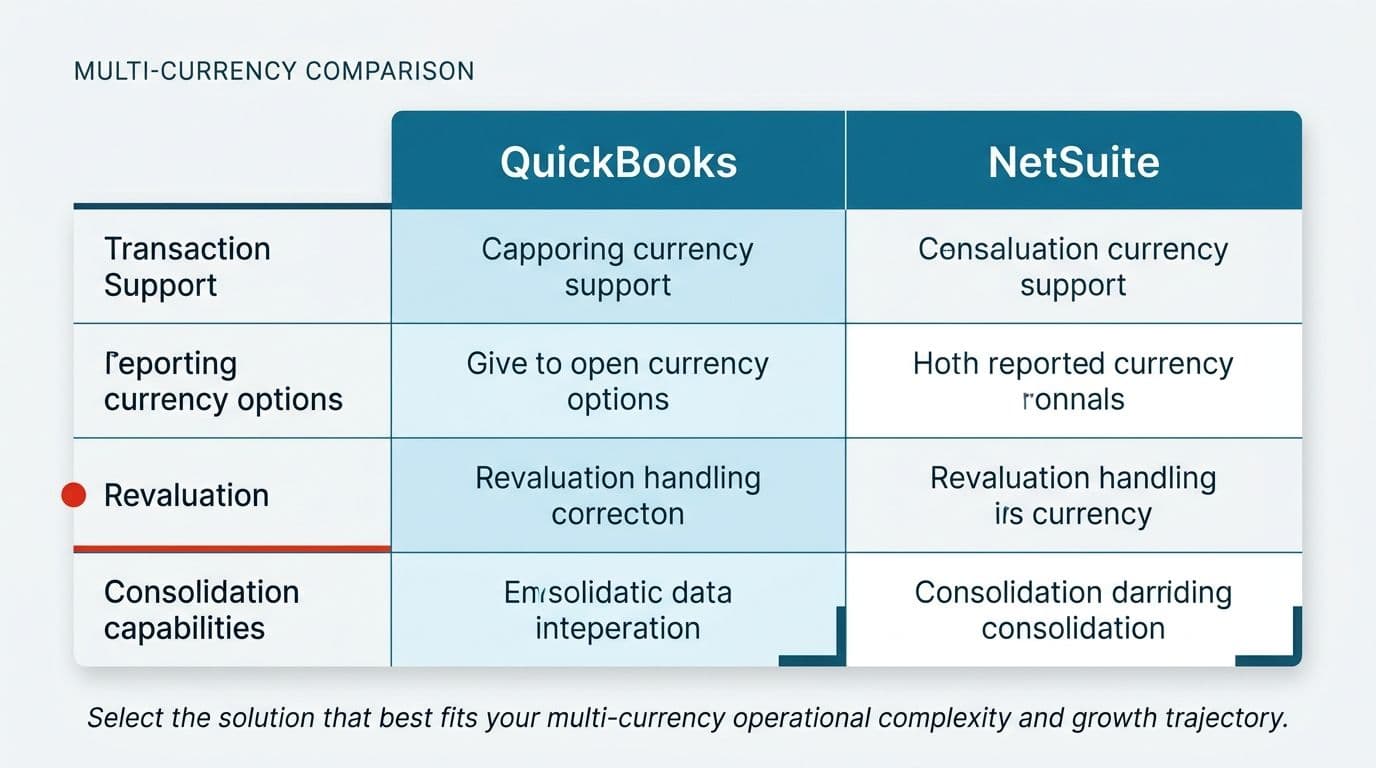
QuickBooks supports multi-currency in the sense that it will record a foreign currency transaction and revalue it. What it does less well is everything around that. Realized and unrealized gain handling is thin.
Consolidating subsidiaries with different functional currencies isn't really in scope. Rate tables need manual attention, and historical rate corrections are awkward.
NetSuite was built for this. Functional currency per subsidiary, automatic consolidation into a reporting currency, configurable rate types for average and period-end, and cumulative translation adjustment handled as part of the consolidation rather than as a journal someone remembers to post. For a company with entities across several regions, that difference is the difference between a close that runs and a close that needs a specialist.
A middle path exists and gets overlooked. Plenty of companies run entity-level books in QuickBooks and handle consolidation and translation in a purpose-built layer above it. That works when entity count is low and the structures are simple. It stops working when intercompany volume is high, because the eliminations become their own reconciliation problem.
For teams weighing which is better netsuite or quickbooks purely on currency handling, NetSuite wins clearly. Just be sure currency is actually your constraint. We've seen teams migrate for multi-currency and discover the real bottleneck was invoice capture, which the migration didn't touch.
Manufacturing and Inventory: QuickBooks Runs Out of Road
For anyone making physical goods, the comparison narrows quickly.
QuickBooks handles finished goods inventory and uncomplicated assemblies. Beyond that it struggles. Multi-level bills of material, work-in-process tracking, routing and labor absorption, scrap and yield variance, and lot or serial traceability are either absent or handled through a bolt-on app that keeps its own data and syncs summary totals back. The summary sync is where it falls apart, because your cost of goods becomes a number you can't drill into.
NetSuite's manufacturing capability is real but conditional. Work orders, assembly builds, and standard costing with variance analysis are there. Advanced manufacturing, demand planning, and quality management are separate modules with distinct costs. Shop floor control is adequate for assembly operations and thin for process manufacturing, where batch sizes, formulas, and co-products don't map neatly onto individual work orders.
Two warnings for manufacturers specifically. First, manufacturing implementations have the longest timelines and the highest failure rate, because the configuration has to mirror how your plant actually works, not how the demo works. Second, if your operations team already runs a capable MES or shop floor system, forcing that function into the ERP often makes things worse. A clean integration between a good production system and a good ledger beats one system doing both jobs adequately.
So on manufacturing, is netsuite better than quickbooks? Yes, unambiguously, for anything past foundational assemblies. Whether it's better than NetSuite's accounting plus your existing production system is a different question, and worth asking before you scope the project.
Implementation: What Goes Wrong and How to Prepare
NetSuite implementations don't usually fail on software. They fail on preparation and on what happens after the consultants leave.
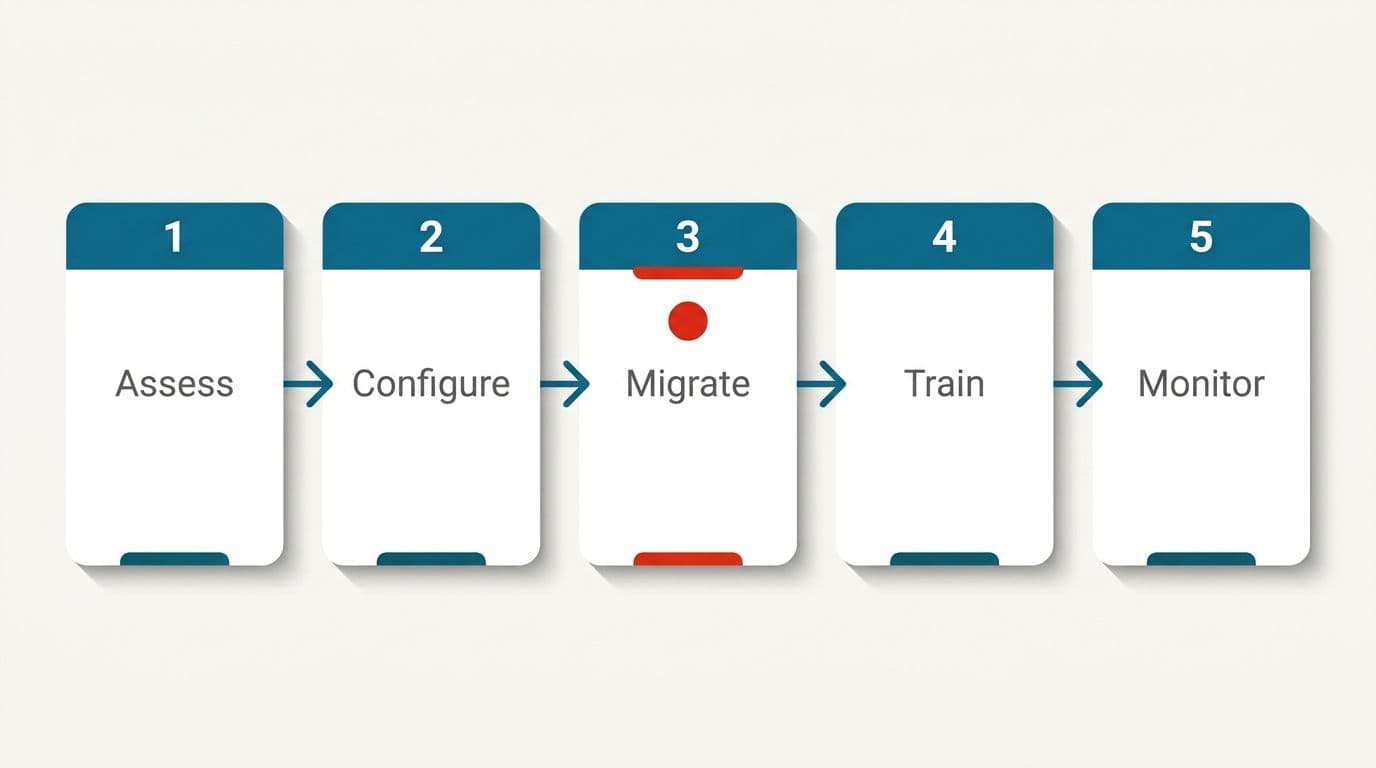
The failure pattern is consistent. A partner configures the system against requirements gathered in a few workshops. Go-live happens. The partner's engagement ends. Six months later the finance team can't change a saved search, doesn't know why a workflow fires, and has opening balances that were migrated with errors nobody caught during parallel running. The records are now wrong in ways that take an expensive remediation project to unwind.
What we'd do differently:
- Clean your data before migration, not during. Duplicate vendors, inconsistent item naming, and a chart of accounts that grew by accretion will all survive the move and get harder to fix afterward.
- Rebuild the chart of accounts deliberately. Migration is the one cheap moment to do it. Use segments and dimensions for the analysis you currently fake with account codes.
- Run parallel for at least one full close, and reconcile to the penny before you switch off the old system.
- Name an internal system owner on day one, someone on your staff who learns the configuration alongside the consultant. Without this, you're renting knowledge permanently.
- Put maintenance and knowledge transfer in the statement of work. Specify who answers questions in month seven, and what it costs.
QuickBooks implementation barely needs a plan, which is both the advantage and the trap. Teams set it up in a day and never revisit the structure, then spend three years working around decisions made in that first afternoon. If you're staying on QuickBooks, a half-day review of your chart of accounts and class structure pays for itself.
Alternatives Worth Looking At Before You Commit
NetSuite is the default comparison, not the only option. A proper netsuite vs quickbooks comparison should at least acknowledge what sits between them.
Sage Intacct is the strongest mid-market alternative for services and nonprofit organizations. Dimensional reporting is genuinely good, the interface is more approachable than NetSuite's, and the documentation is unusually clear, with step-by-step material that lets a finance team learn the system without a consultant on call. Weaker on inventory and manufacturing.
Microsoft Dynamics 365 Business Central suits companies already committed to the Microsoft stack, with decent manufacturing support and a large partner network of varying quality.
Acumatica prices by resource consumption rather than per user, which changes the math for companies with many light users in operations or the warehouse.
Xero competes with QuickBooks rather than NetSuite, and integrates cleanly with a wide range of workflow tools. Setup is straightforward, and the surrounding app ecosystem handles diverse business scenarios with configurable workflows. For a growing small business that wants a cleaner ledger without ERP commitment, it's a legitimate option.
Odoo is modular and open source, which appeals to teams with technical capacity and frustrates teams without it.
We're not recommending one. The point is that answering which is better netsuite or quickbooks without looking at the mid-market tier means you risk choosing between a product that's too small and one that's too big when something in between fits properly.
NetSuite vs QuickBooks for Small Business: When to Stay Put
For most companies under fifty people, this isn't a close call.
For a small finance team, the ERP's annual cost alone often exceeds what they spend on everything else combined, and the implementation will consume your controller for months. The configuration work that makes NetSuite powerful is exactly the work a small team has no capacity to do or maintain, and that burden is often reason enough to put off the move even when the product itself is well regarded.
Stay on QuickBooks if most of these hold:
- One or two entities, one functional currency
- Under a few thousand transactions a month
- Inventory is easy or absent
- Revenue recognition is point-of-sale, not scheduled
- Your close takes under a week and nobody is working weekends to achieve it
- No audit or funding round in the next twelve months that demands deeper controls
Start planning a move if you see three or more of these:
- Consolidation lives in a spreadsheet that one person understands
- Finance has hired headcount specifically to move data between systems
- Month-end close has lengthened two months running
- You've bought a third add-on to patch a core gap
- Auditors have raised questions about traceability
The second list is about structural strain, not size. A thirty-person company with eight entities belongs in an ERP. A hundred-person agency with one entity and clean revenue may not need one at all.
When Automation Beats Migration
Here's the framing we bring to these conversations, and it's the part that saves the most money.
Discrete your pain into ledger problems and flow problems. Ledger problems are things the accounting system structurally cannot do: consolidate subsidiaries, hold deferred revenue schedules, carry inventory cost layers. No amount of automation fixes those, because the data model won't hold the information. If your list is mostly ledger problems, migrate.
Flow problems are different. Invoices arriving as PDFs and email attachments that someone retypes. Bank lines that don't match rules. Settlement files from a payment processor that need unpacking before they reconcile. Approvals chased through email. Reports rebuilt by hand each month because the export doesn't quite fit.
Those are data movement and document interpretation problems. They sit above the ledger, and they're the same problems on either platform. We've watched teams spend a hundred thousand on migration to solve a flow problem, and arrive on NetSuite still retyping invoices.
What works instead is a layer that reads documents, proposes the entry with its reasoning and confidence visible, and routes it to a person for approval before anything posts. Document processing and OCR handles the reading. AI workflow automation handles the routing and the exception queues rules don't cover. Nothing touching money posts without a human approving it, and we won't promise error-free output, because no honest vendor can. The point is that the volume reaching a human drops to the genuine exceptions.
That approach works on QuickBooks today and keeps working if you migrate to NetSuite in two years. It doesn't replace the ERP decision so much as postpone it, which is worth real money when the postponement is a year or more of runway.
Is NetSuite Better Than QuickBooks? Our Recommendation by Situation
Pulling it together by scenario, because that's how the decision actually gets made.
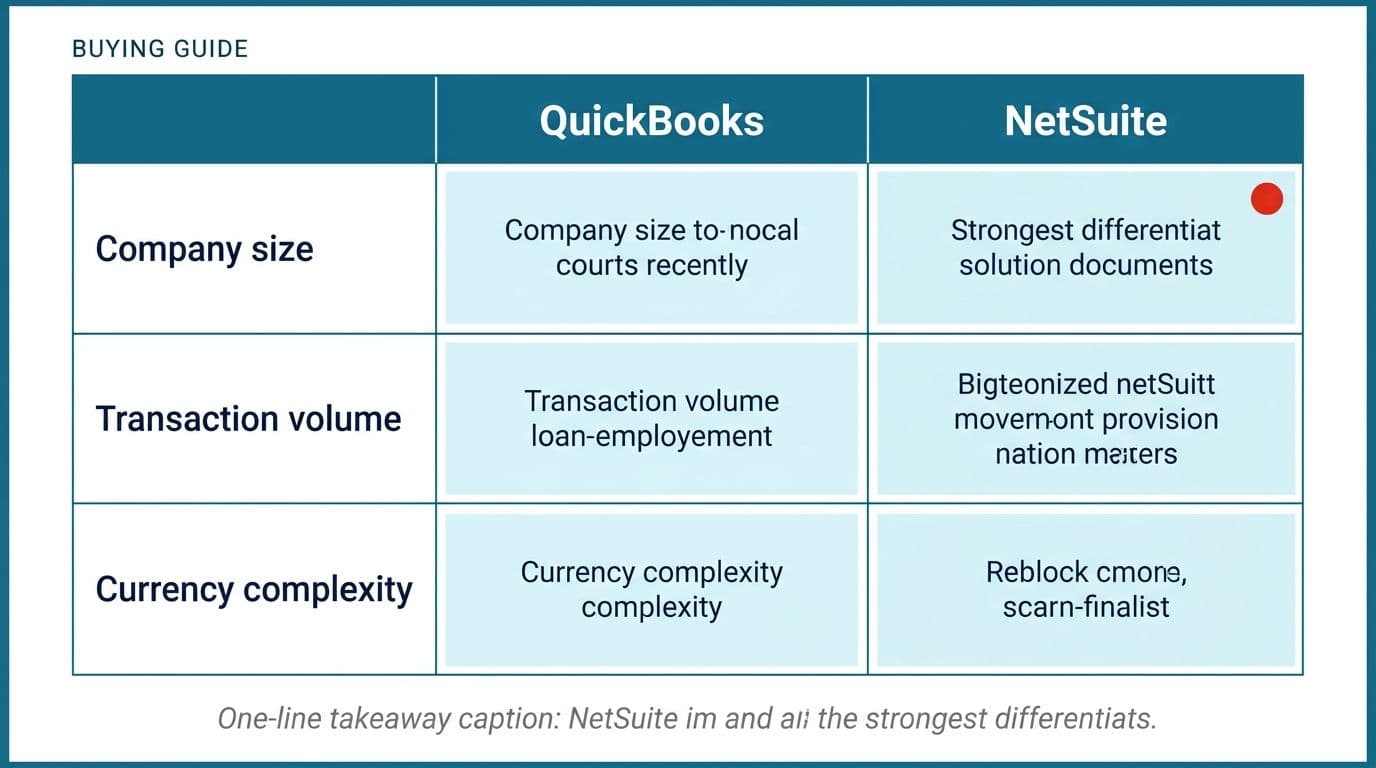
Services company, one entity, under fifty staff. Stay on QuickBooks. Fix invoice capture and approvals. Revisit at the next funding round.
Multi-entity group, two or more currencies, consolidated reporting required. NetSuite or Sage Intacct. Budget implementation at more than the license, name an internal owner, and run a full parallel close.
Ecommerce or distribution with real inventory. NetSuite if order volume and SKU count are high. Otherwise QuickBooks plus a dedicated inventory system, with a tested integration and a named owner for it.
Manufacturer past entry-level assemblies. NetSuite, with advanced manufacturing scoped and priced before you sign. Keep a working MES if you have one.
Fast-growing startup, pre-Series B. Stay on QuickBooks longer than your board suggests. Put the ERP money into automating reconciliation and document handling, and migrate when consolidation or revenue recognition genuinely breaks.
Already on NetSuite, still drowning. The problem is flow, not ledger. Audit where human hours go before buying another module.
For a company with the structural complexity to need it and the staff to maintain it, the ERP earns its keep. For everyone else it's an expensive answer to a question they didn't have. Put plainly, NetSuite is better at being a system of record for a complex business, and worse at being cheap, fast, and maintainable by three people.
Your Next Step
Before you book a NetSuite demo, try one exercise. For two weeks, have your finance team log every task that involves moving data between systems or retyping something a system already knows, with minutes against each. Total it, then sort each line into ledger problem or flow problem using the split above.
If the ledger column dominates, start talking to implementation partners and ask every one of them who supports you in month seven. If the flow column dominates, you have a cheaper problem than you thought, and migrating won't solve it.
We've spent years building software across a wide range of clients and countries, and a fair share of those conversations end with us telling a company they don't need to build anything. If you want a second opinion on where your hours are actually going, book a free automation audit and we'll walk through it with you. You can also see how we work first, including fixed pricing named before anything starts.
Wondering what this would take against your own systems?
The audit costs nothing, and you keep the costed plan and the risks whether you go ahead or not.
Book a free automation auditHitasoft
LinkedInHitasoft has built software since 2008, for companies that mostly do not have an IT department. These pieces are written by the people who do the integrations rather than by anybody in marketing.